


Why Does My Available Volume Capacity not Increase After Removing a Shared Folder?
Applied models:
-
All NAS Series
Applied Firmware:
-
All Firmware Versions
The most possible reason is the option “Also delete the data” wasn’t checked when the shared folder was deleted. If the option is not checked, the actual files/folders still exist in the system.
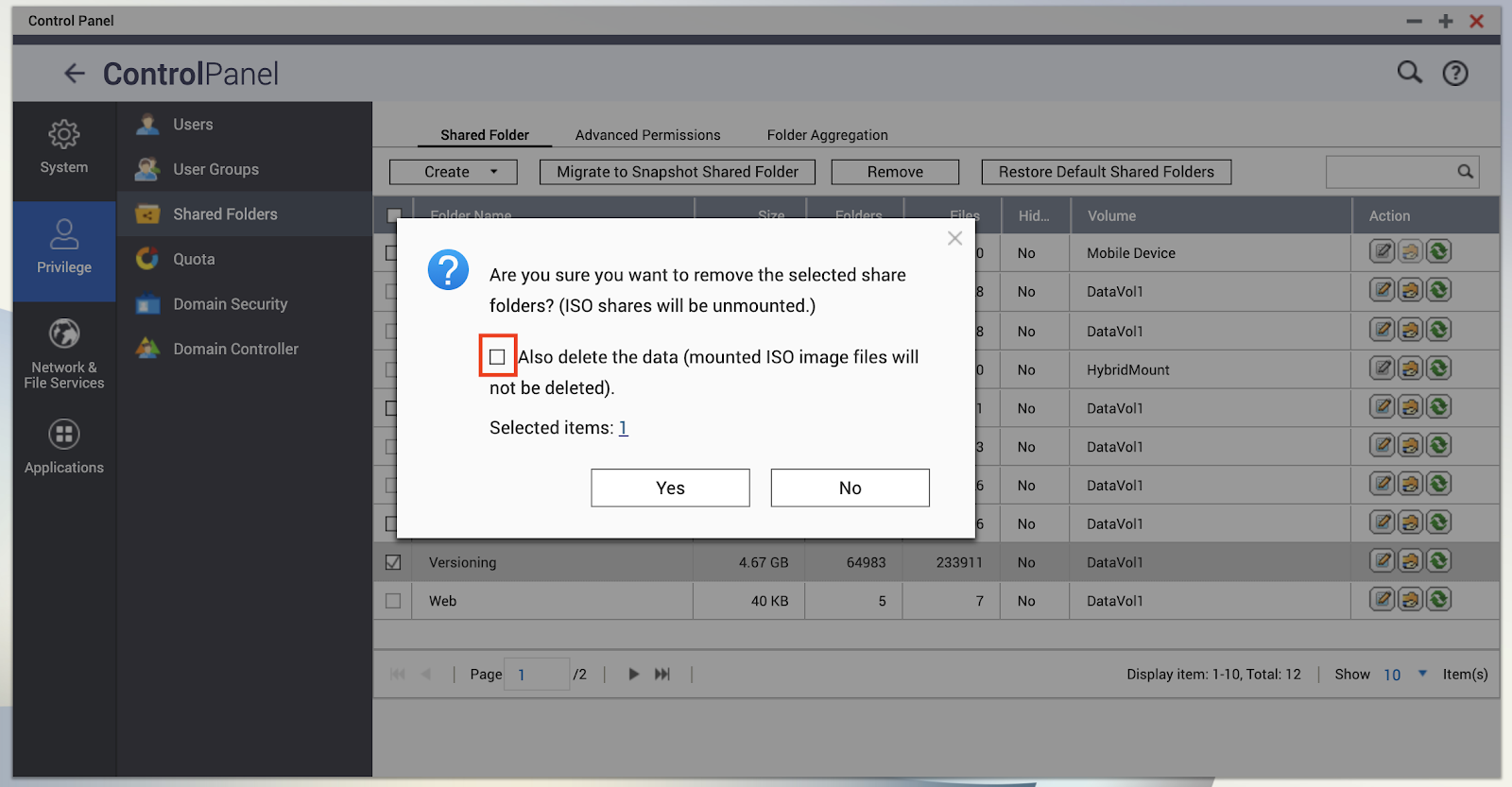
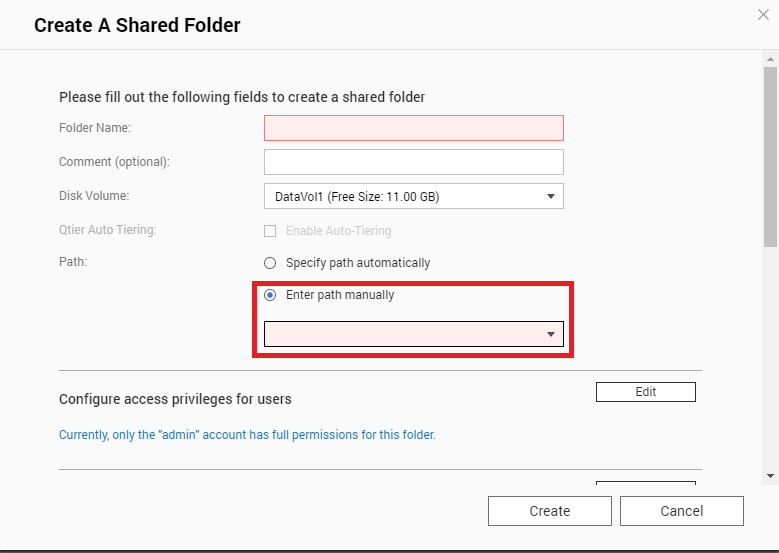
To remove the data, you coils create a new shared folder linking to the “deleted” folder, then remove it again and with the above option checked to ensure the data is removed from the storage. To link the folder when creating the link, create a new shared folder from the NAS Control Panel > Privilege > Shared Folders > select “Create” then “Shared Folder”, Enter the “Folder Name”, select “Enter Path Manually” and select the “deleted” folder from the drop down menu, then click “Create”.
需要进一步协助,欢迎前往官方社区发帖,与其他用户及 QNAP 专家交流。 前往 QNAP 官方社区


