How to make all my videos show in a customized category or TV shows in Video Station?
Applied models:
All NAS Series supports the latest Video Station
Applied firmware:
Latest supported NAS firmware that supports the latest Video Station
Scenarios:
I have a series of a video set. How to make all my videos show in a customized category or TV shows?
Solution:
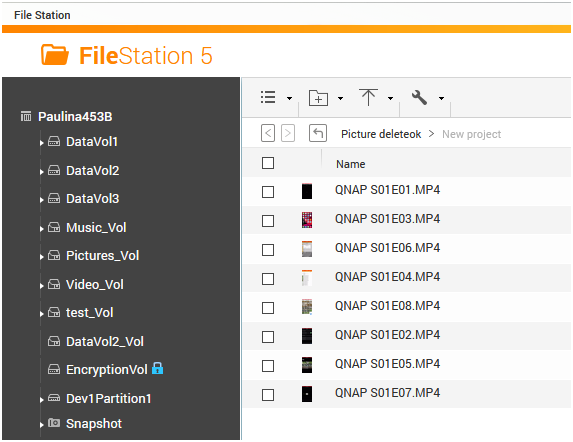
1. In File Station, rename those file names of your files as the following format:
A name of the serious S*E**.
* = The ordinal of a season
**= The ordinal of an episode that is in the * season
For example, a file named QNAP S01E03
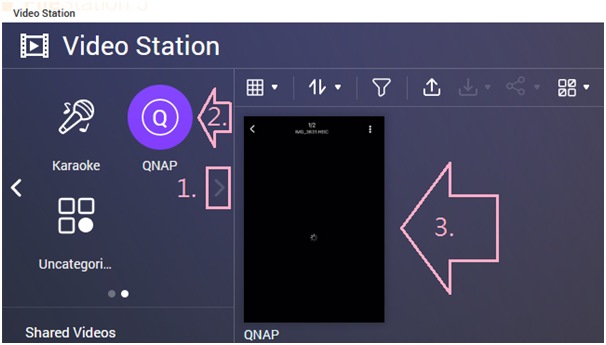
I will a set of video that it’s shown as QNAP in Video Stations as TV shows and its name is QNAP.
In TV shows, I can also find season 1 and episode 3 after following steps.
2. Click on gear icon in Video Station > Settings > Category Settings >
A. TV Shows or
B. click on “Add Category” button.
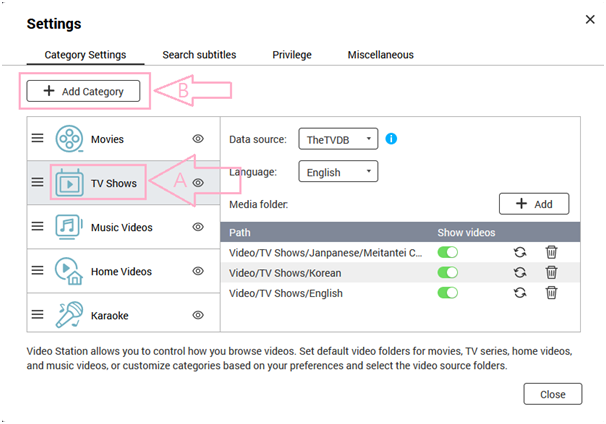
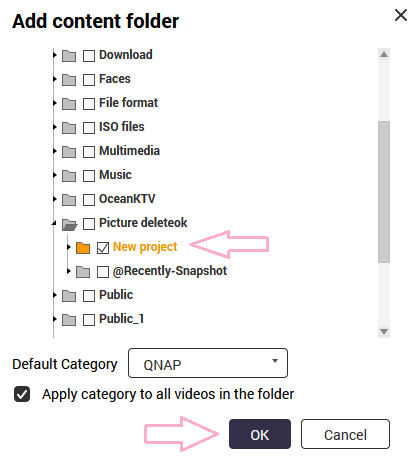
A. Click on “+ Add” button > select a folder path that the video set is located > OK
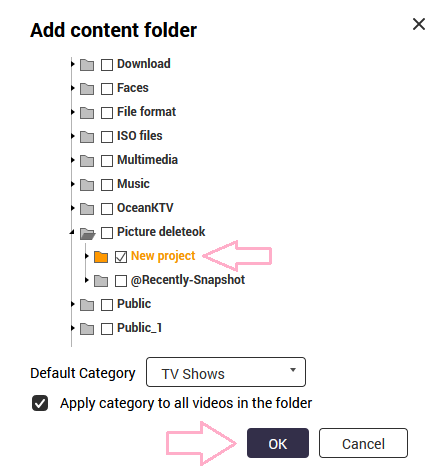
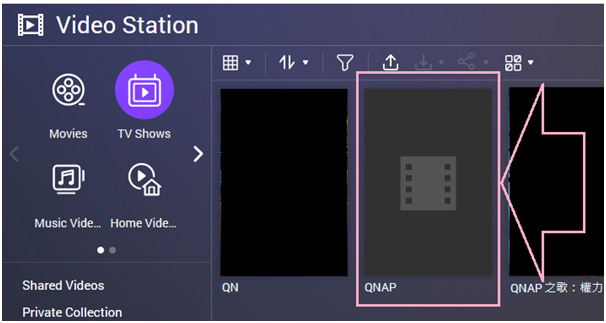
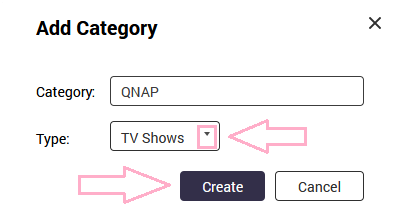
B. Click on “Add Category” button> select a suitable type form the Type drop-down box > Create
Click on the Category that just created > click on “+ ADD” button
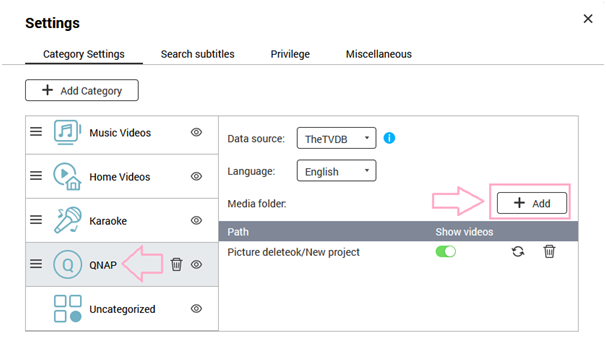
Select a folder path that the video set is located > OK