


How to update firmware version of QXP-10G2U3A
最后修订日期:
2024-09-05
Applicable Products
QXP-10G2U3A
Procedure
This guide provides detailed step-by-step instructions on how to update the firmware version on a QXP-10G2U3A.
Updating from a Windows PC
- Plug the QXP-10G2U3A card on a compatible Windows PC and power the unit on.
- Download the ASMTxHCI_MPToolv1430 1 1.7z to the Windows PC and unzip the content.
- Navigate to \ASMTxHCI_MPToolv1430 1 1\ASMTxHCI_MPToolv1430 and execute ASMTxHCI_MPTool.exe.
- Click "OK " if you see the following error message.

- Confirm QXP-10G2U3A card is detected and click "Unlock MP Tool".
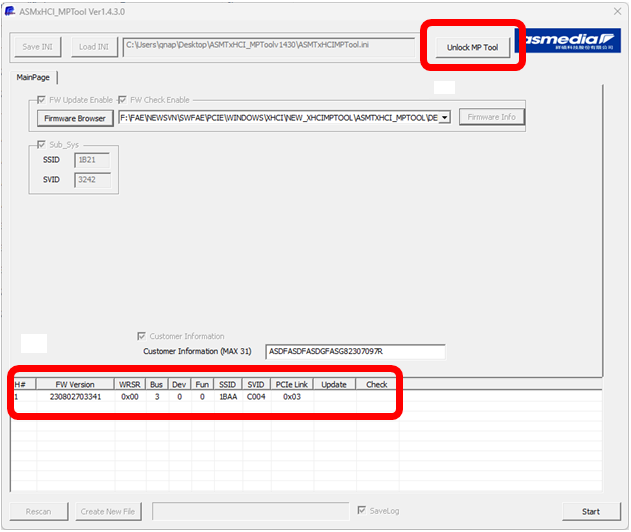 A login window will appear.
 - Enter "asmedia" in the password field and click "OK".
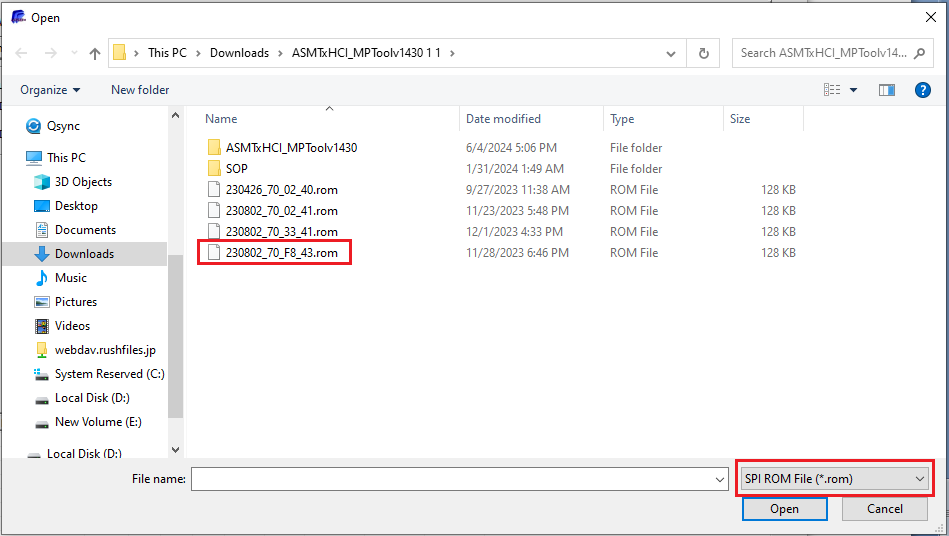
- Click "Firmware Browser".
- Select "SPI ROM File (*.rom)" in the File name type drop down menu.
- Navigate to \ASMTxHCI_MPToolv1430 1 1\ASMTxHCI_MPToolv1430 and select Config_230802_70_F8_43.rom.
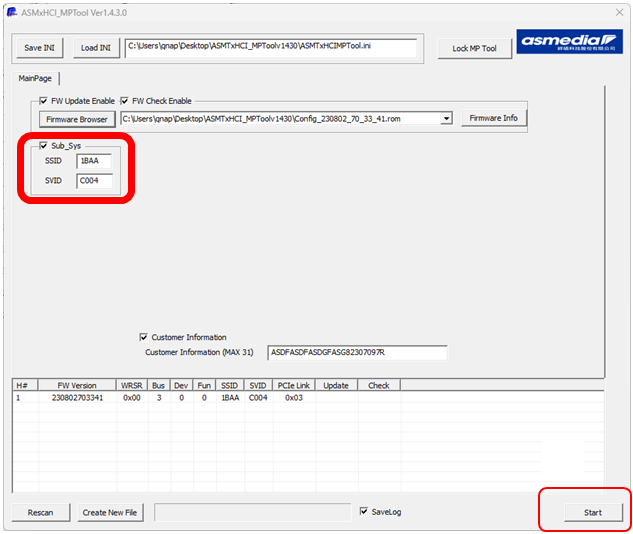
- Update SSID and SVID to 1BAA and C004 respectively.
- Click "Start".
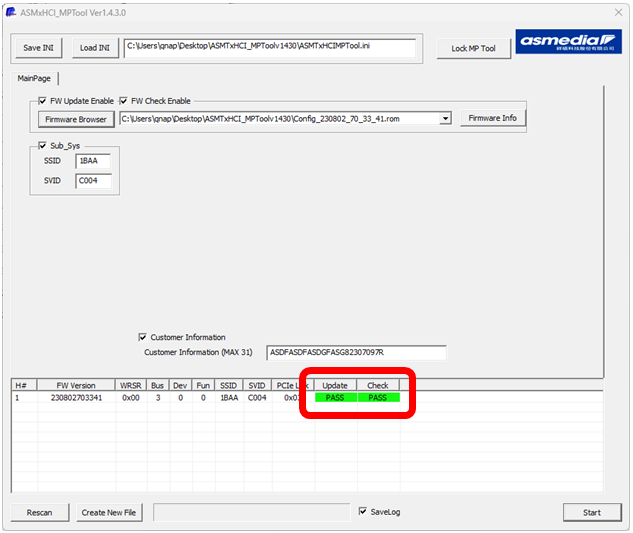
- Firmware update is completed if you see "PASS".
Updating from a QNAP NAS
- Login to the NAS via SSH.
- Download the firmware and tool to the NAS with the following commands:
wget https://download.qnap.com/Storage/tsd/utility/114xfwdl.zip
wget https://download.qnap.com/Storage/tsd/utility/ASM3142\ 20231201.bin - Execute the following commands:
unzip 114xfwdl.zip
chmod +x ./114xfwdl
./114xfwdl -U ASM3142\ 20231201.bin


