Applicable Products
QVR Pro
QVR Elite
QVP appliance series
Introduction
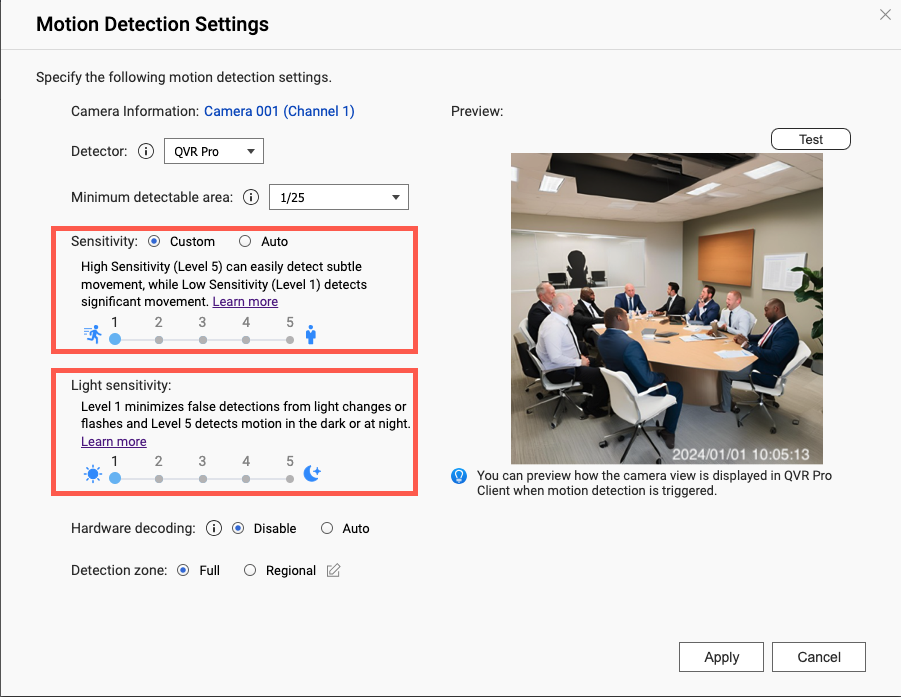
In motion detection, the levels of Sensitivity and Light Sensitivity determine how easily motion detection can be triggered. You can configure these settings based on the activities of each scene and the light conditions of the environment.
Best Practice
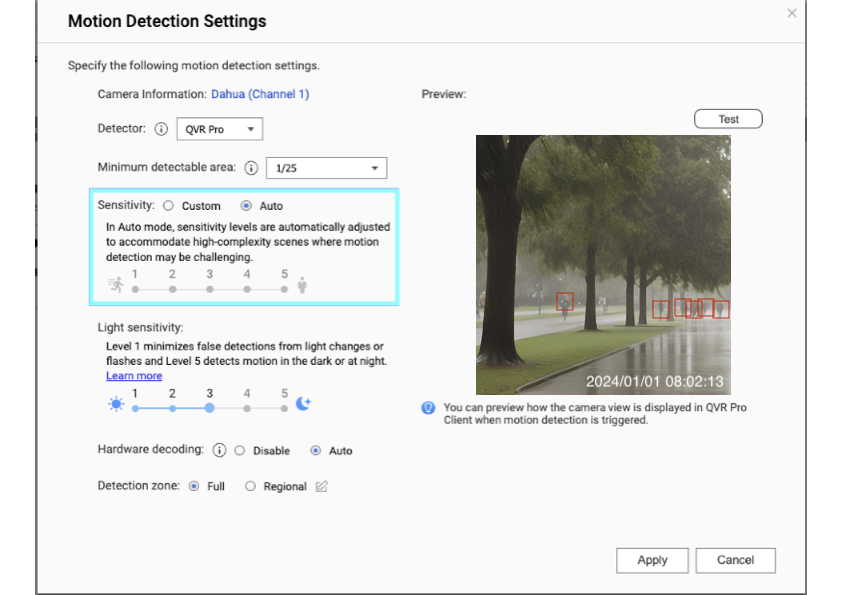
Sensitivity (Auto mode): Sensitivity levels are automatically adjusted to accommodate high-complexity scenes where motion detection may be challenging.
Sensitivity (Custom mode): High sensitivity allows you to easily detect subtle movements, whereas low sensitivity only detects significant movements.
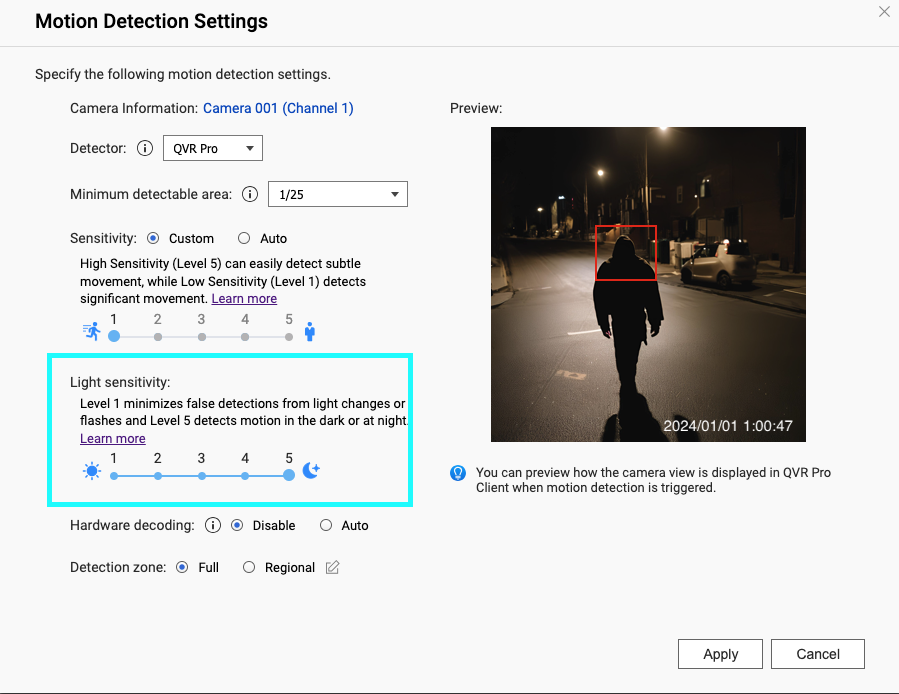
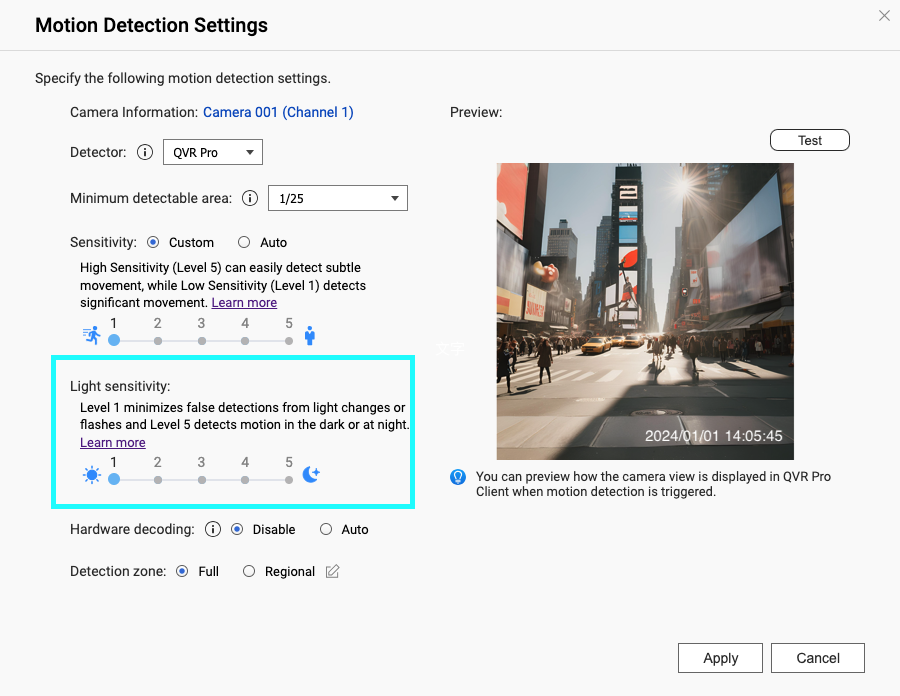
Light Sensitivity: High light sensitivity allows you to detect motion in dark areas or at night, whereas low light sensitivity can minimize false detections such as light changes or flashes.
Scenario: Parks / Urban Tree Canopy
You need to identify moving vehicles or pedestrians in a complex background with leaves and branches.
Solution
Set Sensitivity to Auto mode to allow the system to adjust the sensitivity level according to the background.
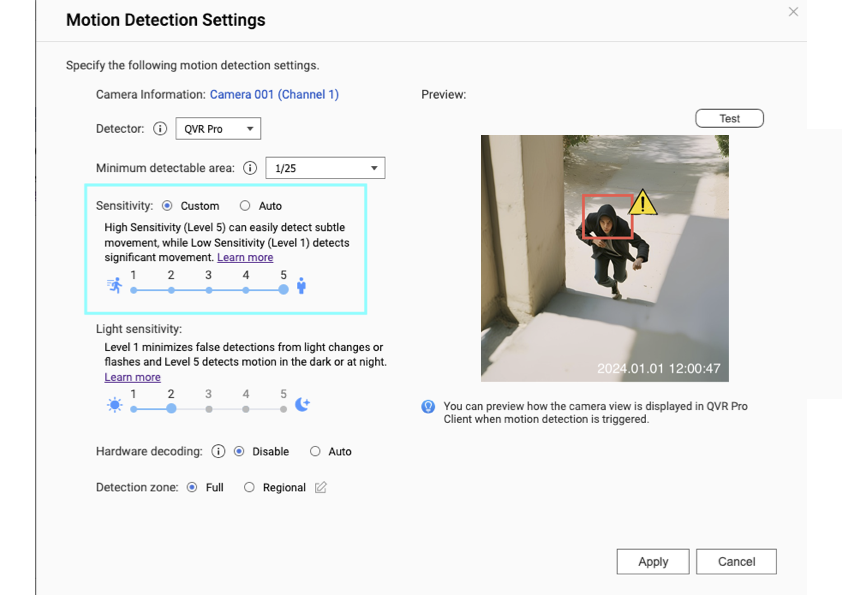
High Sensitivity
Scenario 1: Healthcare monitoring
You need to monitor patents for signs of distress or unusual movements in healthcare areas.
Solution
Use high sensitivity to detect subtle movements, ensuring prompt response to potential issues.
Scenario 2: Restricted Quiet Zones or Property Perimeter
You need to identify potential intruders or unauthorized breaches.
Solution
Use high sensitivity to capture subtle movements in areas where any disturbance is critical.
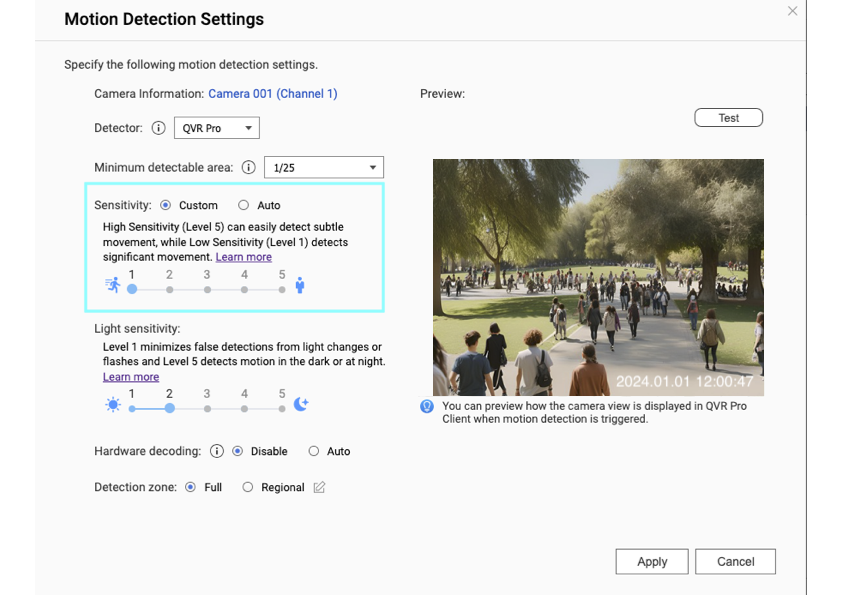
Low Sensitivity
Scenario 1: Busy Areas During Peak Hours
You need to minimize false alarms in crowded places like main streets or entrances.
Solution
Use low sensitivity to filter out smaller movements and focus on significant actions.
Scenario 2: Open Areas to Minimize False Alarms
You need to minimize false alarms triggered by animals in open areas.
Solution
Use low sensitivity to reduce sensitivity to smaller movements like those caused by animals.
Light Sensitivity Settings
Light Sensitivity Scenario 1: Night-time security or in dark areas
You need to detect motion in poor light conditions.
Solution
Use high light sensitivity for effective surveillance during low-light conditions.
Light Sensitivity Scenario 2: Daytime monitoring or in bright areas
You need to minimize false detections like light changes or flashes.
Solution
Use low light sensitivity to avoid unnecessary triggers in well-lit environments.
Further Reading
Detecting Events in QVR Pro
You can learn more about how to set up an event rule and take responsive actions when motion detection is triggered.
How to search the specific motion in recording footage by using QVR Smart Search?
Discover how to search recorded footage efficiently with QVR Smart Search.
适用产品
QVR Pro
QVR Elite
QVP appliance series
介绍
在运动检测中,灵敏度和光敏度的级别决定了运动检测的触发难易程度。您可以根据每个场景的活动和环境的光照条件来配置这些设置。
最佳实践
灵敏度(自动模式):灵敏度级别会自动调整,以适应运动检测可能具有挑战性的高复杂性场景。
灵敏度(自定义模式):高灵敏度可以轻松检测到细微的运动,而低灵敏度仅检测显著的运动。
光敏度:高光敏度可以在黑暗区域或夜间检测到运动,而低光敏度可以减少诸如光线变化或闪光等误报。
场景:公园/城市树冠
您需要在复杂的背景中识别移动的车辆或行人,这些背景中有树叶和树枝。
解决方案
将灵敏度设置为自动模式,以便系统根据背景调整灵敏度级别。
高灵敏度
场景1:医疗监控
您需要在医疗区域监控病人的痛苦或异常运动迹象。
解决方案
使用高灵敏度检测细微运动,确保及时响应潜在问题。
场景2:限制安静区或财产周边
您需要识别潜在的入侵者或未经授权的闯入。
解决方案
使用高灵敏度捕捉细微运动,在任何干扰都至关重要的区域。
低灵敏度
场景1:高峰时段的繁忙区域
您需要在拥挤的地方如主要街道或入口处减少误报。
解决方案
使用低灵敏度过滤掉较小的运动,专注于显著的动作。
场景2:开放区域以减少误报
您需要在开放区域减少由动物引发的误报。
解决方案
使用低灵敏度减少对较小运动的敏感度,如动物引起的运动。
光敏度设置
光敏度场景1:夜间安全或黑暗区域
您需要在光线条件差的情况下检测运动。
解决方案
使用高光敏度在低光条件下进行有效监控。
光敏度场景2:白天监控或明亮区域
您需要减少诸如光线变化或闪光等误报。
解决方案
使用低光敏度避免在光线充足的环境中不必要的触发。
进一步阅读
在QVR Pro中检测事件
您可以了解更多关于如何设置事件规则以及在触发运动检测时采取响应措施。
如何使用QVR Smart Search搜索录制视频中的特定运动?
了解如何使用QVR Smart Search高效搜索录制的视频。