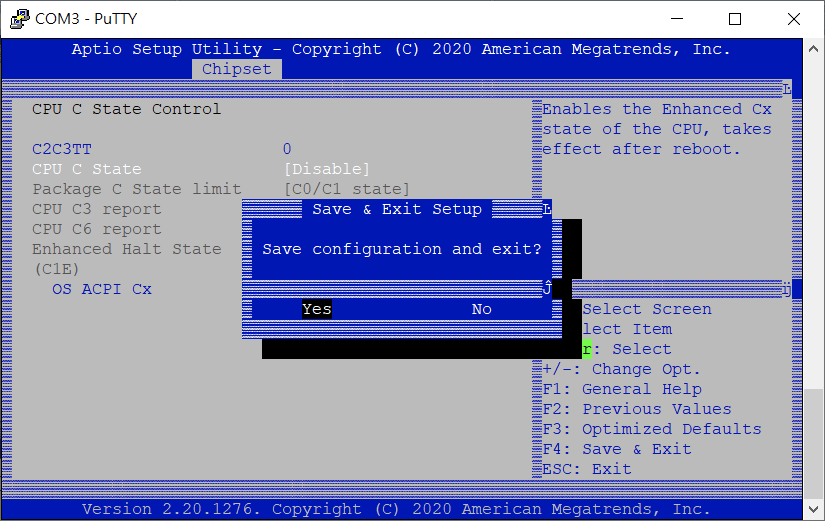
Disable P & C state on TS-h866
最后修订日期:
2022-03-30
Applicable Products:
- TS-hx86
Refer to How do I enter BIOS and Console with 3.5mm Console port? to access BIOS, then follow the procedures to disable P & State in BIOS setting.
-
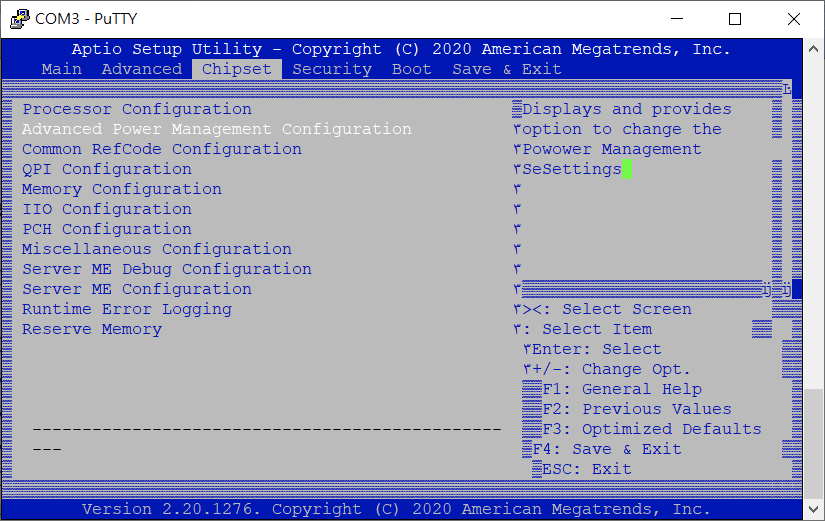
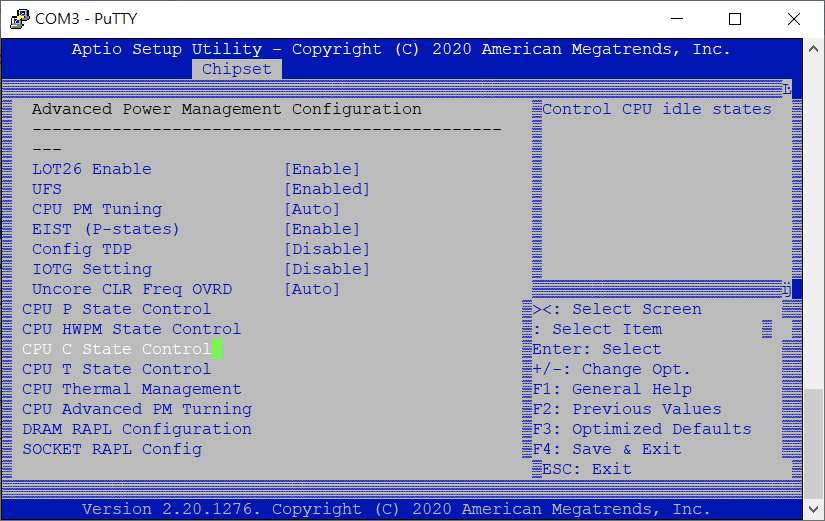
Choose Chipset >> Advanced Power Management Configuration.
-
Disable P State.
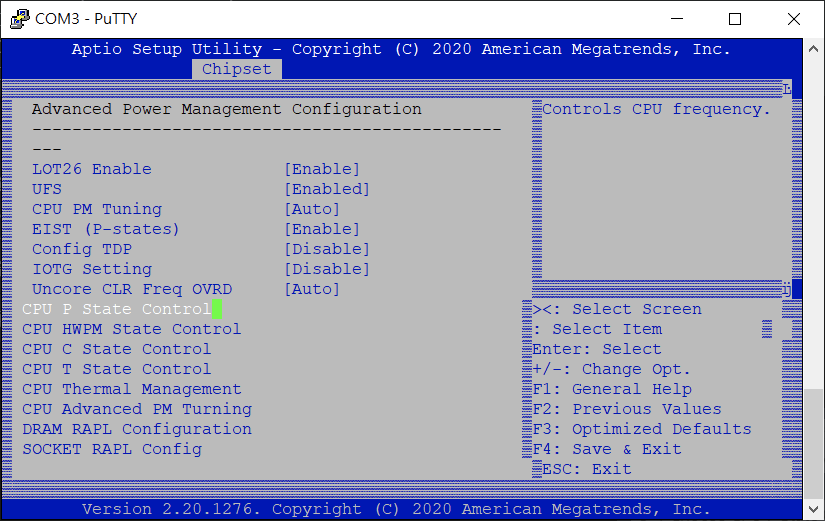
- Choose CPU P State Control.
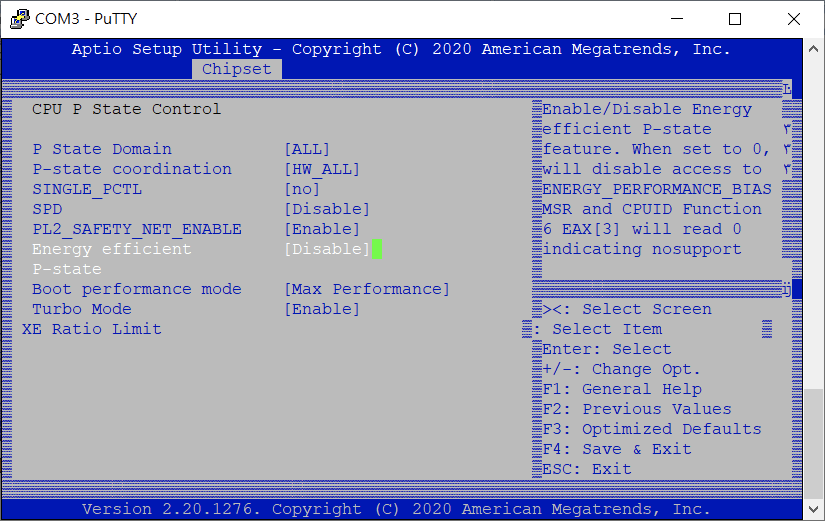
- Choose Energy-efficient P-state and select Disabled
- Click ESC back to Advanced Power Management Configuration.
- Choose CPU P State Control.
-
Disable C State.
-
Choose CPU C State Control.
-
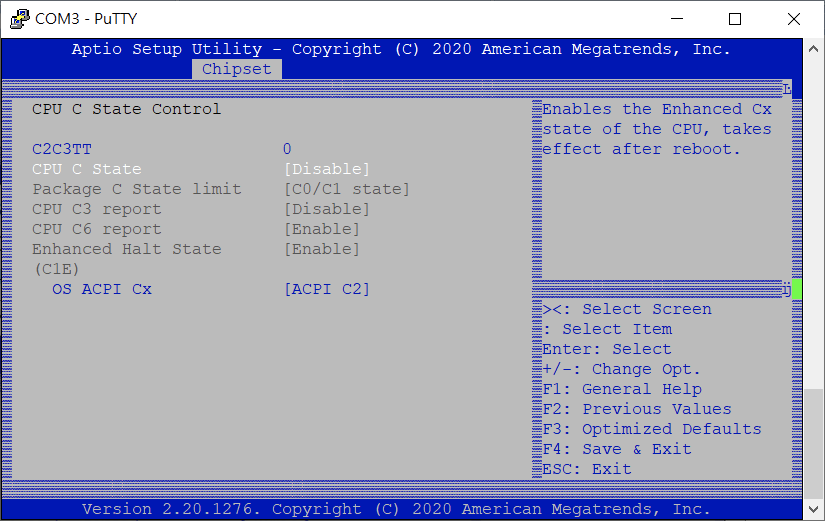
Choose CPU C State and select Disabled
-
-
Click F4 and choose Yes to save configuration and exit