


How can I check if my SSL certificate and private key match when I can’t import them?
最后修订日期:
2025-07-04
Applicable Products
All QNAP NAS models
Problem
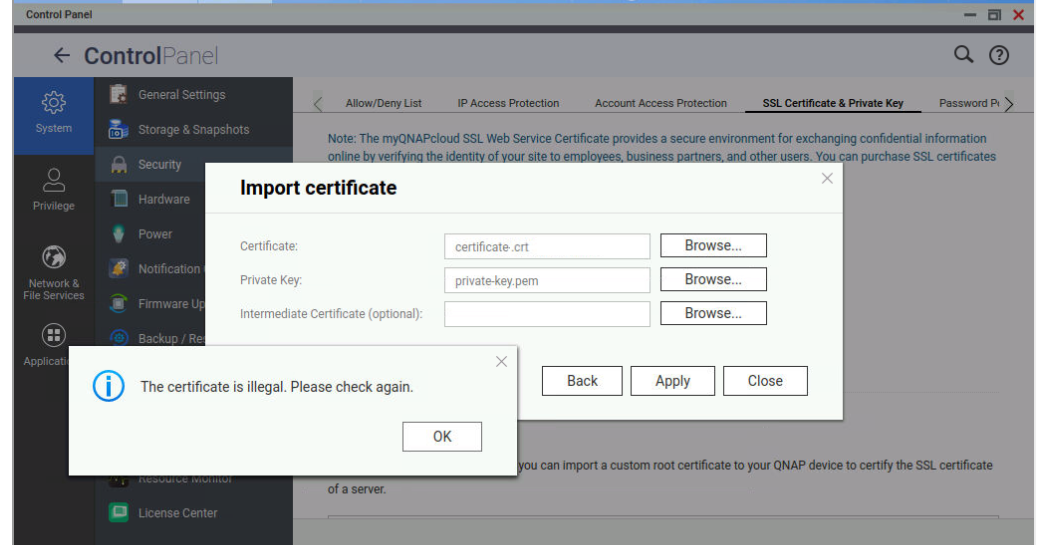
“The certificate is illegal” message appears when importing 3rd party SSL certificate to NAS.
Solution
One possible cause of the error is that the private key does not match the certificate. You can save the *.crt and *.pem to NAS shared folder. Use ssh to login NAS, change to the directory that saves the *.crt and *.pem, then use commands below to get their MD5 checksum (replace the certificate.crt and private-key.pem with the actual file names):
ShellShell
openssl x509 -noout -modulus -in certificate.crt | openssl md5
openssl rsa -noout -modulus -in private-key.pem | openssl md5If the results of the two commands are different, the private key does not match with the certificate. You need to regenerate the certificate and private-key files, or contact the certificate provider to get the correct files.


