阅读约 4 分钟


In today’s data-driven business environment, the storage architecture faces a dual challenge: on one hand, Virtualization (VDI/VM) and databases demand extremely high IOPS, while on the other hand, massive data requires low-cost, large-capacity storage space. QNAP’s Qtier™ (Auto-Tiering) technology is the core solution to this dilemma.
1. What is Qtier? Is it a combination of SSD and HDD?
Simply put: Yes. Qtier integrates different media types (such as SATA SSD, HDD) into a single “pool (Storage Pool)”.
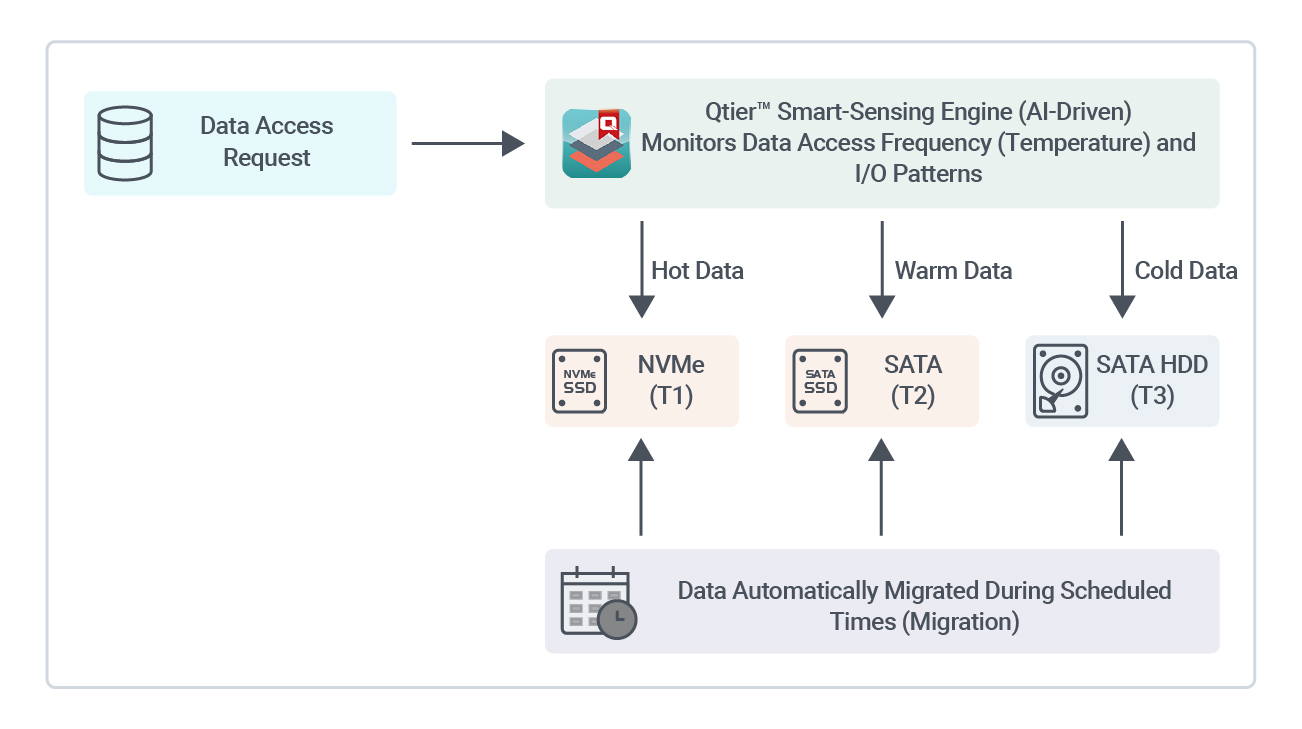
However, unlike typical unified storage spaces, Qtier establishes a set of “block-level automated storage systems” within pool. For users, you will only see a massive storage capacity and won’t need to manually decide where to place files; meanwhile, at the backend, Qtier automatically completes tiered deployment based on the access frequency (hotness) of data.
What are the benefits of enabling Qtier for users?
- Optimizing data speed: By concentrating hot data (such as VM cores and data index libraries) in the SSD layer, the system can significantly reduce latency when handling random I/O. Although processing cold data is still limited by HDD physical transfer speed, users will notice a clear speed improvement for frequent daily operations involving "system services and small files."
- hard disk drivesOptimizing lifespan configuration: Qtier features the ability to recognize I/O patterns, allowing high-load small fragmented writes to be directed to SSD, reducing mechanical wear on HDD magnetic heads caused by frequent random read/write operations. Meanwhile, intelligent sensing helps avoid low-value cold data on SSD storage, enabling more efficient allocation of SSD erase/write cycles (P/E Cycle).
- Optimal balance between budget and capacity: Compared to building an extremely expensive all-flash architecture, Qtier allows users to invest only about 10%-20% of SSD allocation to optimize the overall pool “random access performance,” while also enjoying the cost advantage of large-capacity storage provided by the HDD tier.
2. Core technology: The strategic differences between Qtier and SSD Cache
This is the most common dilemma users face when building NAS. For professional technical administrators, choosing the right acceleration mechanism is crucial for optimizing IO efficiency.
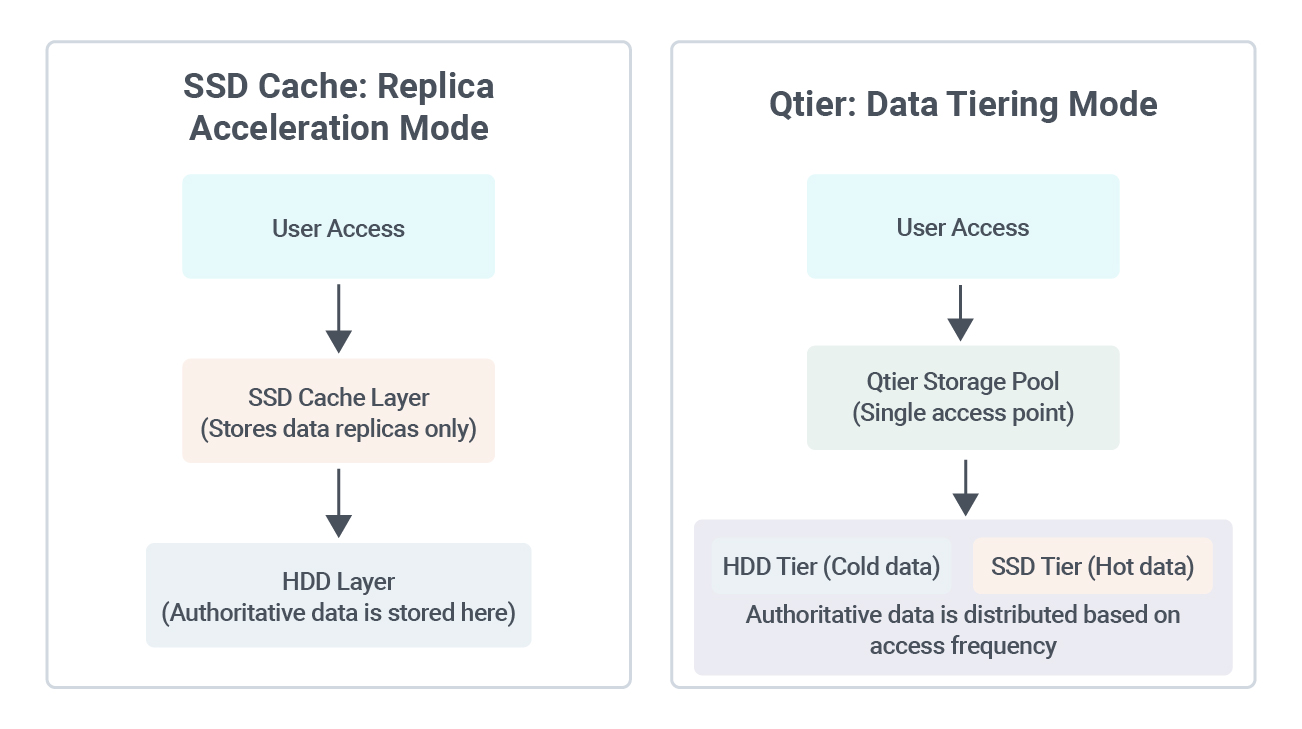
The fundamental difference between the two lies in “where the data entity storage is located”:
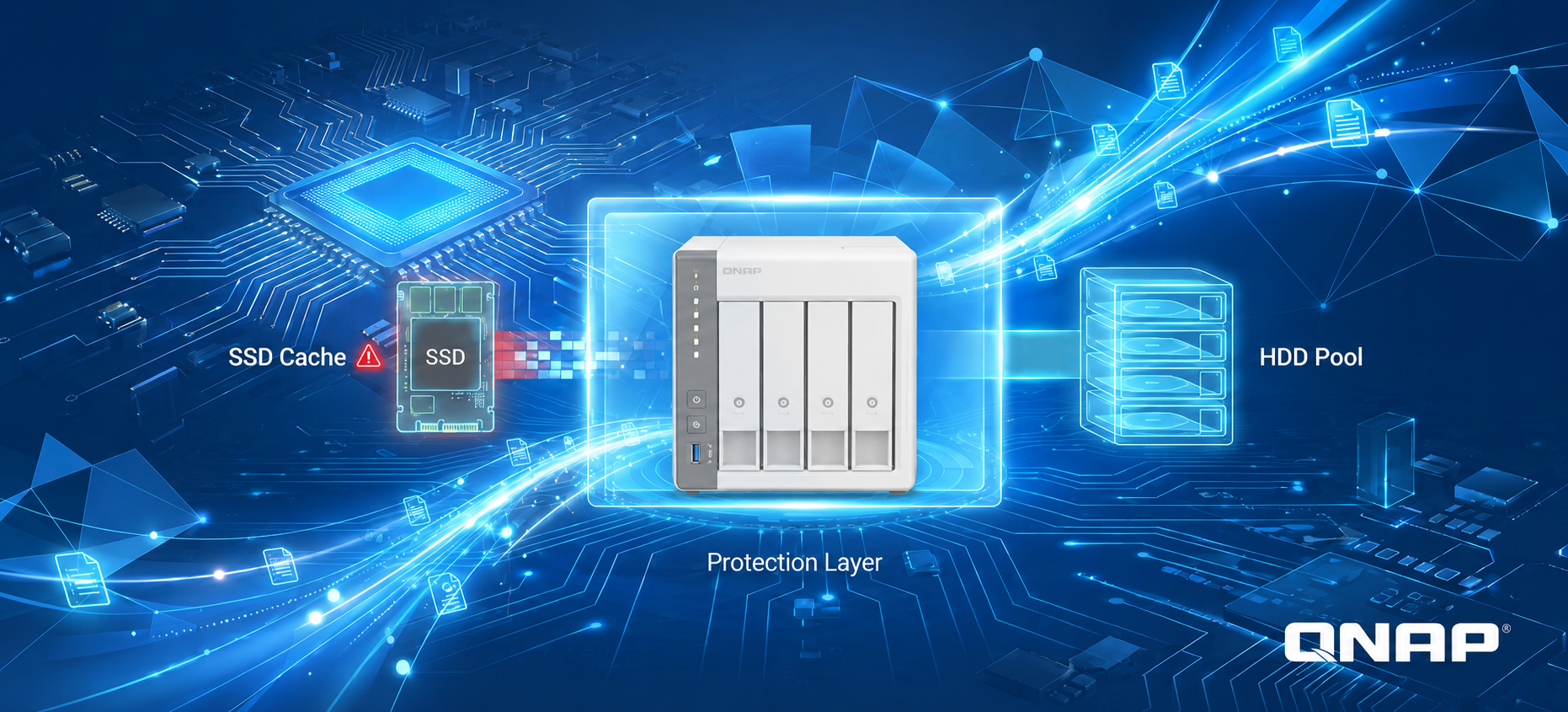
- SSD Cache (caching) — “temporary storage acceleration”: The data entity is stored in the HDD tier. When the system detects frequent access, it will “duplicate” a copy to SSD for user access. The space of SSD is not counted toward the total capacity.
- Qtier (automatic tiering) — “intelligent migration”: The data is “moved” to the appropriate tier based on its heat. SSD stores the original data blocks, and its space is fully integrated into the total capacity, without wasting any purchased SSD space.
Logical Path Comparison
3. Hybrid storage architecture and data migration mechanism
For the current market, we recommend adopting a high cost-performance combination of SATA SSD + HDD. If there is an extremely high IO demand, NVMe SSD can be added as an ultra-high-speed tier.
Tiering Mechanism
4. Fault tolerance mechanism and maintenance operation: Ensure the security of data entity
Since Qtier stores actual data, the RAID Security of each tier cannot be ignored. Below is an analysis of typical failure scenarios under the architecture (RAID 1 SSD + RAID 6 HDD):
| Failure scenario | System behavior | data impact |
|---|---|---|
| SSD layer (RAID 1) single disk failure | array operates in degraded mode, system warning issued. | No data loss, replace SSD to restore. |
| SSD layer (RAID 1) dual disk failure | pool enters offline state. | This layer data is lost, requires rebuild and restore backup. |
| HDD layer (RAID 6) single disk failure | array operates in degraded mode, operation maintained. | No data loss, disk replacement required for recovery. |
| HDD layer (RAID 6) dual disk failure | array operates in degraded mode, operation maintained. | No data loss, RAID 6 supports dual disk fault tolerance. |
| HDD layer (RAID 6) triple disk failure | pool enters offline status. | data Risk of loss, professional recovery service is required. |
Recommended Settings and Additional Measures
-
Enable hot spare (Hot Spare): automatic rebuild in case of failure, shortening the risk window of degraded operation.
-
Reserved space (Over-provisioning) protection: It is recommended to reserve 10%-20% of space for SSD layer during setup. This can significantly reduce write amplification and extend the SSD lifespan.
-
DA Drive Analyzer: By using AI to predict hard disk drives lifespan, replacement can be performed in advance before a failure occurs.
-
3-2-1-1-0 backup principle: Use Hybrid Backup Sync 3 (HBS 3) for offsite backup to ensure data security.
Invest Smarter: Leveraging Hardware for Enterprise Productivity
In practice, we cannot sacrifice the cost-performance ratio of hard disk drives for speed, but we also do not want to compromise work efficiency just to save money. The existence of Qtier is not meant to replace all-flash arrays, but to solve the dilemma between 'budget and requirements'.
With this automated tiering mechanism, users no longer need to worry about which data folder should be manually moved to SSD. As long as you plan appropriate RAID protection and reserve space for SSD at the initial stage, the remaining efficiency allocation and data migration, as well as NAS, will all be automatically handled according to your storage habits. For professional users and enterprises pursuing stability and efficiency, we believe Qtier can provide another hybrid storage architecture that combines high performance and capacity advantages.