阅读约 7 分钟


As AI functionalities are deeply integrated into cloud ecosystems, the pricing strategies of public cloud service providers (such as Google Cloud and Microsoft OneDrive) are gradually transforming. Providers tend to bundle Storage Space with AI computing power for sales, resulting in users facing significantly higher ownership costs when pursuing pure storage needs.
Although public clouds offer high convenience, users are often constrained by the stickiness of existing services (such as Gmail), making it difficult to fully migrate. Facing rising subscription costs and data privacy concerns, enterprises and advanced users should reconsider their datastorage architecture. By adopting a “Hybrid Cloud” strategy, combining the advantages of public and private clouds (NAS), a balance can be achieved between convenience, cost-effectiveness, and data security.
The irreplaceable value of public clouds: instant access and collaboration
The value of public cloud is difficult to be completely replaced, with its greatest advantages being “zero maintenance cost” and “instant scalability.” Enterprises and individuals do not need to worry about hardware procurement, power maintenance, or physical infrastructure issues such as server room cooling, and can instantly expand capacity as needed. In addition, the strong native collaborative ecosystem of public cloud, such as Google Workspace’s real-time multi-user editing, cross-device synchronization, and AI-powered intelligent search functions, are strengths that traditional on-premises storage can hardly match alone. For scenarios pursuing lightweight operations or requiring frequent cross-border collaboration, the public cloud is undoubtedly still the first choice.
The lack of upfront payment in the rental model is not a convenience trade-off
However, its advantages are also its blind spots. The business model of public cloud is essentially service rental, which means convenience is built on the foundation of continuous payment of premiums. In terms of efficiency, its architecture design prioritizes wide-area access rather than massive data ingestion and output, so when handling specific types of data, such as large-scale RAW file transfers or system image files restore, it is often limited by network speed and fails to perform as desired.
The latent risks of relying solely on public cloud
When evaluating solutions that rely exclusively on public cloud as the only datastorage option, it is usually necessary to consider the following three core risk aspects:
1. dataPrivacy and compliance risks
Although large public cloud service providers have basic security protection, data privacy and Security are two completely different concepts. Service terms usually grant the platform the right to review user content, and algorithms automatically scan for violations. However, algorithm errors do occur, and if the system mistakenly identifies backups or encrypted files as violations, users may face risks such as account suspension or data being deleted without warning. For users who require continuous operation, this introduces significant uncertainty that cannot be ignored.
2. Storage efficiency and latency
The operation of public clouds relies heavily on international Networking bandwidth. When synchronizing large volumes of high-resolution audio and video materials or massive data libraries, transmission bottlenecks will directly affect work efficiency. In comparison, the transmission bandwidth of local area networks is usually much higher than that of wide-area Networking, better meeting the demands of high-bandwidth operations.
3. Long-term ownership cost (Total Cost of Ownership, TCO)
From an economic perspective, the marginal benefit of Storage Space decreases as the amount of data increases. Storing infrequently accessed “cold data” (such as backups from several years ago) in high-priced, monthly-rent cloud spaces is like paying premium rent for prime real estate to store old items, which does not align with the principle of cost-effectiveness.
Absolute ownership and local efficiency are the advantages of private cloud
Compared to the rental nature of public clouds, private clouds represent asset ownership. Their greatest advantage is that data is stored entirely in the user's controlled physical unit, thoroughly blocking risks such as platform algorithmic deletion or covert privacy snooping. In terms of efficiency, private clouds leverage regional Networking transmission, providing high-speed read/write performance close to local hard disk drives, making them especially suitable for real-time editing and access of large-volume audio and video materials—this is a physical advantage that public clouds, limited by network speed, find hard to match.
In terms of user setup and functional scalability, private clouds are also more flexible, so you don't have to worry about idle accounts wasting resources and costs, or being restricted in specific applications.
Building your own cloud requires overcoming initial barriers and taking on maintenance responsibilities.
However, importing private cloud also comes with certain challenges. First is the initial setup cost, as enterprises need to make a one-time investment in hardware purchase expenses. Although the long-term amortization is reasonable, the entry threshold is relatively high. Next is maintenance, where users must pay attention to hard disk drives health, system updates, and power supply issues. Furthermore, a single physical data point in a private cloud faces various physical risks such as natural or man-made disasters, lacking the inherent advantage of offsite backup found in public clouds.
Because both public and private clouds have their own unavoidable shortcomings, the combination of the two—hybrid cloud—becomes the optimal solution.
Hybrid cloud architecture: Best practices for layered storage
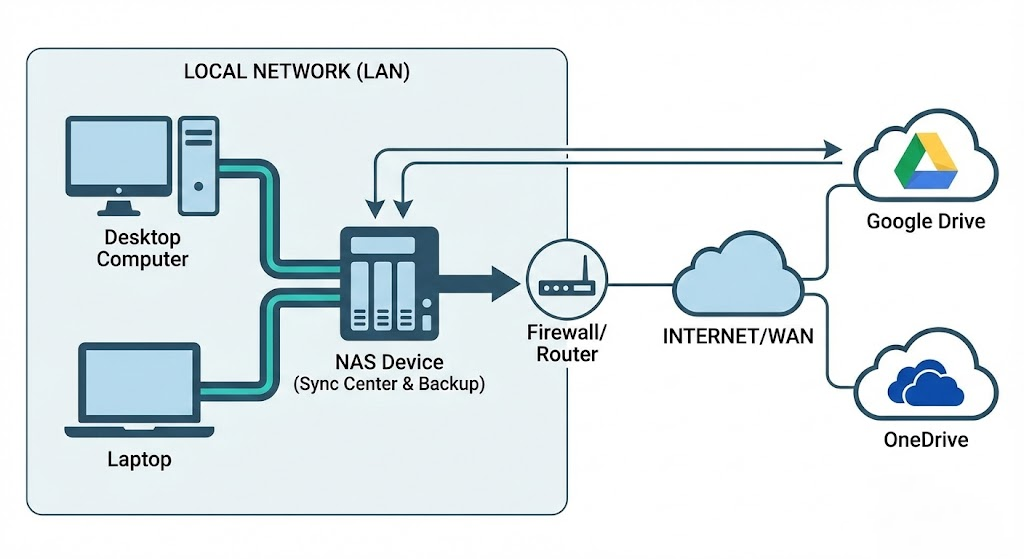
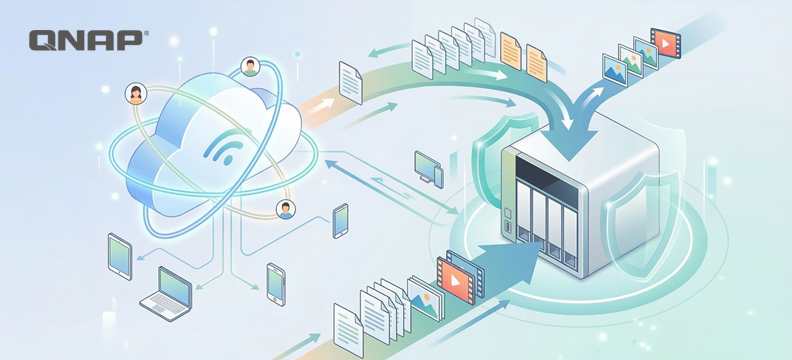
The core logic of hybrid cloud architecture lies in layered management. This architecture does not advocate complete separation from the public cloud, but rather views it as a subset of the overall data strategy, achieving complementary advantages:
- Public cloud: Used for storing projects that require cross-site instant access and high collaboration frequency data, as well as maintaining external service operations.
- Private cloud/NAS: Used for storing large volumes of historical archives, high-capacity Multimedia materials, and as a local backup point for public cloud data.
With this configuration, users only need to pay public cloud fees for the most flexible storage needs, the “hot data,” while content occupying large amounts of space can be migrated to single-unit storage cost-effective and highly reliable NAS hard drives.
Practical deployment and data mobility
In terms of technical implementation, modern NAS systems already provide mature hybrid cloud integration tools (such as QNAP HBS file backup and synchronization center). Their operating logic is as follows:
- Automated two-way synchronization: NAS can be configured to keep specific data folder and Google Drive or OneDrive in real-time sync. When users perform high-speed access operations locally, the changes are automatically reflected to the cloud, and vice versa.
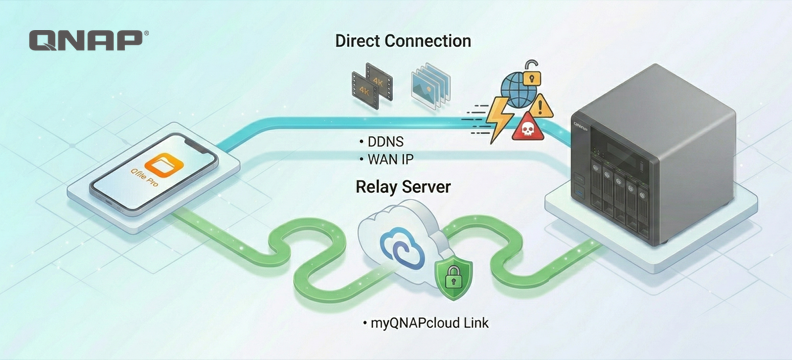
- Channel and Security optimization: In this architecture, NAS takes on most of the data forwarding tasks, and can serve as a storage center within the subnet, reducing external bandwidth consumption and simplifying complex firewall and NAT configurations.
Capacity release strategies for specific services
For services with extremely high stickiness, such as Gmail and Google Photos, you can use standardized agreements to data "offload to the cloud" and free up space:
- Email archiving: Use the POP3 protocol or Google Takeout service to export old emails and migrate them to the mail server or archive file on NAS. This solves the problem of mailbox overload and also allows you to establish an offsite backup of your emails.
- Digital asset management: Photos and video can be batch exported via Google Takeout. After transferring to NAS, you can use AI photo management applications (such as QuMagie) for indexing and management. This allows you to enjoy smart classification experiences similar to cloud photo albums without paying extra subscription fees.
Take control of your digital asset ownership and leverage hybrid cloud as an ideal strategy.
The first step in building a hybrid cloud is to focus on the attribute of data, dividing content that must be uploaded to the cloud and content suitable for local storage. Through hybrid cloud strategies, users can not only avoid the price fluctuation risks of a single cloud service provider, but also ensure that the privacy and control of data remain in their own hands, achieving both cost optimization and comprehensive digital asset protection.
At the same time, eggs should never be placed in the same basket. By deploying a hybrid cloud, an extra layer of protection is added to the backup, and it is also a more efficient way to enhance Productivity.