


How do I change the name of a shared folder?
最后修订日期:
2022-03-30
Applied models:
Applied Firmware:
On the NAS it is possible to change the name of the shared folders you have created before, but it is not possible to change the name of the system folders, please note it.
On the example of the picture below, it is showed how to re-name a created shared folder.
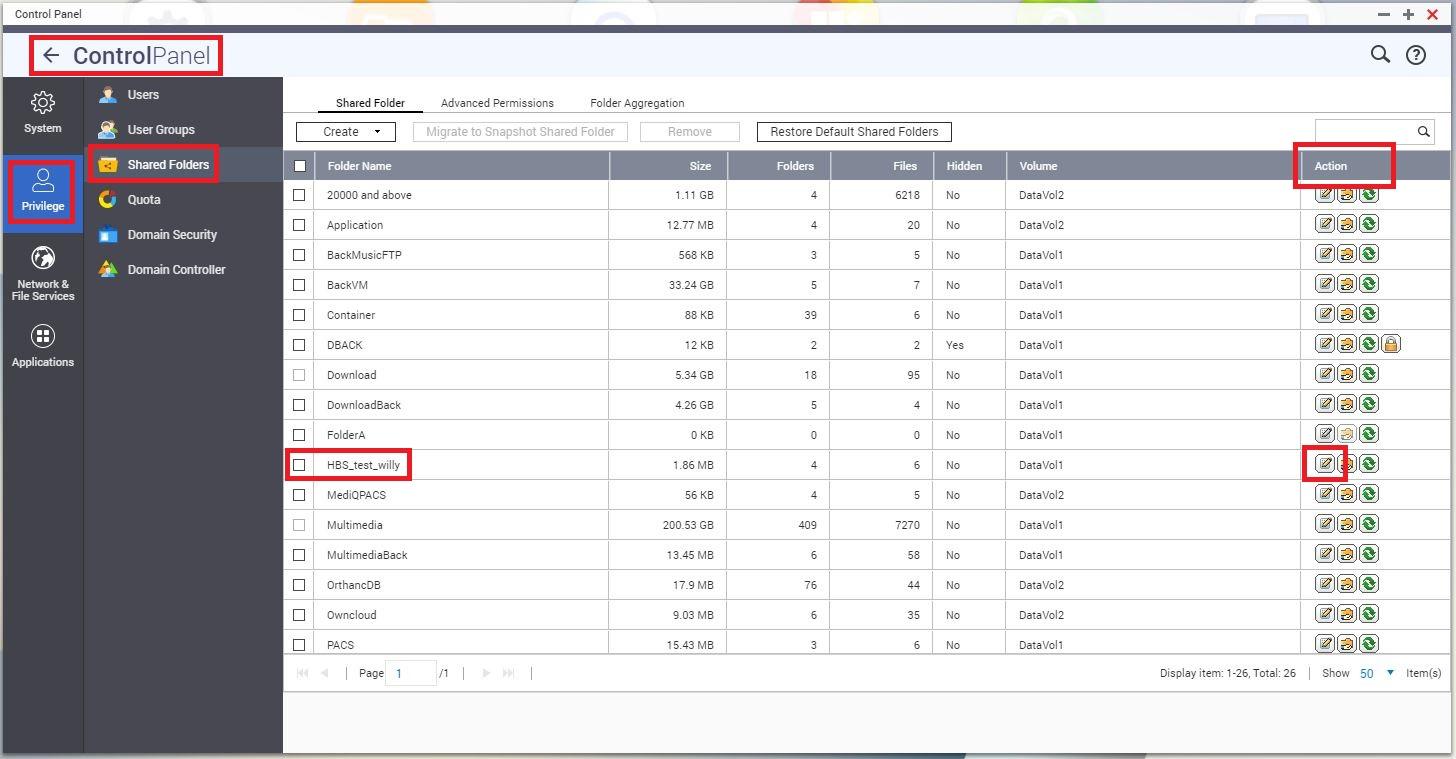
Please, you should go to Control Panel > Privilege > Shared Folders, then go to the Action column, choose the "Editing Properties" button for the folder you want to change the name.
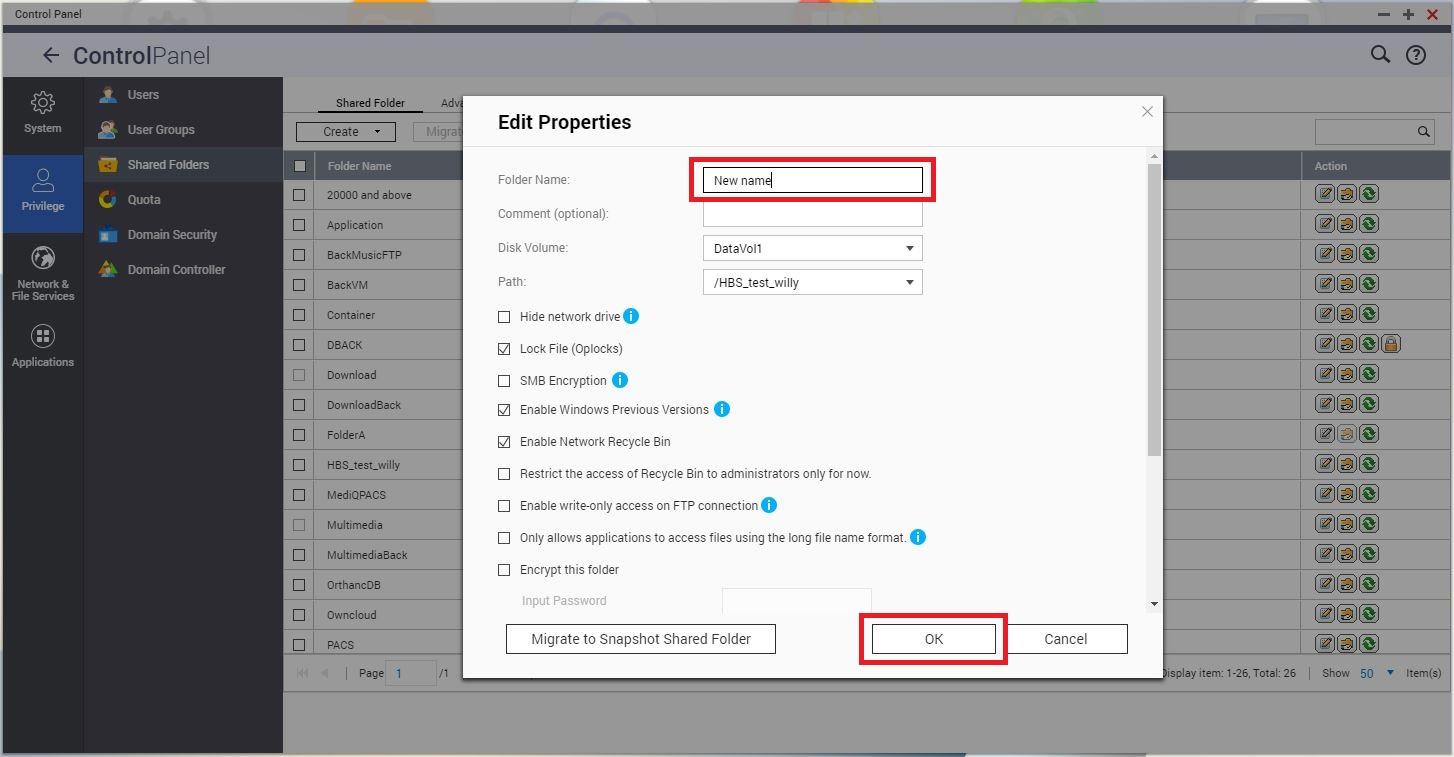
So this way you will be able to re-name the Shared folder to the one you wish.
Thank you!
需要进一步协助,欢迎前往官方社区发帖,与其他用户及 QNAP 专家交流。 前往 QNAP 官方社区


