


How to clone an iSCSI LUN snapshot in QES NAS?
最后修订日期:
2020-09-04
To clone an iSCSI LUN snapshot, you can follow below these steps:
- After the iSCSI LUN snapshot is taken, you can go to Storage Manager >> Storage Space page and click
 icon of the iSCSI LUN to launch Snapshot Manager.

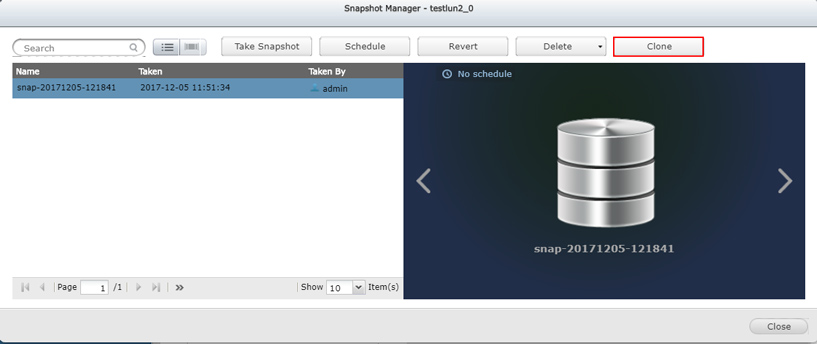
- In Snapshot Manager, please select the snapshot you would like to clone and click Clone button to clone the snapshot.
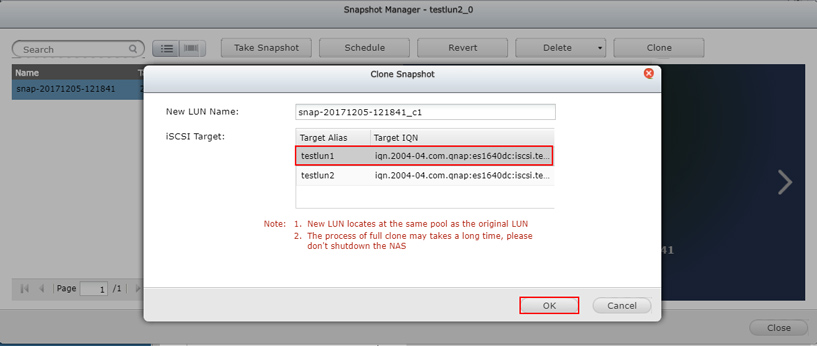
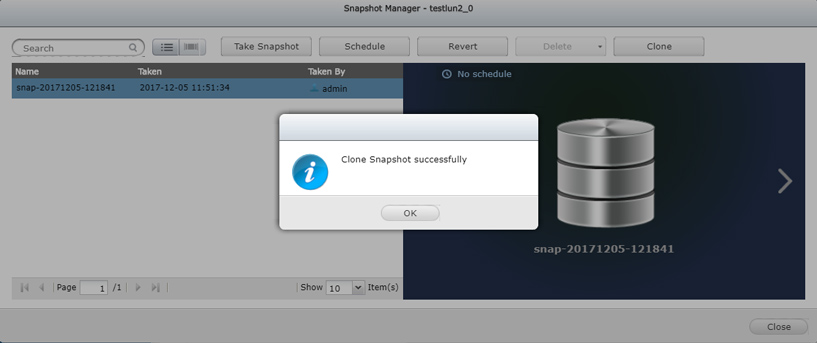
- Select the target that this LUN is going to be mapped and click OK button.
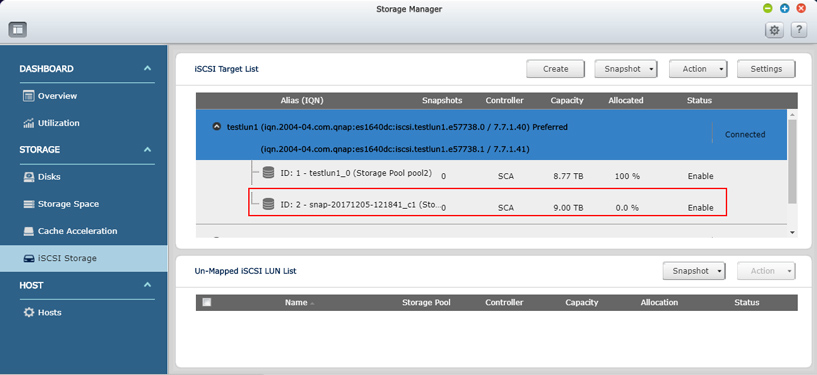
- After it is done, you can see the cloned snapshot has been mapped to the target in Storage Manager >> iSCSI Storage page.
需要进一步协助,欢迎前往官方社区发帖,与其他用户及 QNAP 专家交流。 前往 QNAP 官方社区


