


How to extract the system event logs when it is not possible to download the dump logs?
最后修订日期:
2022-06-24
Applied models:
Applied Firmware:
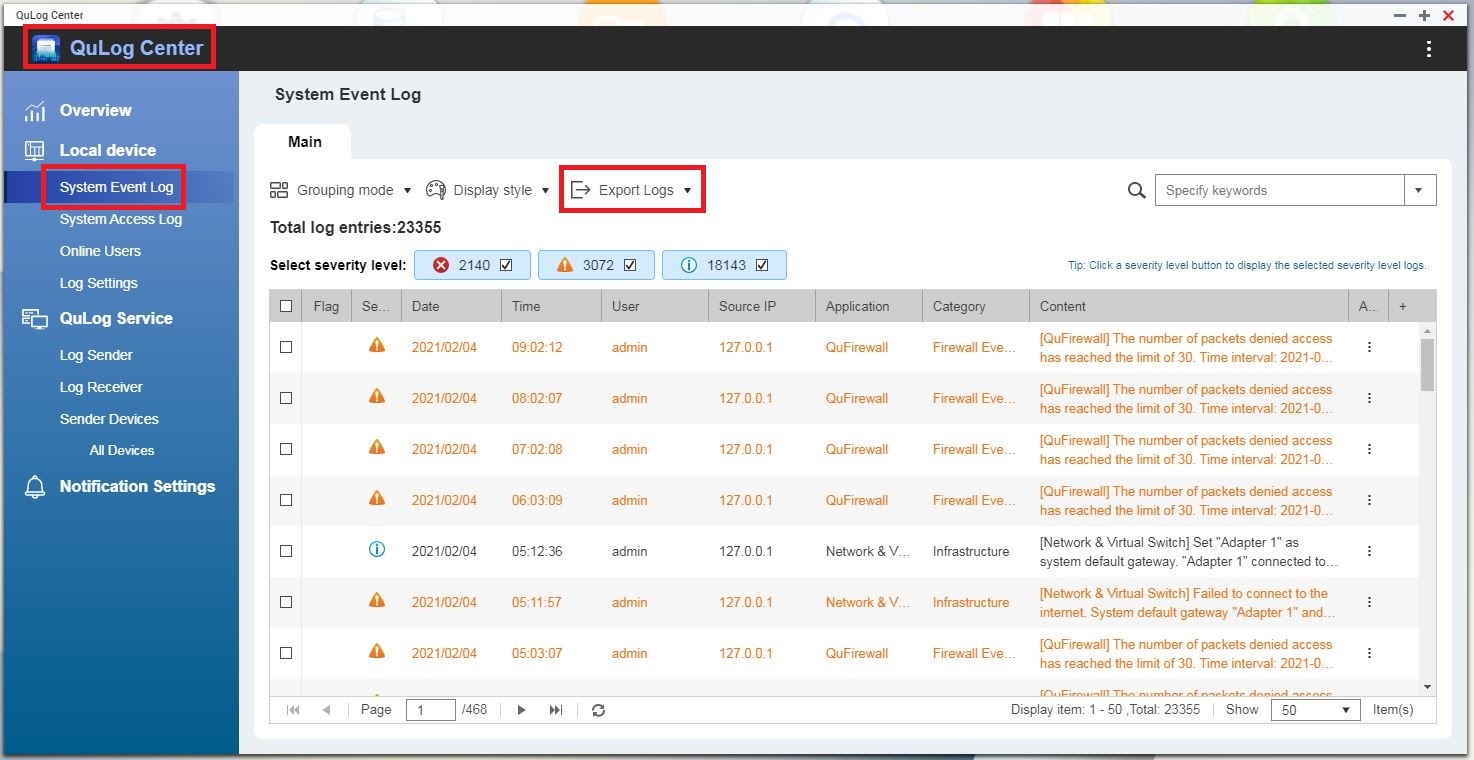
Sometimes it can happen that the customer is unable to download the dump logs through the Helpdesk app for some reason, for example, the NAS does not have internet access. In that case, it is still possible to download at least the System Event Log, please, refer to the picture below, in QuLog Center app, below Local Device, there is the option “System Event Log”, then on the button Export Logs, it is possible to download the file to be analyzed.
Reference link:
How to collect the diagnostic log without opening the helpdesk app? (SSH required)


