How to perform the file sync from QES to QTS?
最后修订日期:
2022-06-24
Applied models:
All NAS model
Applied firmware:
QES-2.0.0 or above / QTS-4.3.6 or above with HBS3
Scenarios:
I would like to do the data sync from my NAS with QES to another NAS with QTS.
Solution:
Please follow the steps below to proceed it:
- In the NAS with QTS, please configure
a. Go to App Center >> download and install Hybrid Backup Sync
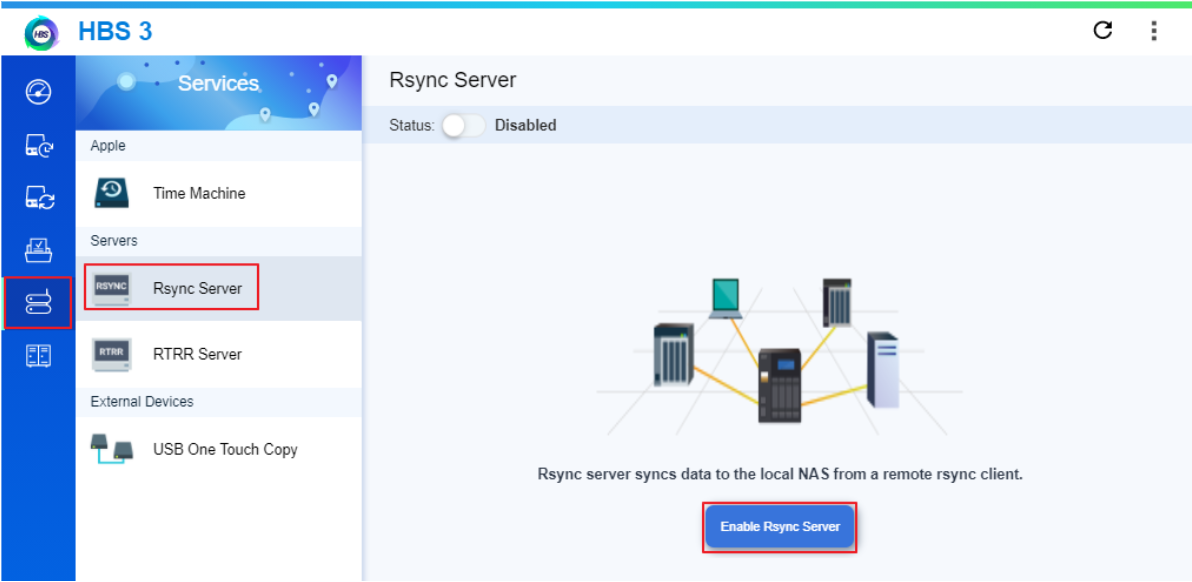
b. Go to Hybrid Backup Sync >> Services >> Rsync Server and click on Enable Rsync Server to enable it.
c. Tick the checkbox of Access with local QTS accounts and then apply it.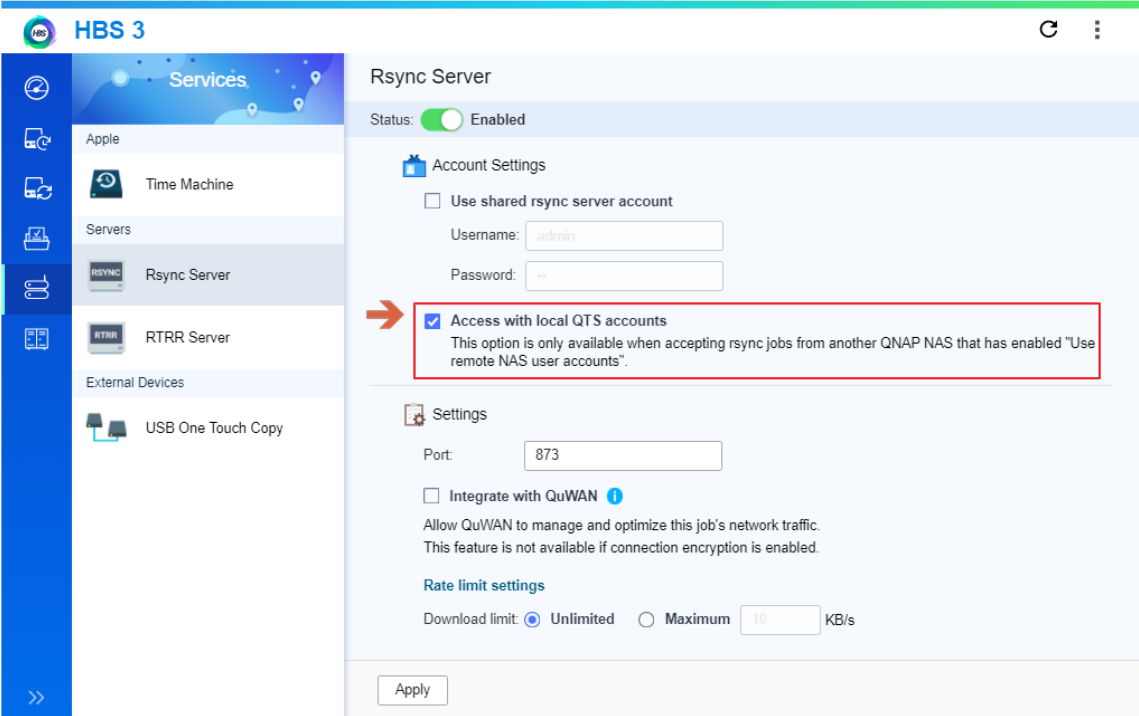
- In the NAS with QES, please start to configure the sync job
a. Go to Backup Station >> NAS to NAS and click on Create a Replication Job button.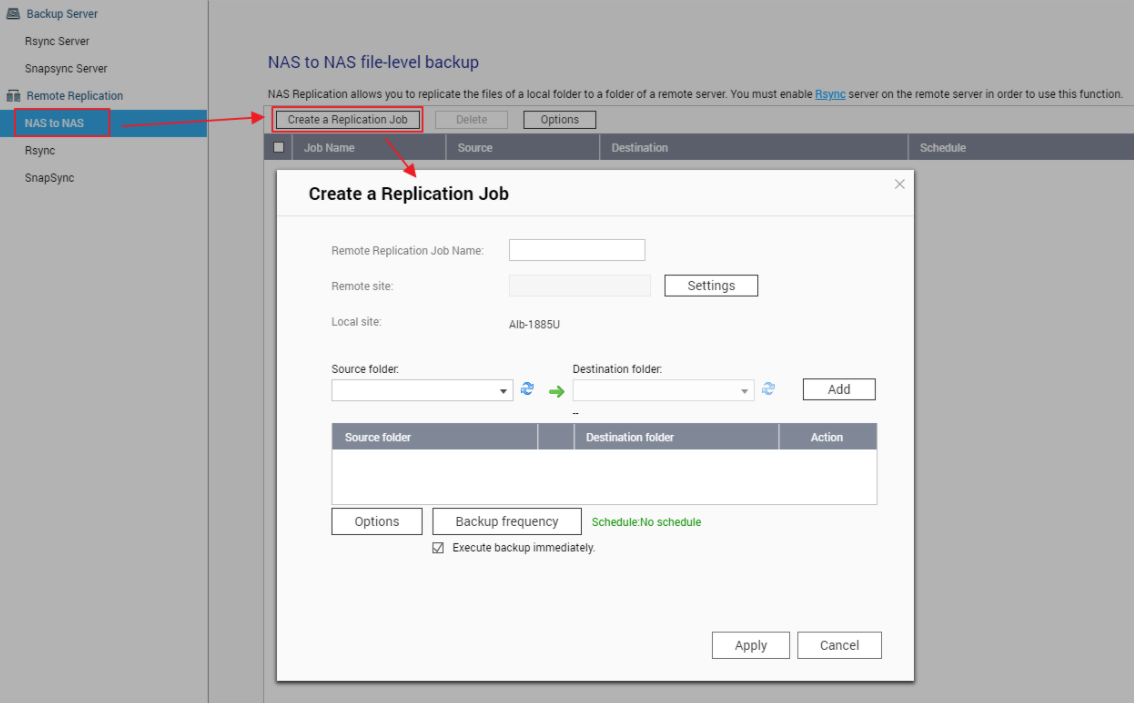 b. Click on Settings button to configure the remote site.
c. Enter the remote NAS IP address.
d. Enter admin as the username and admin’s password of the remote QTS NAS.
e. Tick the checkbox of Enable encryption port number and apply it.
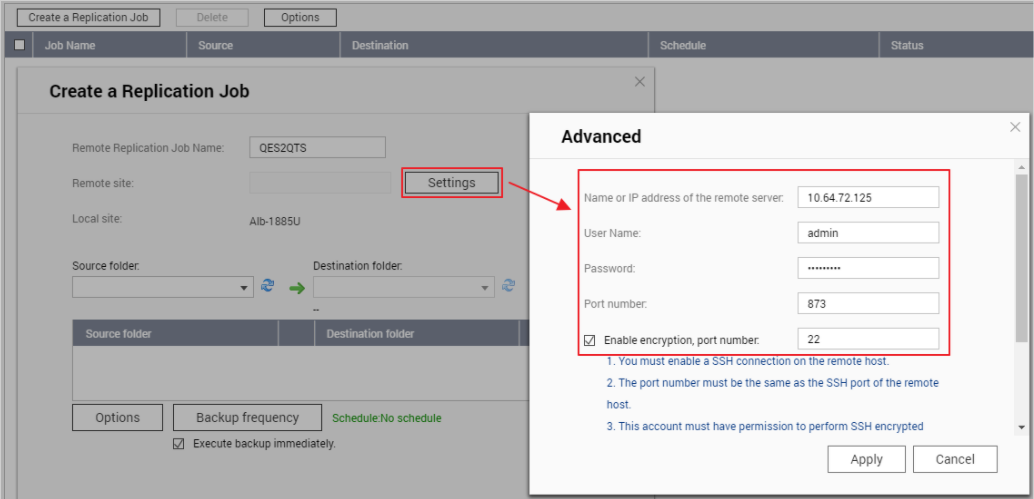
f. Enter the name of the replication job
g. Select the source folder and the destination folder and then apply it.
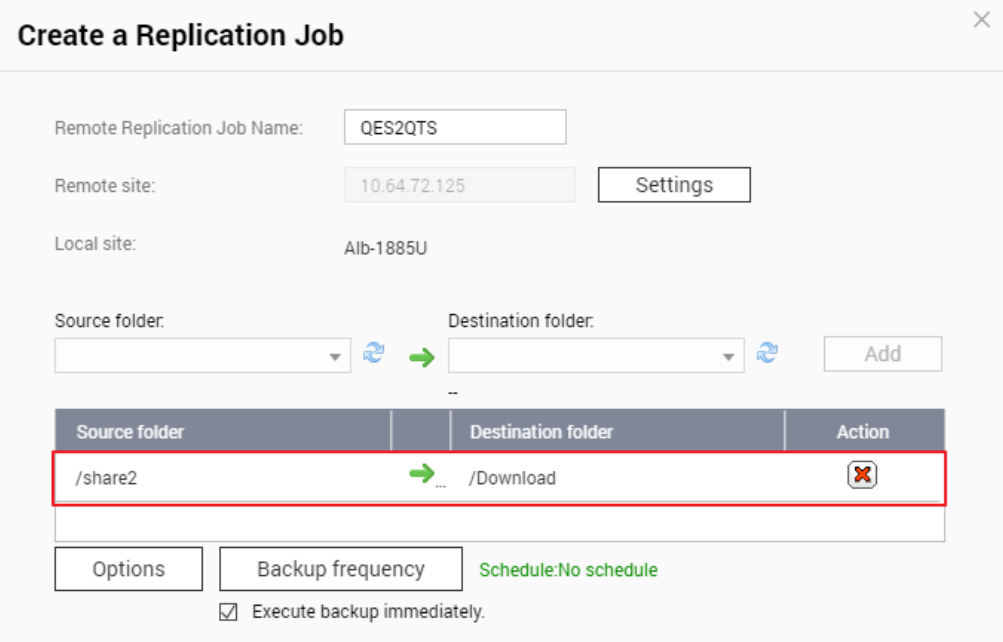
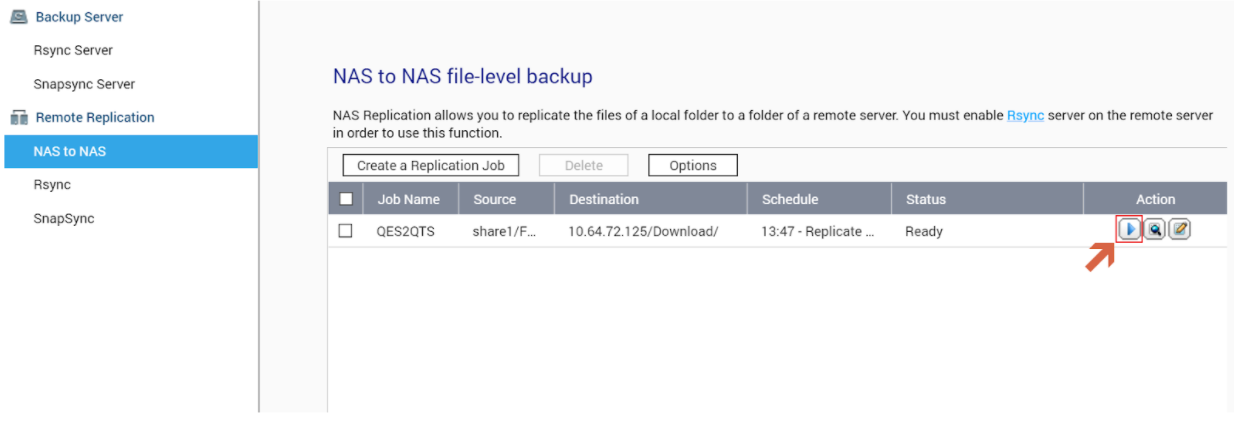
h. The sync job is created and you can click on the button to start the sync.