


How to remove the Multimedia folder with the new Multimedia Console?
Applied models:
Applied Firmware:
-
4.4.3 or later
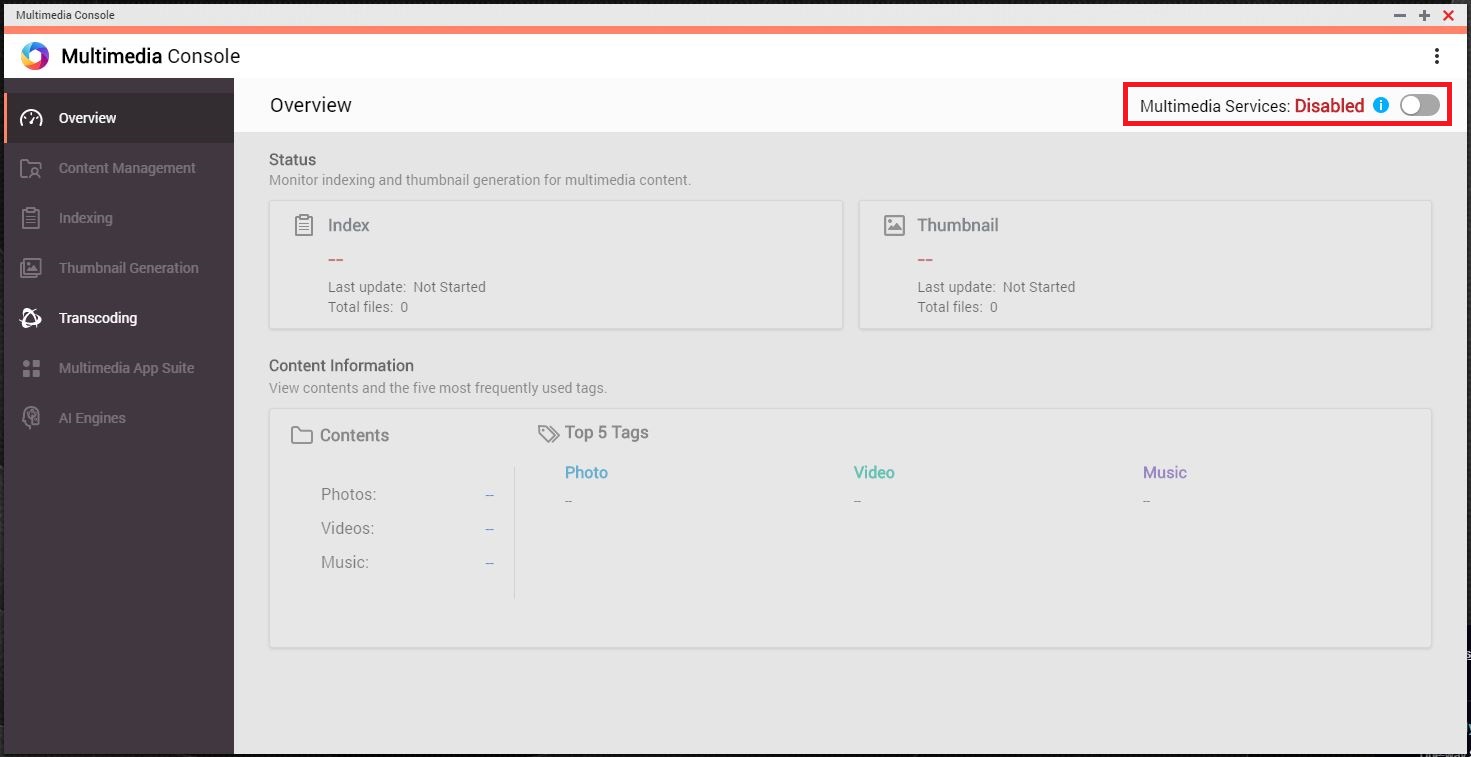
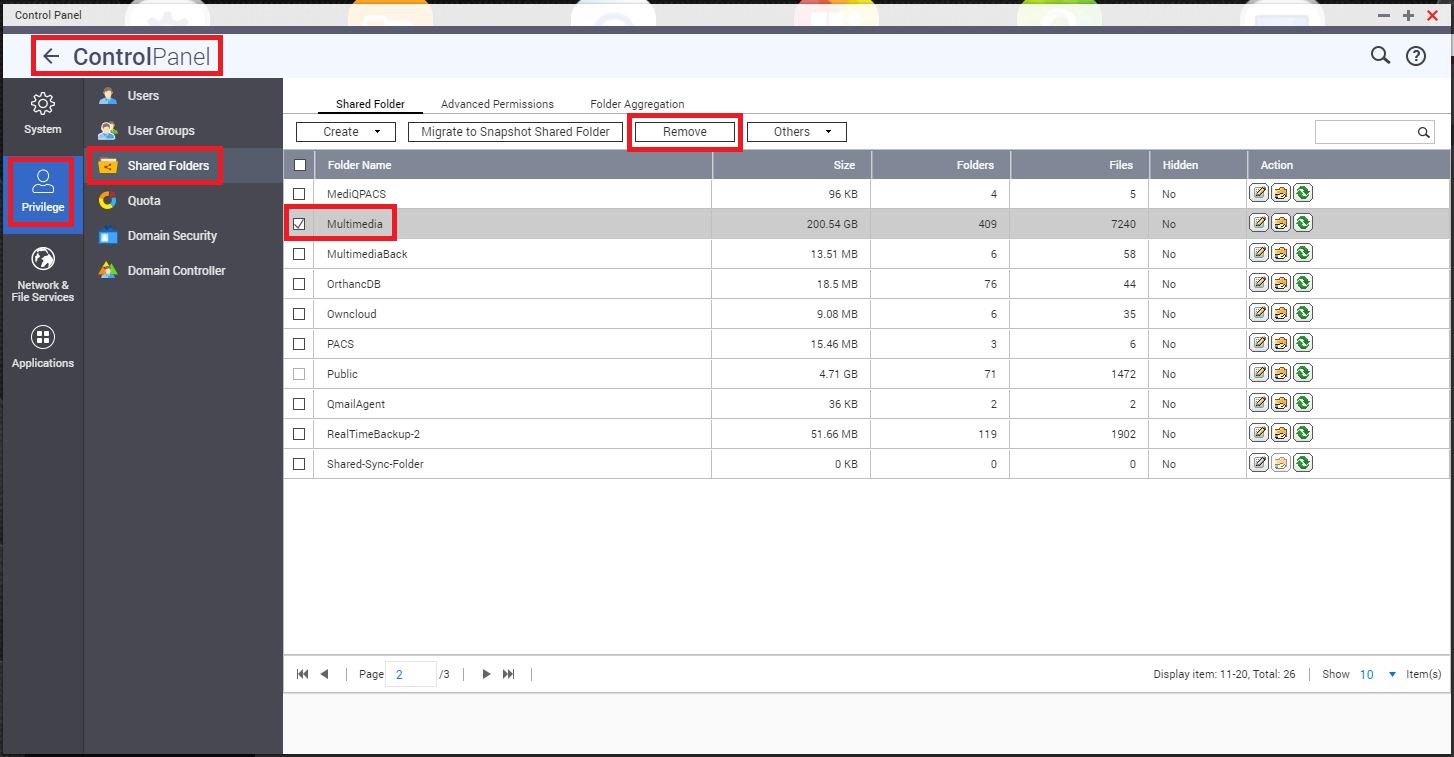
If the customer wants to remove the default Multimedia shared folder from his System, it is necessary to disable in advance the Multimedia Services in Multimedia Console, only this way it will be possible to go to Control Panel > Privilege > Shared Folders, to select and remove the Multimedia folder, please refer to the pictures below, showing where to disable the Multimedia Services, in Control Panel > Applications > Multimedia Console, and where to select the default Multimedia folders to remove it.
-
Disable Multimedia Services.
-
Select Multimedia folder to remove.
-
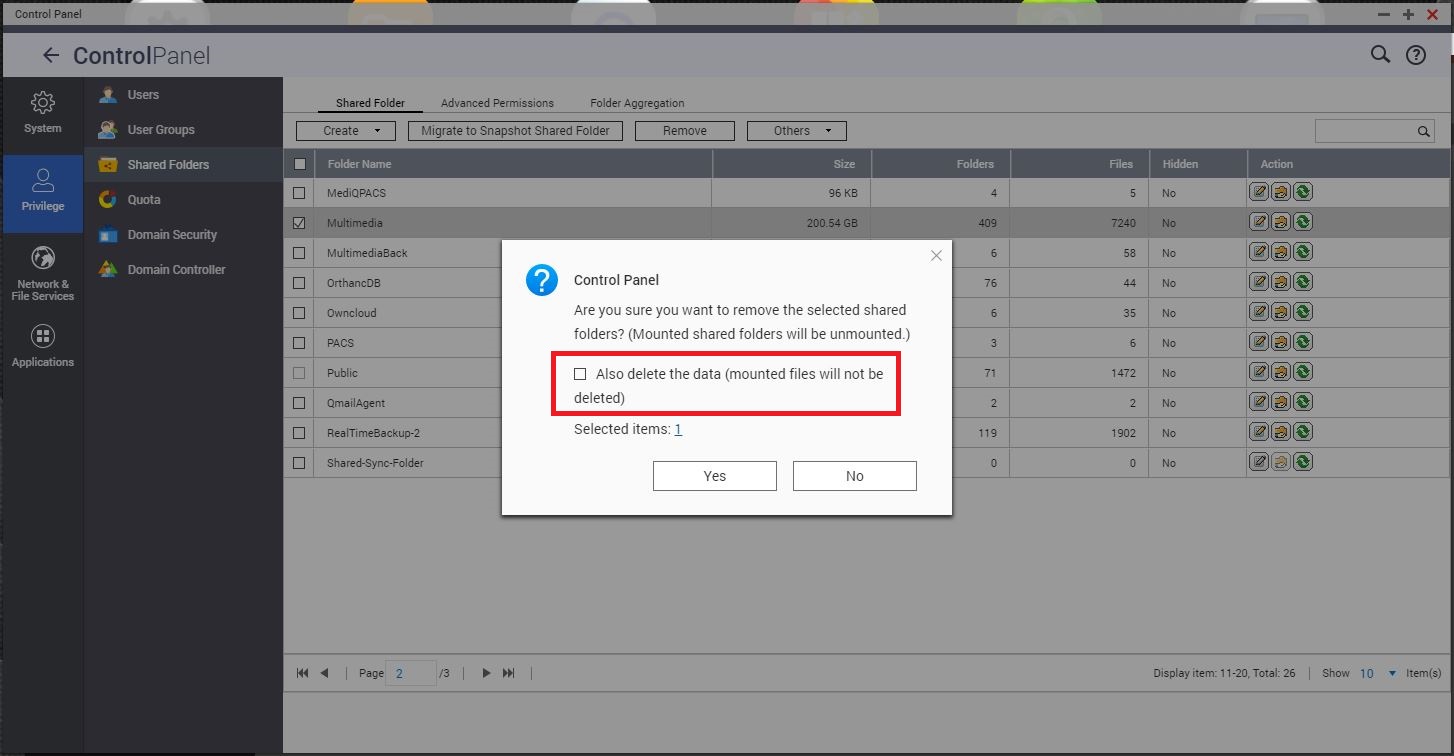
Removing the Multimedia folder, if selecting to “Also delete the data”, it will be permanently deleted and cannot be recovered, thus please be aware.
需要进一步协助,欢迎前往官方社区发帖,与其他用户及 QNAP 专家交流。 前往 QNAP 官方社区


