


How to scan for bad blocks ?
最后修订日期:
2022-03-30
Applied models:
-
All NAS Series
Applied Firmware:
-
4.4.1 and above
You may have received the following notification: "Host: Disk X: Medium error. Run a bad block scan on the drive. Replace the drive if the error persists”.
This means that the drive in question may have some bad sectors.
To scan for bad blocks, go to Storage & Snapshots > Disks/VJBOD > select the HDD in question and click on “Action” > “Scan for Bad Blocks”.
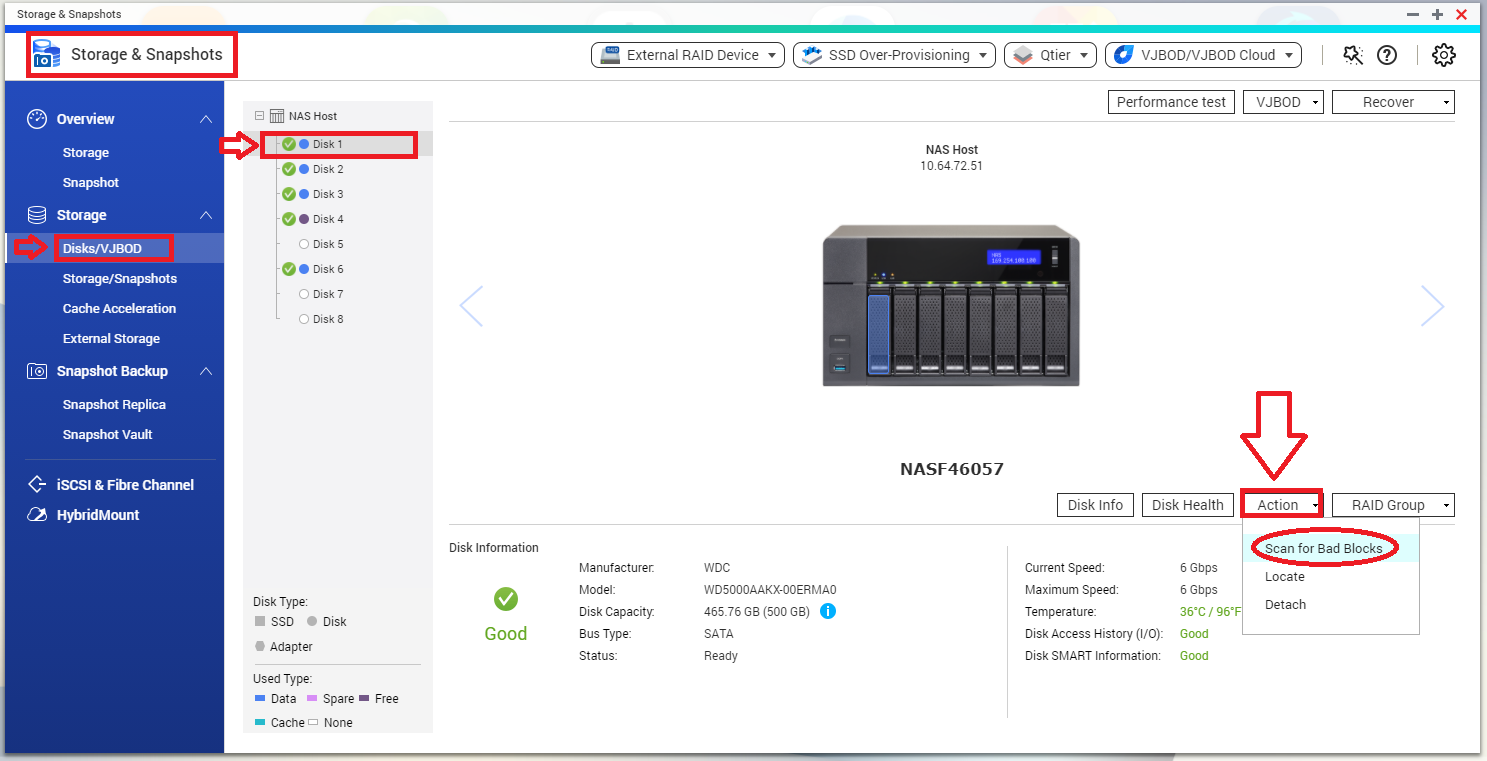
If any bad blocks are found, the HDD may fail, and would need to be replaced.
Related documents:
需要进一步协助,欢迎前往官方社区发帖,与其他用户及 QNAP 专家交流。 前往 QNAP 官方社区


