


How to set port trunking with managed switch devices?
- All NAS Series
The NAS port Trunking function support Balance-rr, Balance-xor & 802.3ad mode with a managed switch device, here we use QSW-M408-4C this switch device to set the port Trunking function with NAS device.
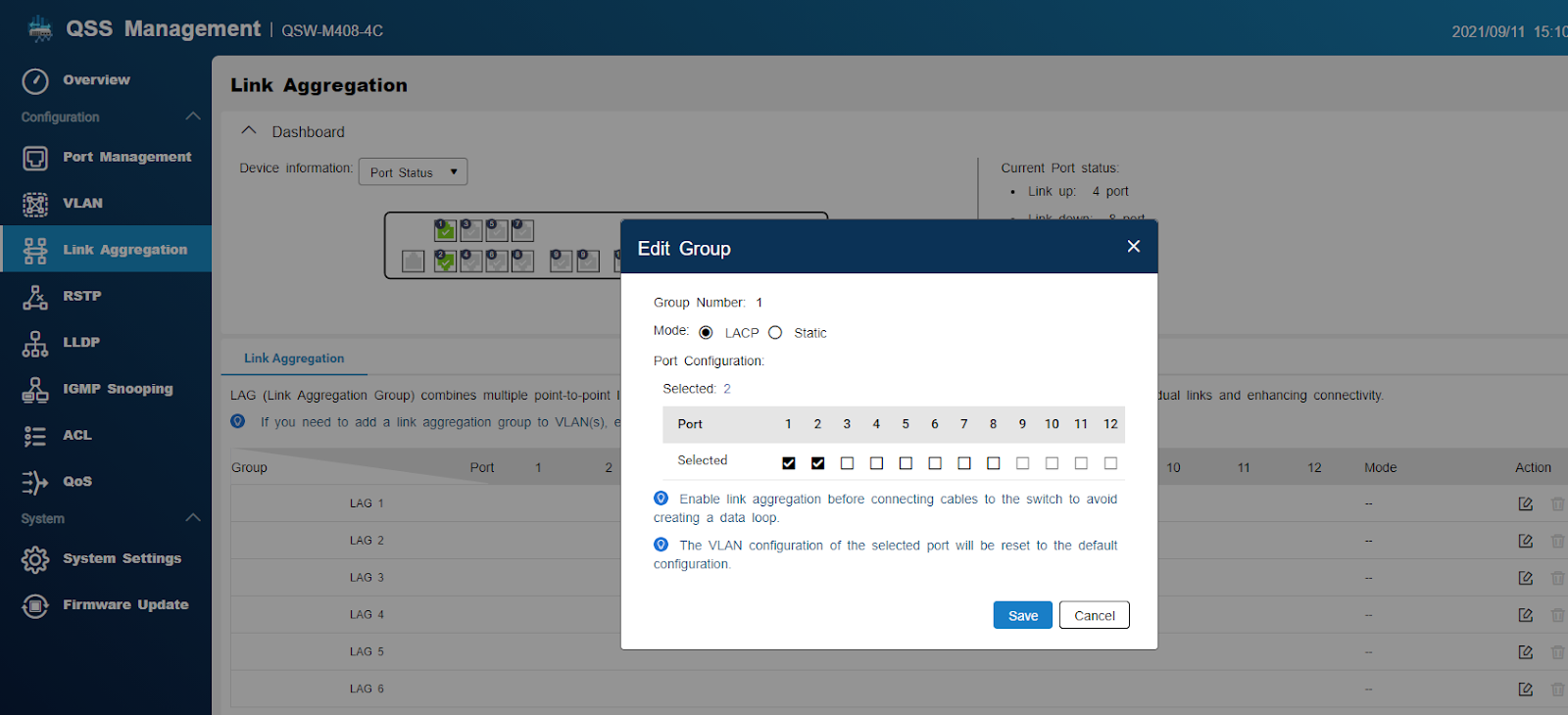
In QSW-M408-4C switch QSS management UI, select "Link Aggregation" page, click edit icon to select which switch device port connect with NAS LAN adapter, then click “Save” button to complete LAG setting in switch device.
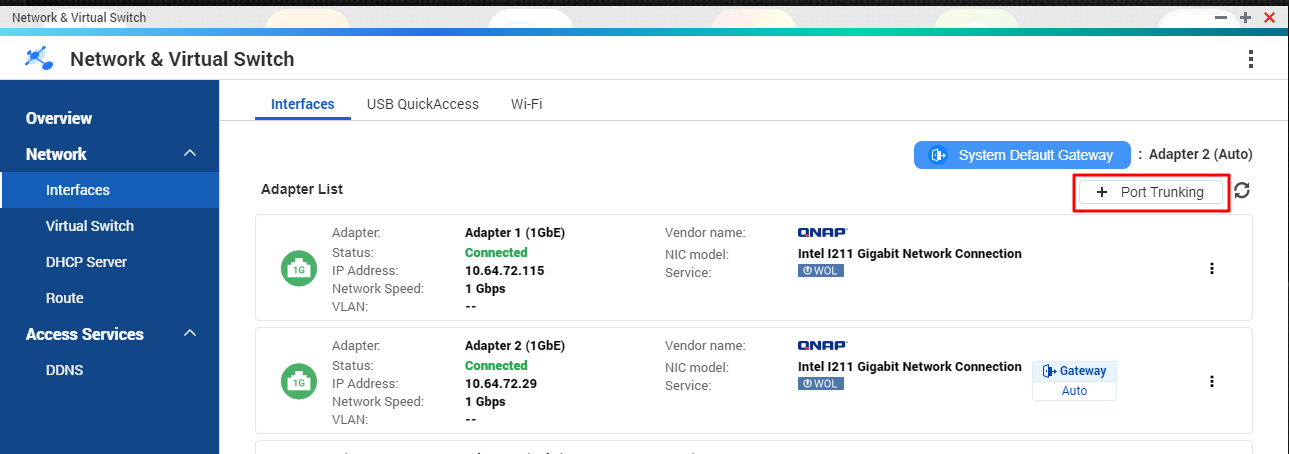
In NAS web UI, open Network & virtual switch APP, click Interfaces > “Port Trunking” button.
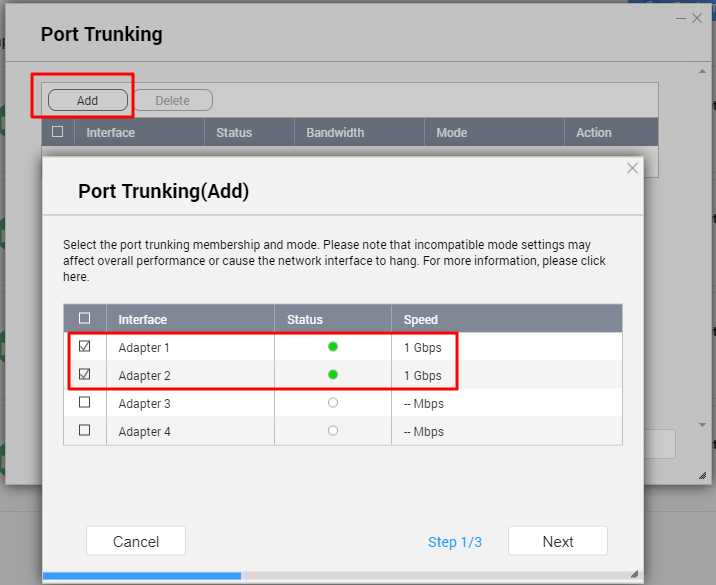
Click the “Add” button to select which NAS LAN adapter connect with the switch device, then click “Next” button.
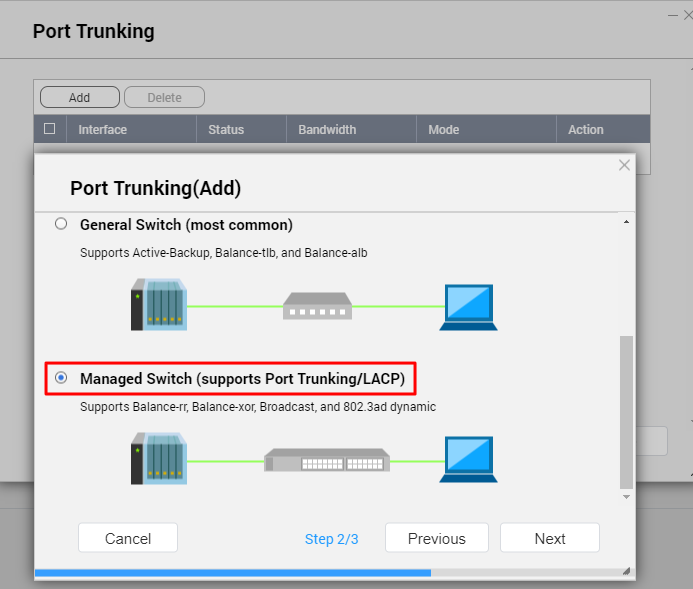
Select “Managed Switch (support Port Trunking/LACP)” this option & click “Next” button
Select Balance-rr, Balance-xor or 802.3ad option, then click “Apply” to complete the NAS port Trunking setting.
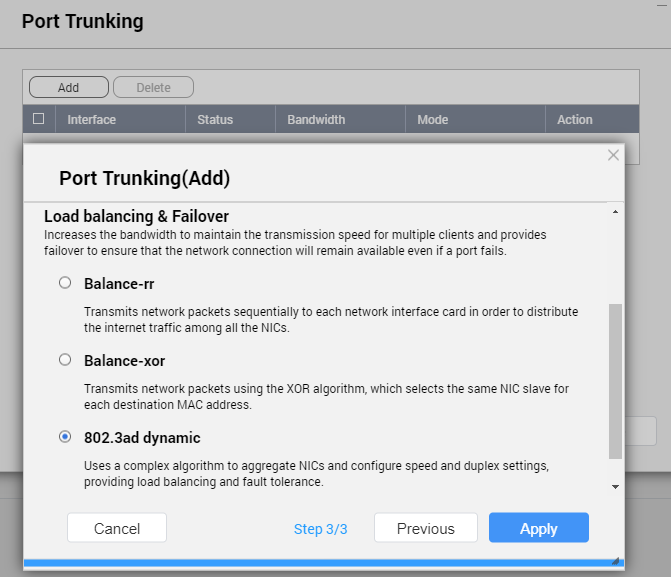
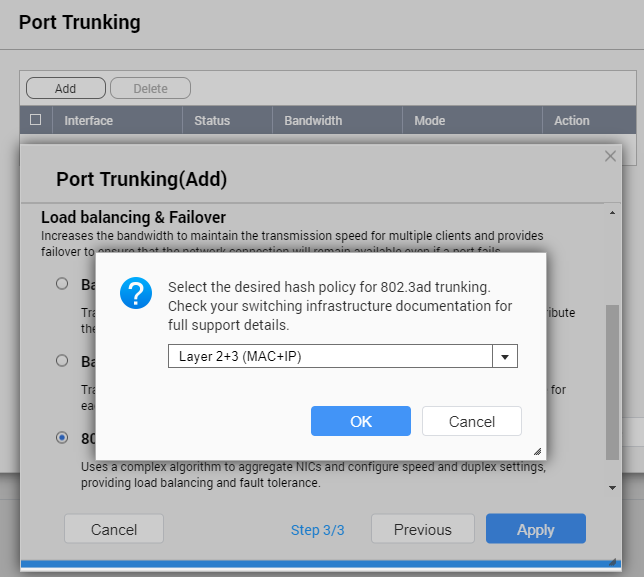
If the selected port Trunking mode is “802.3ad”, we recommend using “Layer 2+3 (MAC+IP)” for greater performance, but will need to check the switch device supports it first.
需要进一步协助,欢迎前往官方社区发帖,与其他用户及 QNAP 专家交流。 前往 QNAP 官方社区


