


While connected with Netbak, why Windows 11 does not allow to mapped the same NAS another shared folder with another user name?
最后修订日期:
2022-06-24
Applicable Products:
- Netback replicator
When Netbak is connected to the NAS shared folder using NAS IP address, mapping another NAS shared folder with another user via NAS IP address would prompt with error “\xxx.xxx.xxx.xxx\Public is not accessible. You might not have a resource....” like below.
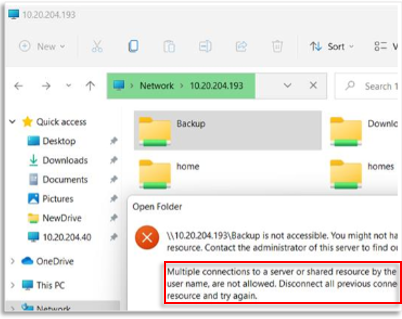
This is due to Windows 11 Multiple connections to a server or shared resource by the same user, using more than one user name are not allowed by the SMB Protocol, Users might not be able to connect the share folder with 2 different users with SMB Protocol.
To resolved, please connect the netbak using NAS hostname with user1
Then you can mapped another NAS shared folder either by hostname or IP address using another user name/account.


