


Where can I find the Qsync Versioning files ?
最后修订日期:
2022-06-24
Applicable Products:
- QTS 4.3.3 or later
- Qsync
Follow the procedues below to find the Qsync Versioning files
- login QTS as the Qsync user.
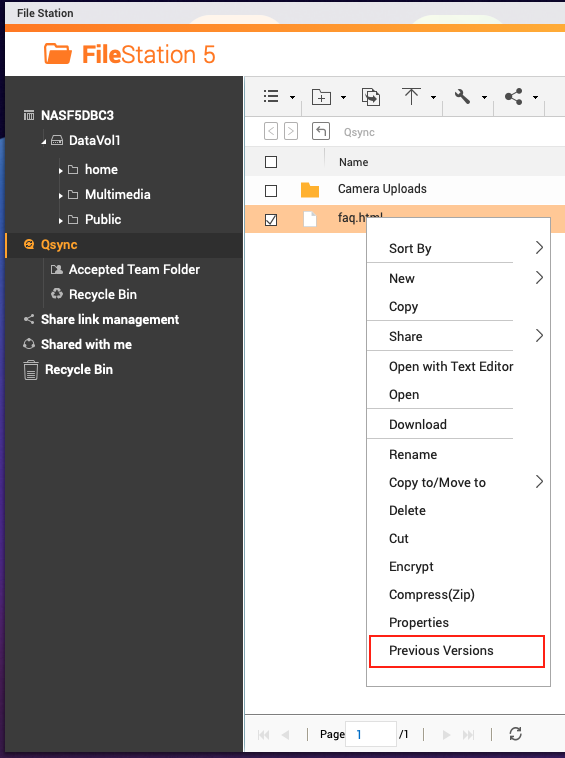
- Open File Station and Click on Qsync in the left panel to see the synced files on NAS.
- Right Click on one of the synced file to open content menu and click on Previous Versions.
*
- In the opened window, you can choose to restore or download the file in old versions.
Note: Qsync version control is not supported if using NAS shared folders instead of the default Qsync folders.


