


I don't have access to all the available Audio Outputs and permissions in Music Station. How to control these?
最后修订日期:
2020-09-04
This could happen if certain users are not given proper rights in Music Station.
-
Log in to your NAS via web browser
-
Open Music Station
-
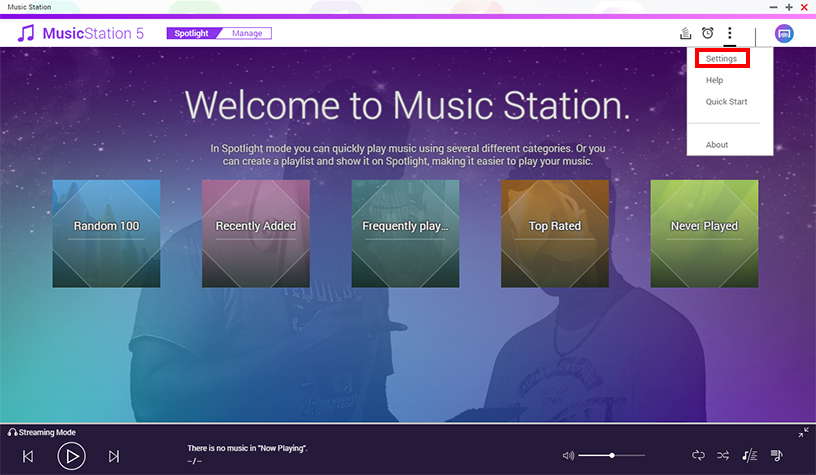
Click on the “...” icon and click “Settings”
-
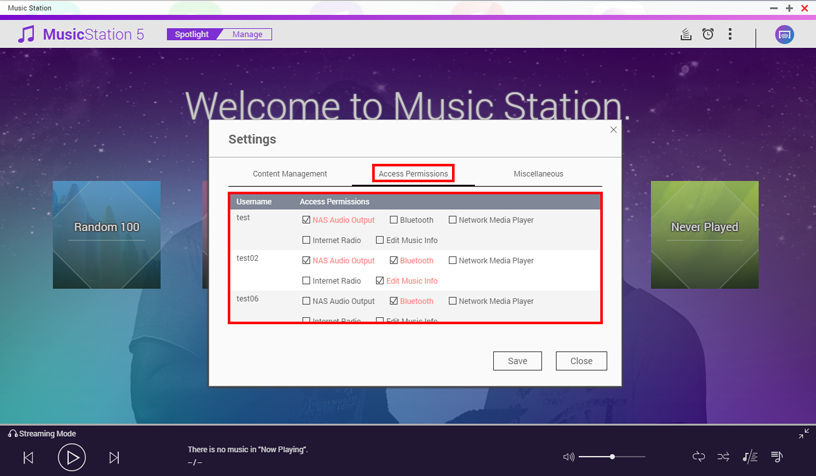
Select “Access Permissions”
-
Here you can control which user gets access to which audio outputs and features such as Network Media Player, Internet Radio and also editing of music info.


