


How do I rename the Volume Alias?
最后修订日期:
2022-03-30
Applied models:
Applied Firmware:
To rename the Volume Alias is very simple, it can be done in any of the Volumes created in the NAS through the Storage/Snapshot Management.
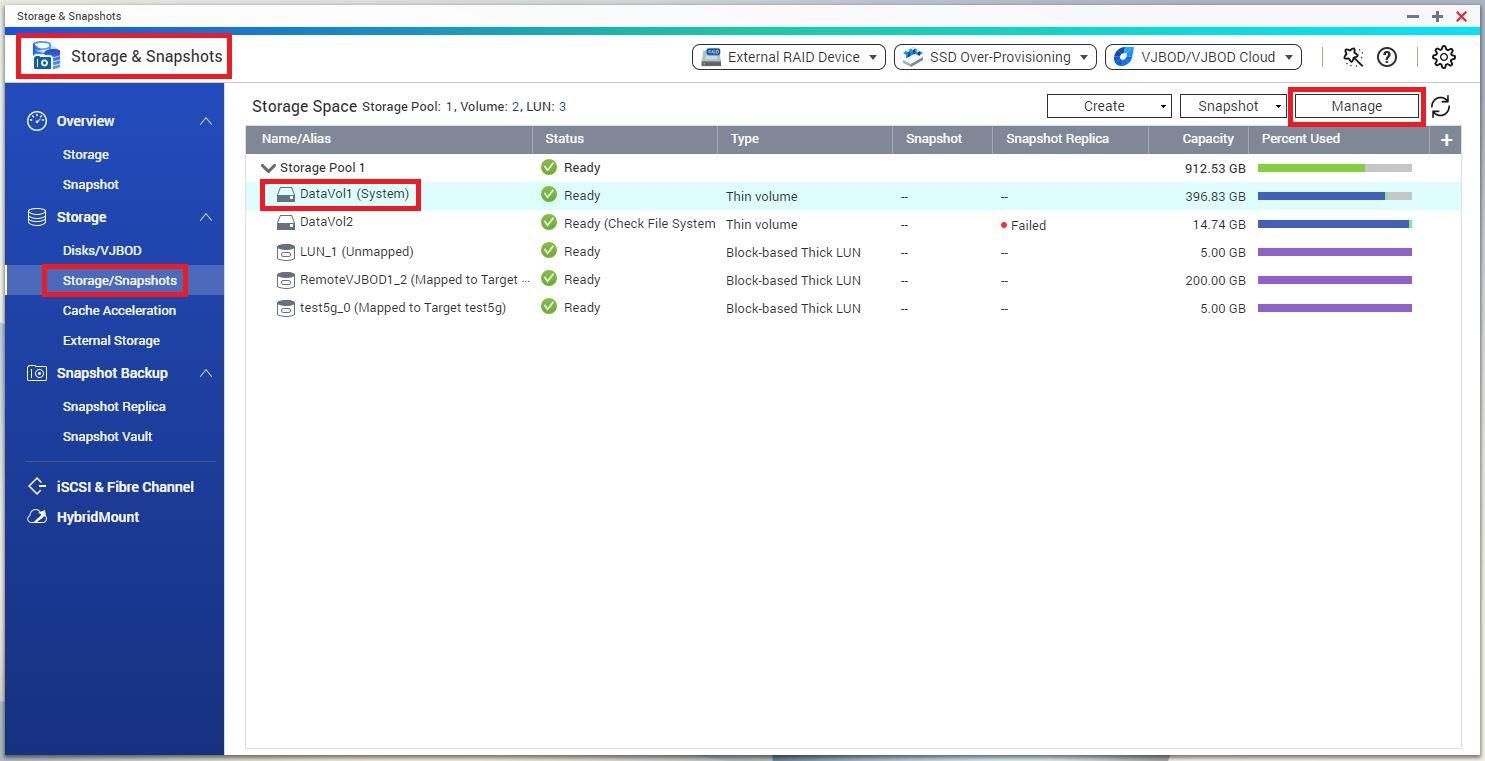
Please, you should go to Storage & Snapshots > Storage / Snapshots, then select the Volume you want to rename, continuing by clicking on Manage button as it can be seen on the image below.
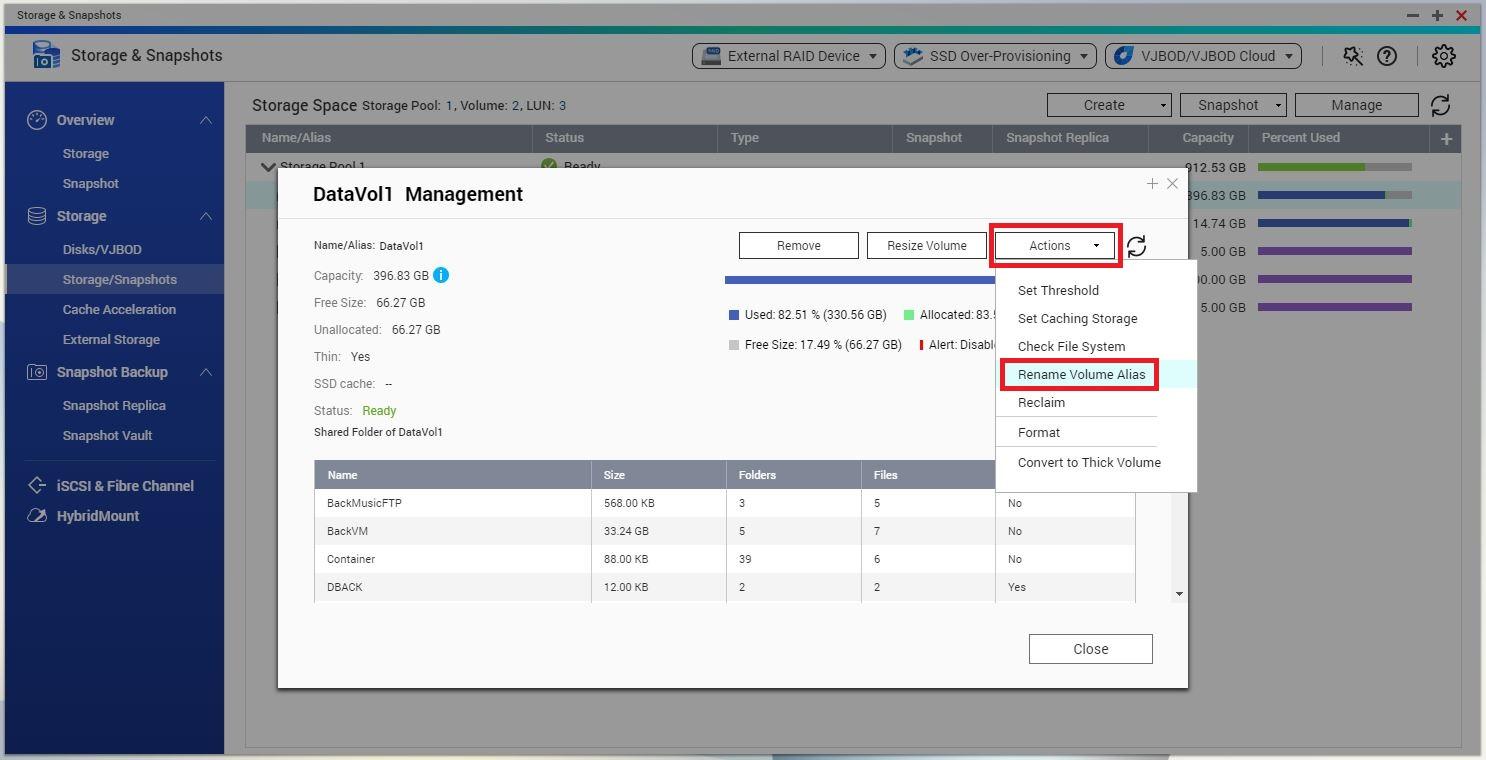
Later on, when already inside the Volume Management, you can click on Actions button, through there select the option "Rename Volume Alias", as it can be seen on the image below.
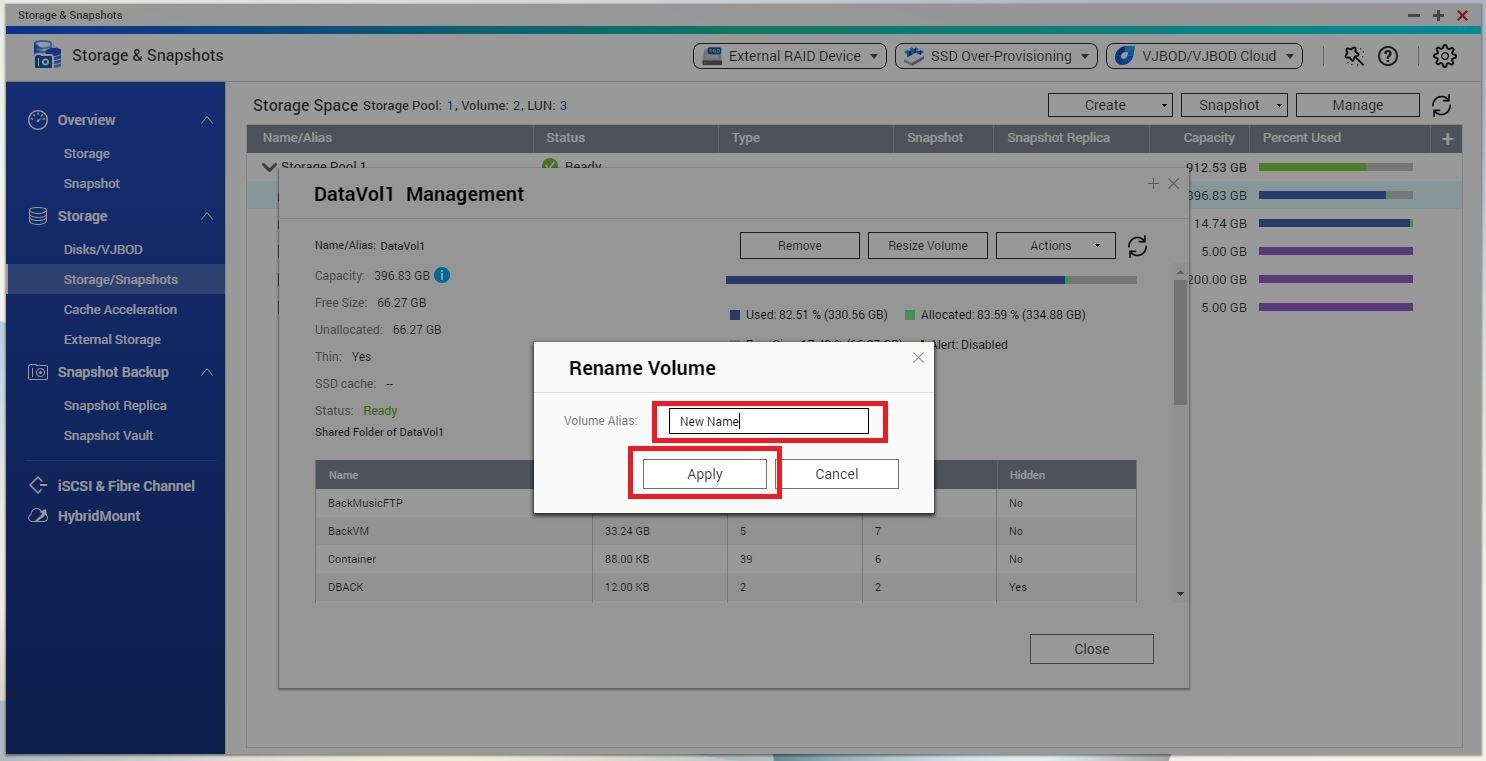
At this point, you will be able to rename the Volume Alias to any of your choice, refer to the image below.
Thank you.


