How to keep the same number of files and folder in 2 synchronized Shared folder using HBS3
最后修订日期:
2022-03-30
Applied models:
Applied Firmware:
-
All Firmware Versions
If you set up a synchronization Job in HBS3 from a source NAS to another remote NAS, It is possible that you see that the number of files and the number of folders (Control Panel > Privilege > Shared Folders) is different from in origin and remote shared folder, however the synchronization is running without errors and the content seems to be synchronized.
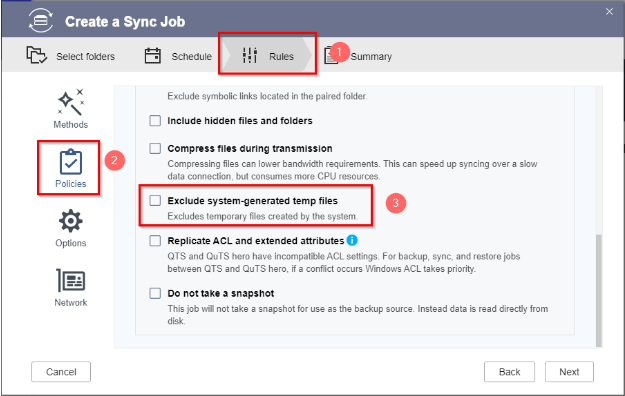
This is happening due the system generated temporary files. So if you want to prevent this, You just will need to uncheck “Exclude System-generated temp files” in the synchronization settings and it will display the same number of files and folders.