


QSync is unable to connect, saying home folder is disabled
Applicable Products:
- Qsync
Qsync is unable to connect to the NAS, it shows “disconnected”, or tries to synchronize forever.
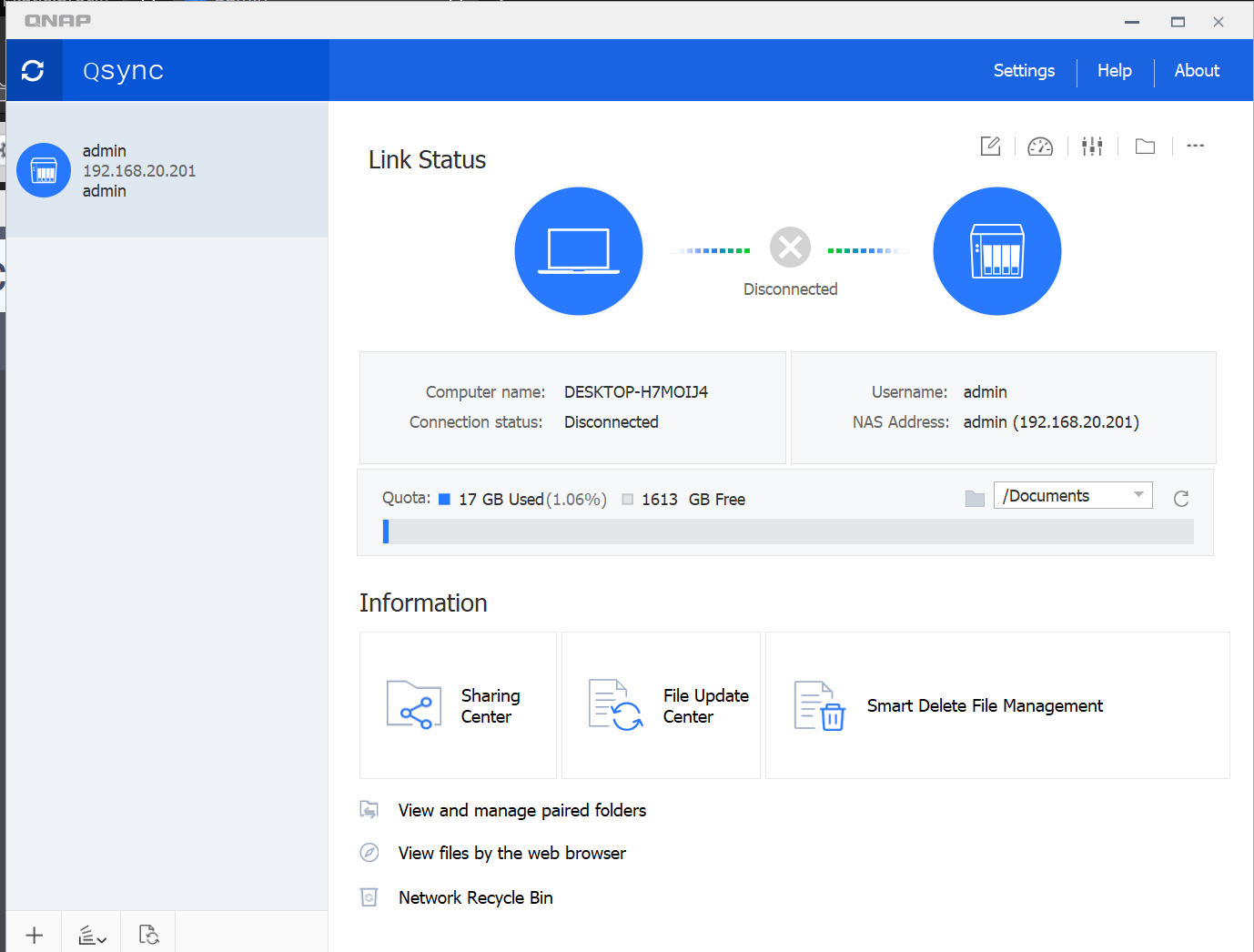
Qsync may also show that the home folder is disabled.

From QTS > File Station > home, when trying to open the “home” folder, a popup message displays the error “The file or folder does not exist“.
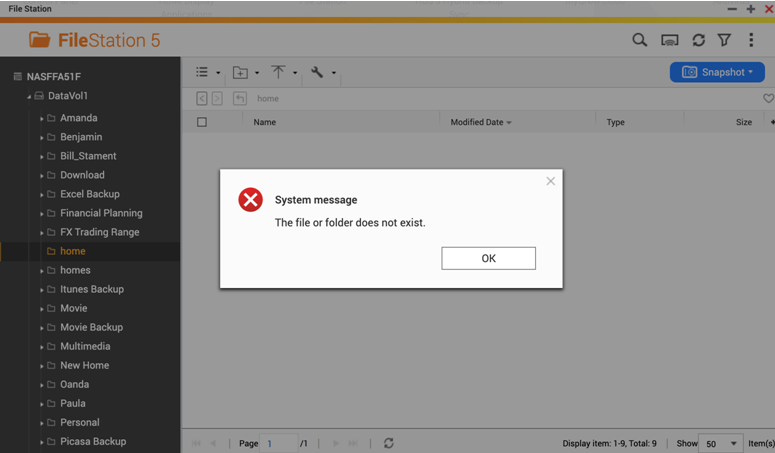
We can check first if the home folder is enabled: Control Panel > Privilege > Users > Home folder
If not, please enable it and check if the issue remains.
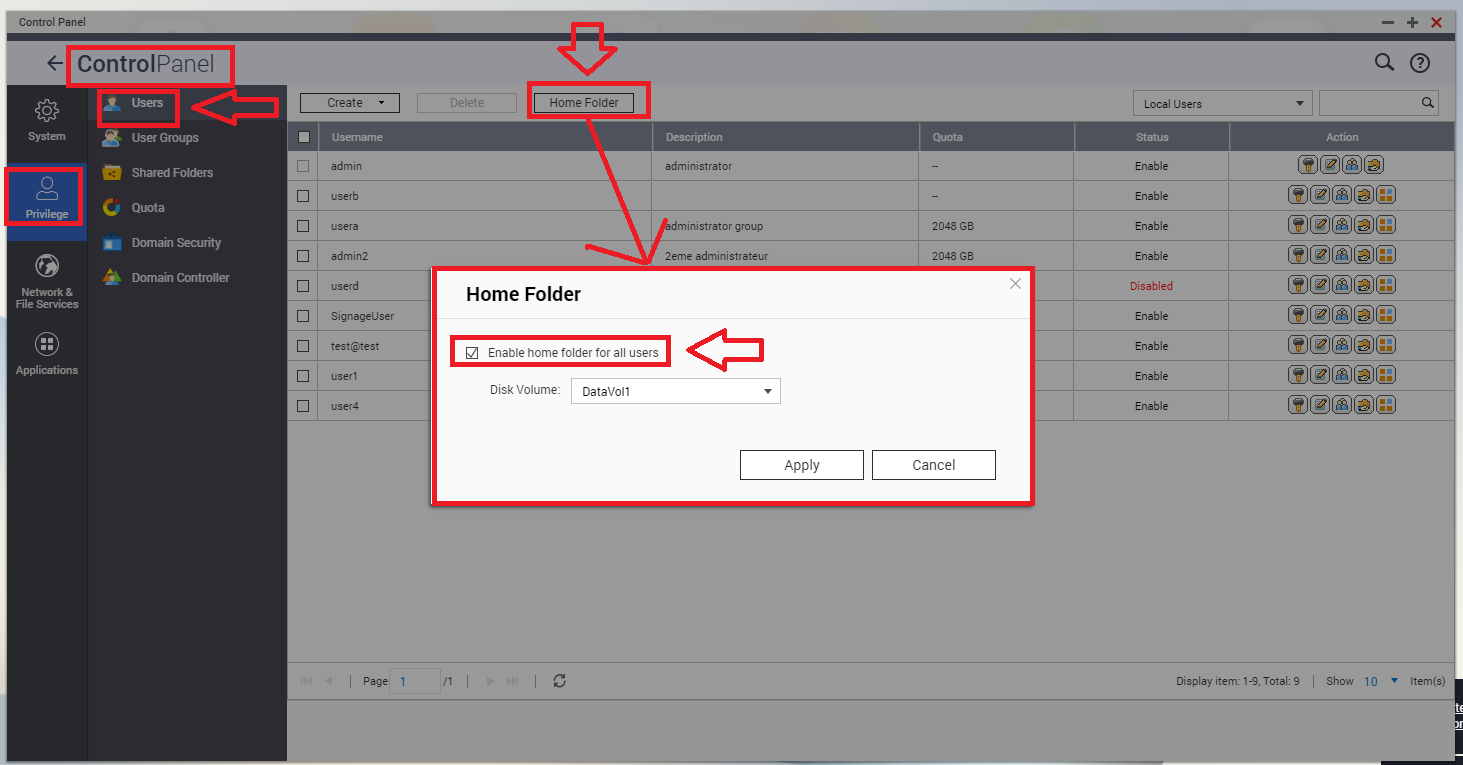
In some cases, the home folder is already enabled, but we still get the error. If so, please try to disable and enable again the Home Folder. Note: Disabling the home folder does not delete data, but only makes it inaccessible.
需要进一步协助,欢迎前往官方社区发帖,与其他用户及 QNAP 专家交流。 前往 QNAP 官方社区


