


[Android Qfile] Why do I have 4 tasks of the same picture when I only upload one picture to a NAS?
最后修订日期:
2022-03-30
Applied models:
All NAS Series
Applied firmware:
All NAS firmware
Scenarios:
When I used the Android Qfile to upload one picture to a NAS, I saw 4 tasks of the same picture in the Background task page.
Solution:
Slide out the left panel in Qfile, tap on Settings → go to Others → unchecked "Generate thumbnails while uploading photos (jpg, jpeg and png files only)"
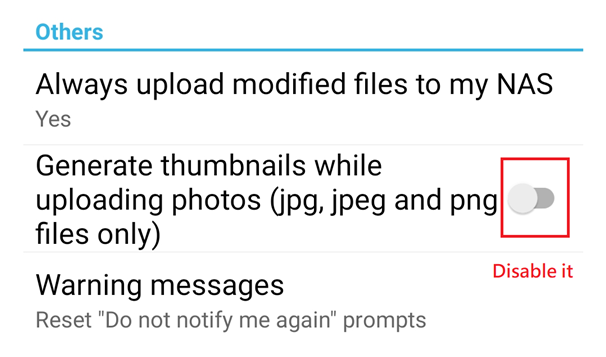
Note: This function is designed for our TAS product which doesn't have powerful hardware. As an alternative, Qfile will generate thumbnails for TAS. If your NAS has better hardware spec than TAS, you can disable the setting and let the NAS generate thumbnails for those pictures.
还有疑问?
在 QNAP 官方社区提问,获得 QNAP 官方与热心用户的实用建议。


