


How do I allow non-administrators to share files to other NAS users in File Station?
Applicable Products
- QTS
- QuTS Hero
- File Station
Scenario
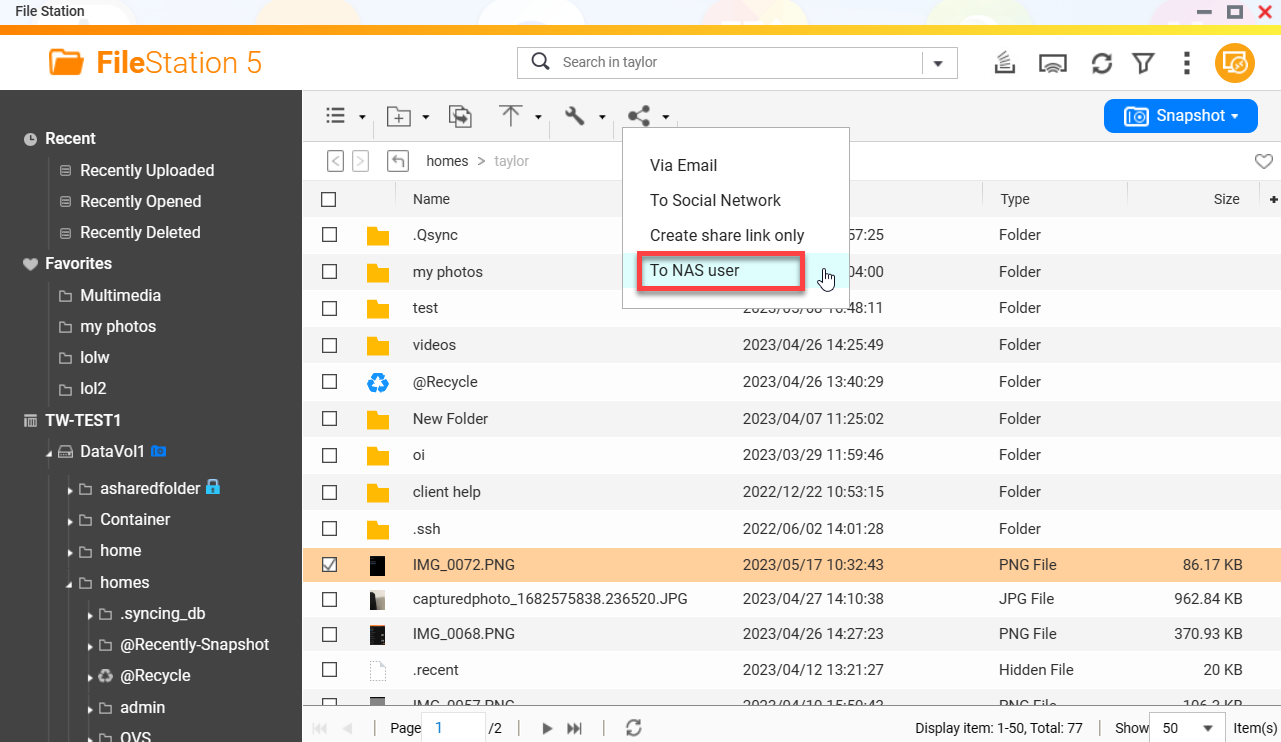
NAS administrators can share files and folders with other NAS users in File Station by clicking  > To NAS user. For details, see Sharing a File or Folder with a NAS User in the QTS 5.0.x User Guide or the QuTS hero 5.0.x User Guide.
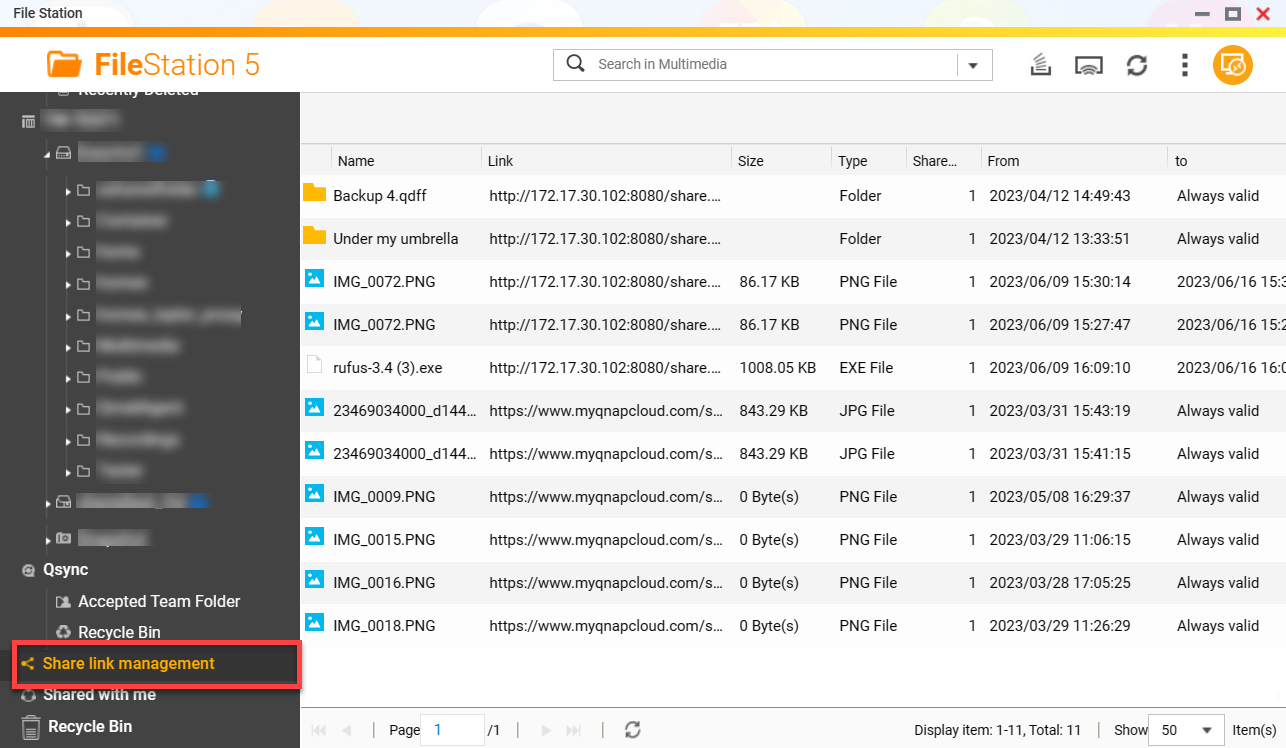
 Shared files and folders appear to the reciepent NAS user in File Station under Share link management.
 By default non-administrators do not have permission to share files and folders to other NAS users, however permission to share files and folders can be granted to non-administrators.
Solution
To give non-administrators permission to share to files and folders, perform the following steps:
- Go to File Station.
- On the top right corner, click
 .
.
The Options menu appears. - Go to the General tab.
- Select Only allow the admin and administrators group to use "Share to NAS user".
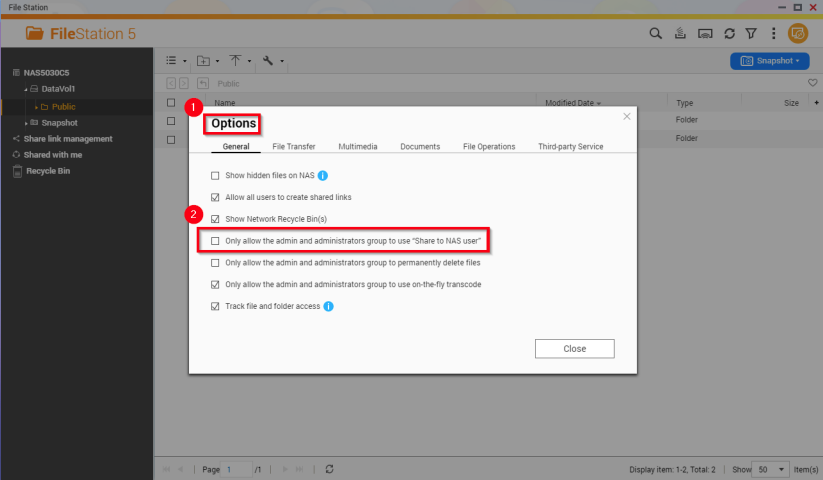
- Click Close.
All NAS users have permissions to share files and folders to other NAS users.
Further Reading
需要进一步协助,欢迎前往官方社区发帖,与其他用户及 QNAP 专家交流。 前往 QNAP 官方社区


