


How do I get my media files to show up in Photo, Video and the Music Station apps?
User home folders are not set as media folders by default. In order for your multimedia files (photos, videos and music) to show up in Photo, Video and the Music Station apps you will have to add the folders containing these files as Media Folders manually.
Another option is to keep your multimedia files in the default “Multimedia” folder that can be found on your NAS. Files here will automatically be scanned and show up in the previously mentioned apps.
Please open Control Panel > Applications > Multimedia Management and click on the Media Folder tab to manually add folders as multimedia folders (Photo, Music and Video).
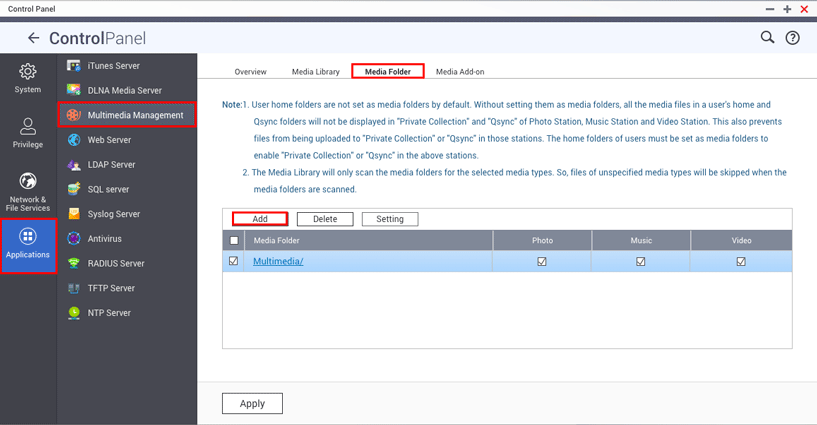
Note: If Media Library is disabled, you will not be able to set your Media Folders up. Please activate it by going to the Media Library tab and click on the “Activate Media Library” button.
需要进一步协助,欢迎前往官方社区发帖,与其他用户及 QNAP 专家交流。 前往 QNAP 官方社区


