Applicable Products
- All QNAP NAS devices that support the UPS function.
Overview
You can connect two or more QNAP NAS devices to a single uninterruptible power supply (UPS) by setting one as the UPS master (connected directly to the UPS) and the others as network UPS slaves (receiving UPS status over your network). This helps prevent abnormal shutdowns during power disruptions.
Procedure
To connect multiple NAS devices to one UPS, follow these steps:
Step 1: Connect and configure one NAS as the UPS master
- Use a USB cable to connect the UPS to the first NAS.
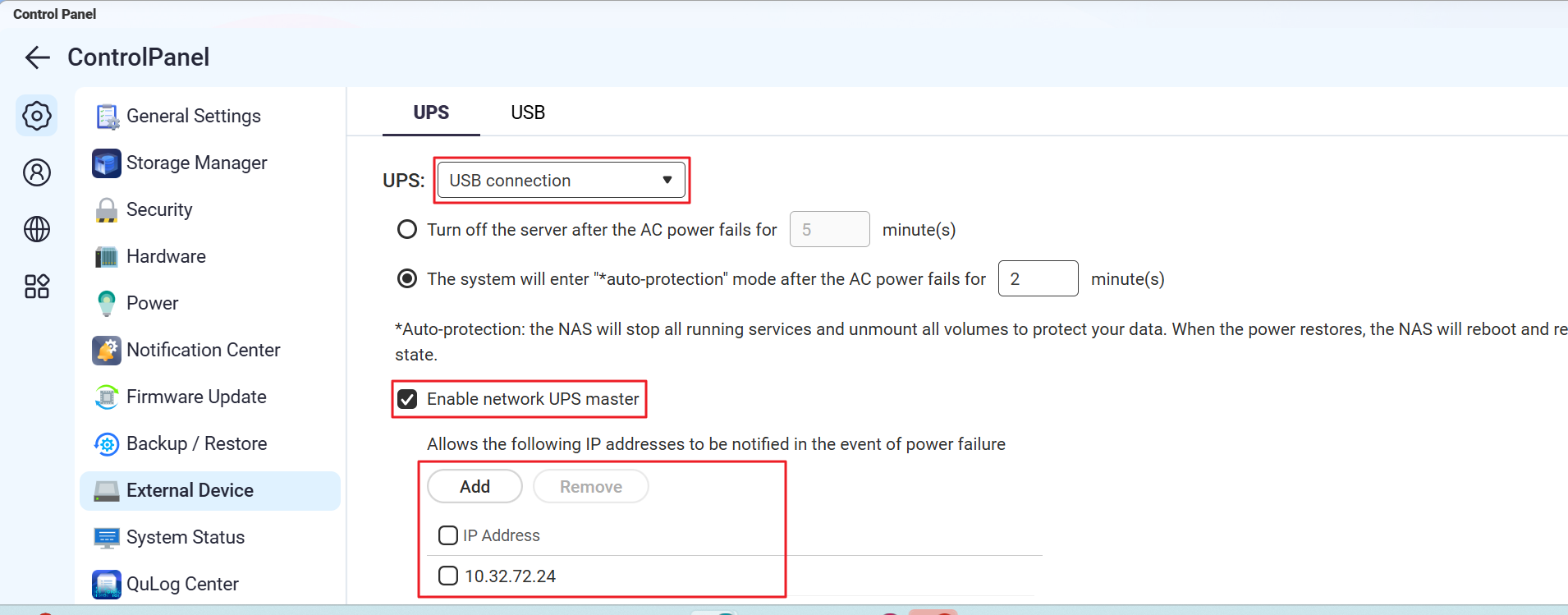
- On the first NAS, go to Control Panel > System > External Device > UPS.
- Select USB connection.
- Choose your desired power management option:
- Power off the server after the power fails for a specified period
- Allow NAS to enter auto-protection mode after the power fails for a specified period
- Select Enable network UPS master and enter the IP addresses of the other NAS devices that will act as slaves.
- Click Apply.
Step 2: Configure each additional NAS as a network UPS slave
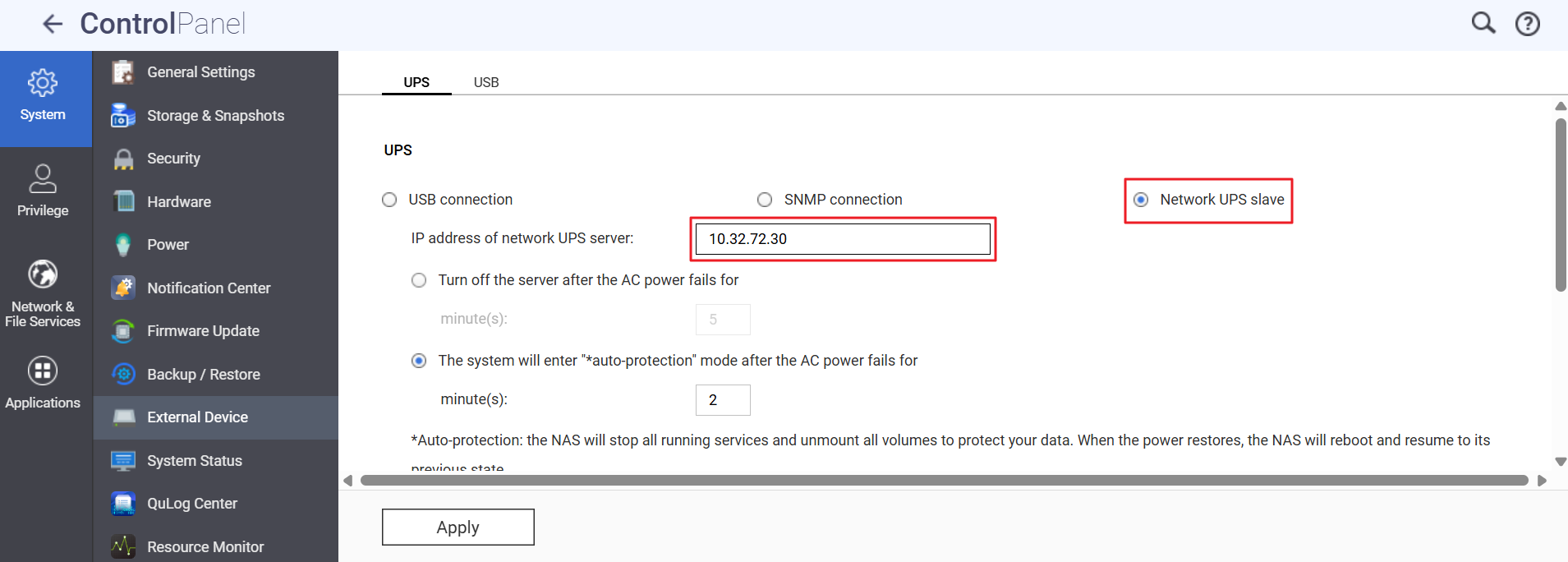
A 'network UPS slave' is a NAS device that receives UPS status from the master NAS over your LAN.
- Ensure each slave NAS is on the same subnet as the master NAS.
- On each slave NAS, go to Control Panel > System > External Device > UPS.
- Select Network UPS slave.
- Enter the IP address of the master NAS.
- Choose your preferred shutdown or auto-protection option.
- Click Apply.
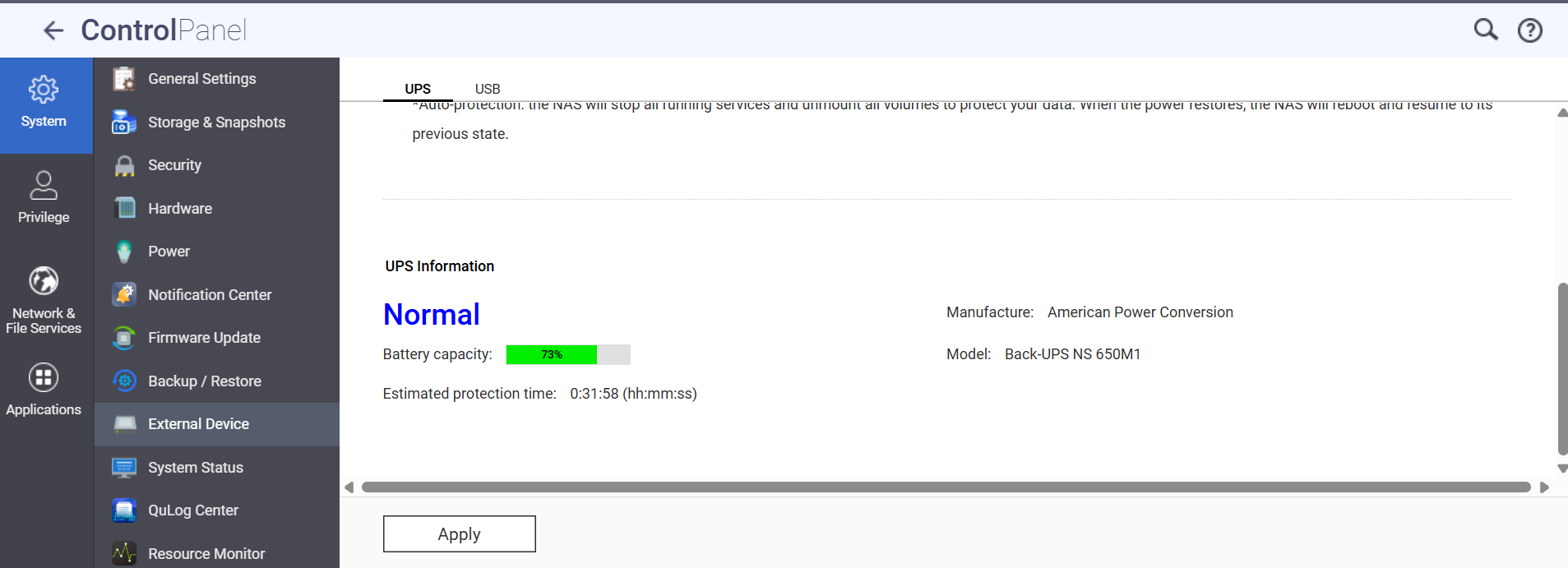
Reminder: If network connectivity between any slave and the master is lost, the slave may not receive UPS notifications.
You can repeat the 'Configure as network UPS slave' steps for any additional NAS devices.
Test your setup: After configuring, safely simulate a power failure to verify that all NAS devices respond appropriately.
Further Reading
适用产品
- All QNAP NAS devices that support the UPS function.
概述
您可以通过将一个设置为 UPS 主机(直接连接到 UPS),其他设置为网络 UPS 从机(通过网络接收 UPS 状态),将两个或多个 QNAP NAS 设备连接到单个不间断电源(UPS)。这有助于在电力中断期间防止异常关机。
步骤
要将多个 NAS 设备连接到一个 UPS,请按照以下步骤操作:
步骤 1:连接并配置一个 NAS 作为 UPS 主机
- 使用 USB 线将 UPS 连接到较高个 NAS。
- 在较高个 NAS 上,进入控制台 > 系统 > 外部设备 > UPS。
- 选择USB 连接。
- 选择您想要的电源管理选项:
- 在电源故障指定时间后关闭服务器
- 在电源故障指定时间后允许 NAS 进入自动保护模式
- 选择启用网络 UPS 主机并输入将作为从机的其他 NAS 设备的 IP 地址。
- 点击应用。
步骤 2:将每个额外的 NAS 配置为网络 UPS 从机
'网络 UPS 从机' 是一个通过局域网从主机 NAS 接收 UPS 状态的 NAS 设备。
- 确保每个从机 NAS 与主机 NAS 在同一子网中。
- 在每个从机 NAS 上,进入控制台 > 系统 > 外部设备 > UPS。
- 选择网络 UPS 从机。
- 输入主机 NAS 的 IP 地址。
- 选择您偏好的关机或自动保护选项。
- 点击应用。
提醒: 如果任何从机与主机之间的网络连接丢失,从机可能无法接收 UPS 通知。
您可以为任何额外的 NAS 设备重复 '配置为网络 UPS 从机' 步骤。
测试您的设置: 配置后,安全模拟电源故障以验证所有 NAS 设备是否响应正常。
进一步阅读


