


How to create a RAID50 / RAID60 storage pool in QES NAS?
To create a RAID50 / RAID60 storage pool in QES NAS, please follow the steps below:
-
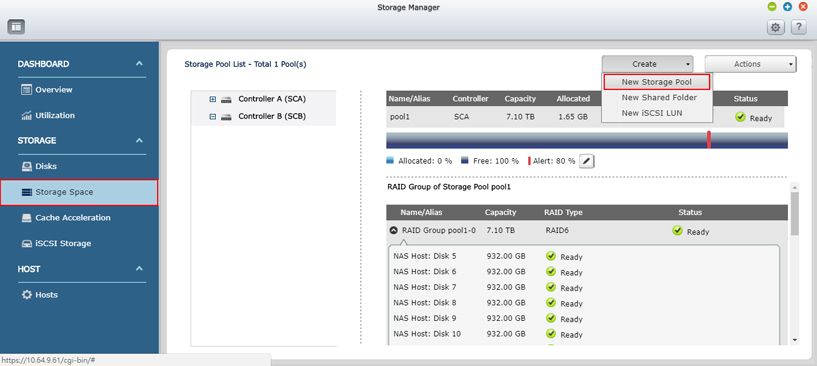
Go to Storage Manager > Storage space page.
-
Select New Storage Pool in Create menu to start the pool creation.
-
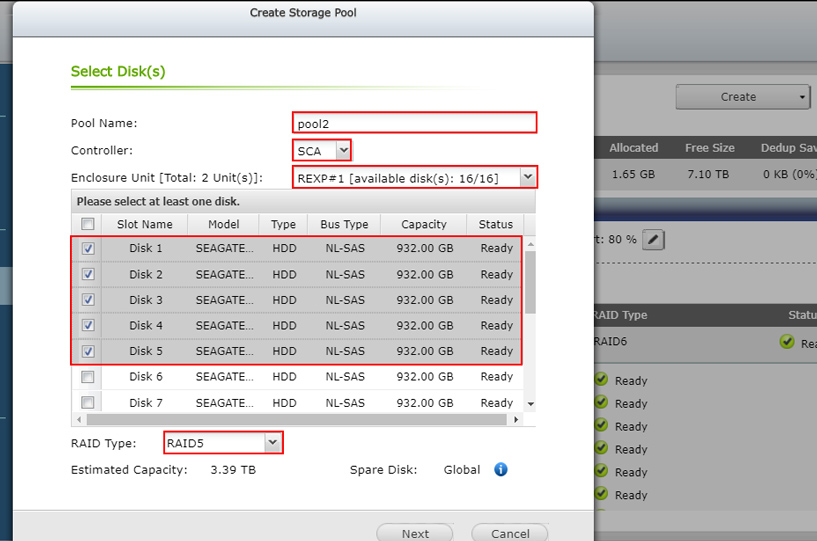
Enter and select below options to create the pool.
Pool Name: Enter pool name here.
Controller: Select the pool owner. (this option only exists in dual-controller NAS)
Enclosure Unit: You are allowed to select disks in the NAS or expansion enclosure.
Disks Lists: Select minimum required disks for each RAID type here.
RAID Type: Select RAID type here.
And click Next button to view Pool Creation Summary.
Click Create button and then click OK to confirm.

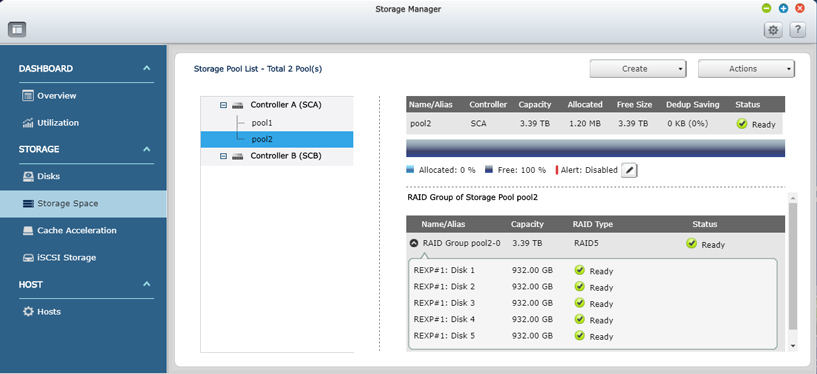
A RAID 5 pool is created.
-
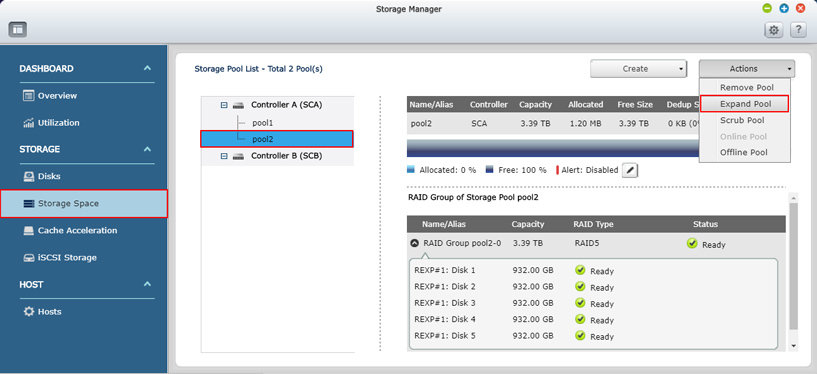
Go to Storage Manager >> Storage space page and select the pool you just created.
-
Select Expand Pool in Actions menu to perform the pool expansion.
-
Select these options to expand pool.
Enclosure Unit: You are allowed to select disks in the NAS or expansion enclosure.
Disks Lists: Select same amount of disks of previous pool you created. (Ex: 5 disks)
And click Expand button to expand the pool.
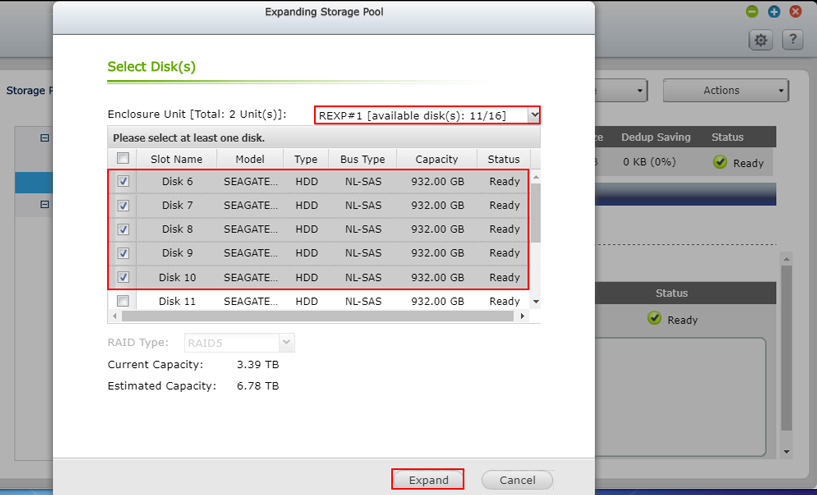
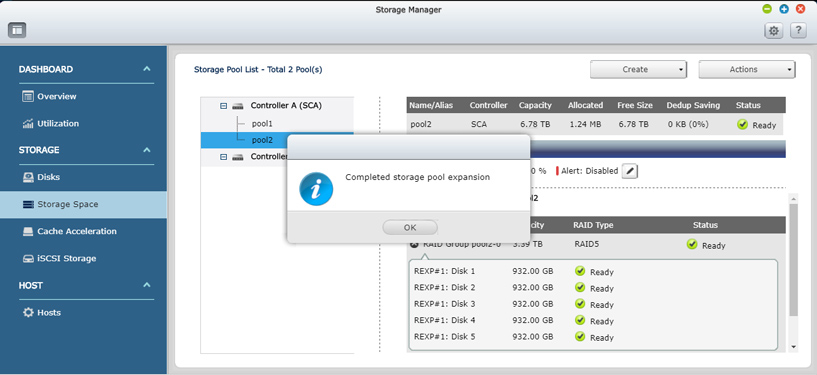
A RAID50 pool is created.

To create a RAID60 pool, you can repeat same steps but choosing RAID6 type to proceed it.
需要进一步协助,欢迎前往官方社区发帖,与其他用户及 QNAP 专家交流。 前往 QNAP 官方社区


