Applicable Products
All NAS series
Explanation
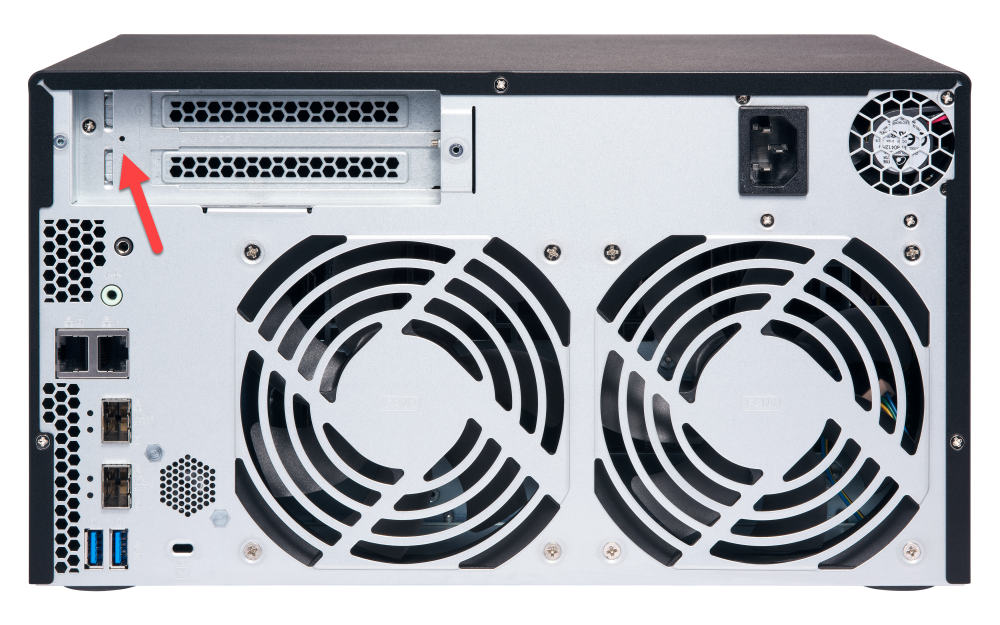
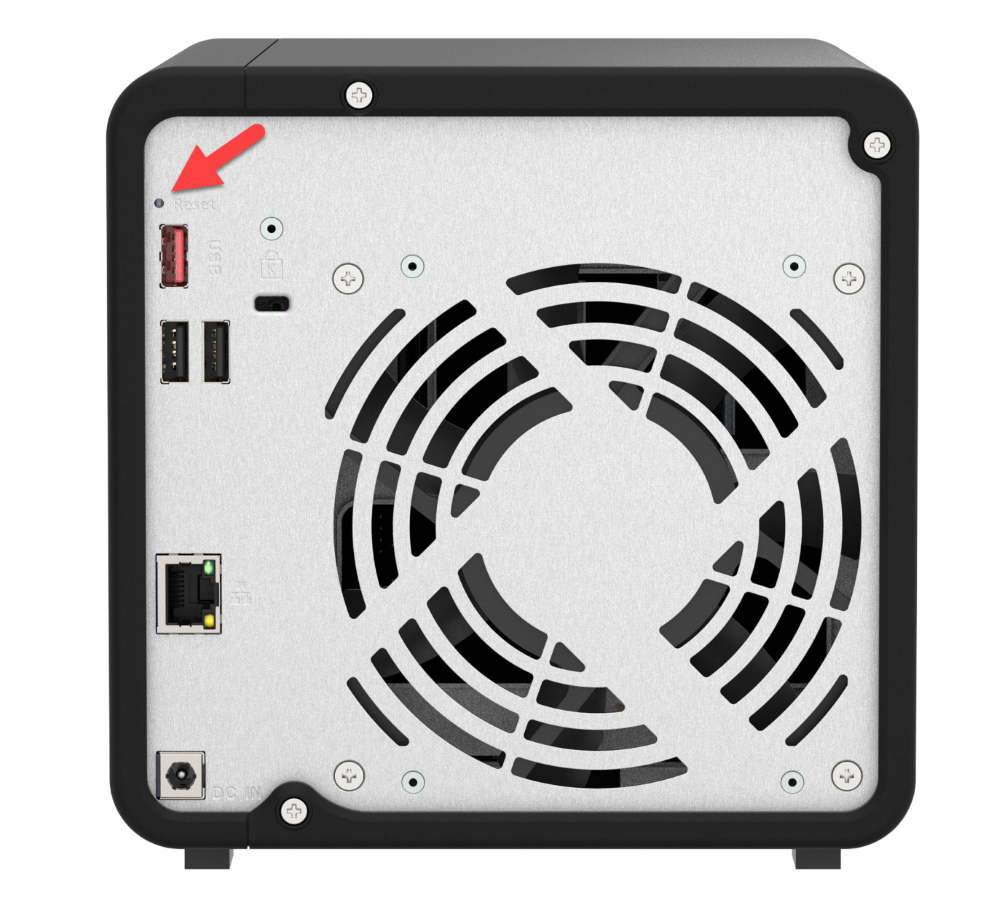
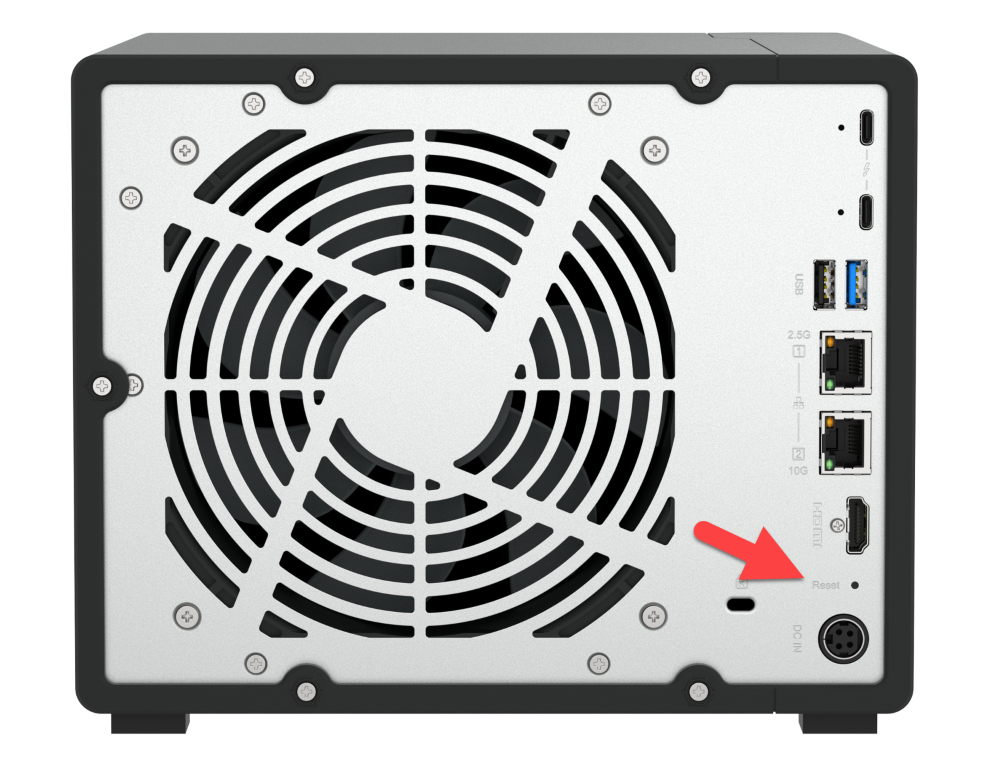
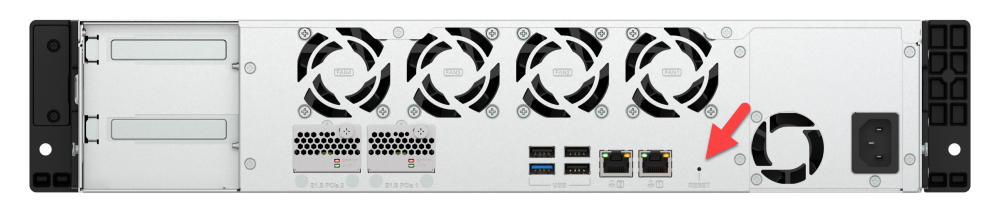
The hardware reset button is located on the back of the NAS. The actual location varies depending on the NAS model.
On the rear panel of the NAS, try looking for a small hole that has the Reset label above or below it.
To press the reset button, use a paper clip or a similar tool.
Below are several typical locations of the reset button:
TS-832X
TS-462A
TS-h966X
TS-h1065eU
适用产品
所有 NAS 系列
说明
硬件重置按钮位于 NAS 的背面。具体位置因 NAS 型号而异。
在 NAS 的后面板上,尝试寻找一个上方或下方标有Reset标签的小孔。
要按下重置按钮,请使用回形针或类似工具。
以下是重置按钮的几个典型位置:
TS-832X
TS-462A
TS-h966X
TS-h1065eU


