


How to recover the previous folders after 10 sec reset?
最后修订日期:
2022-07-20
Applicable Products:
- All NAS Series
Restoring the settings of a default shared folder
- Go to Control Panel > Privilege >Shared Folders.
- Find Others > Restore Default Shared Folders.
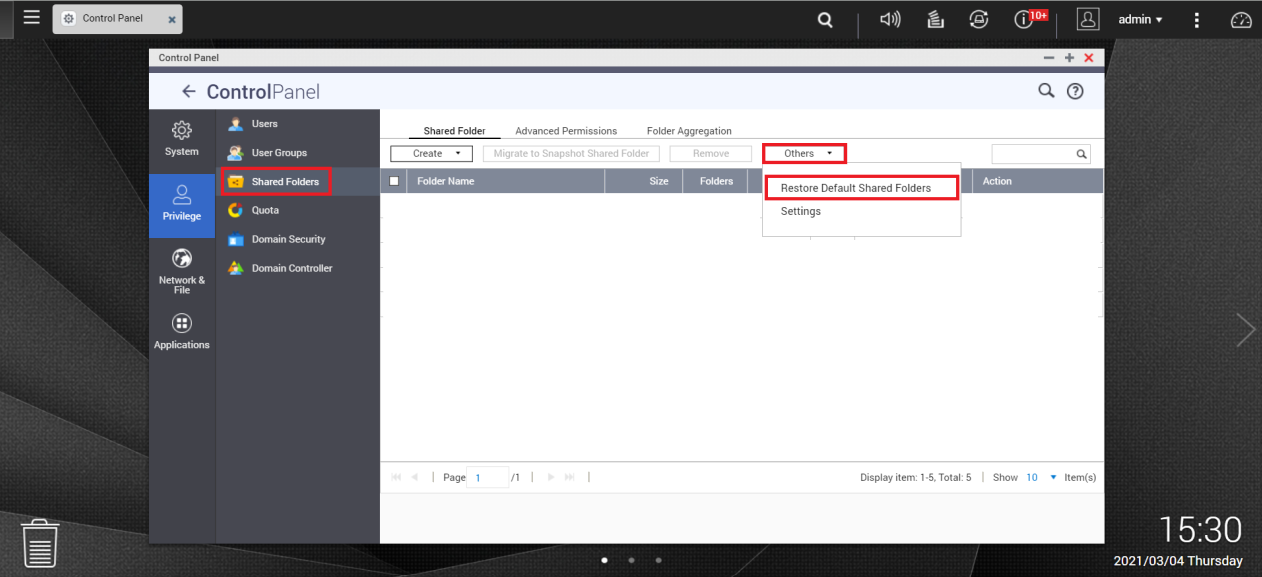
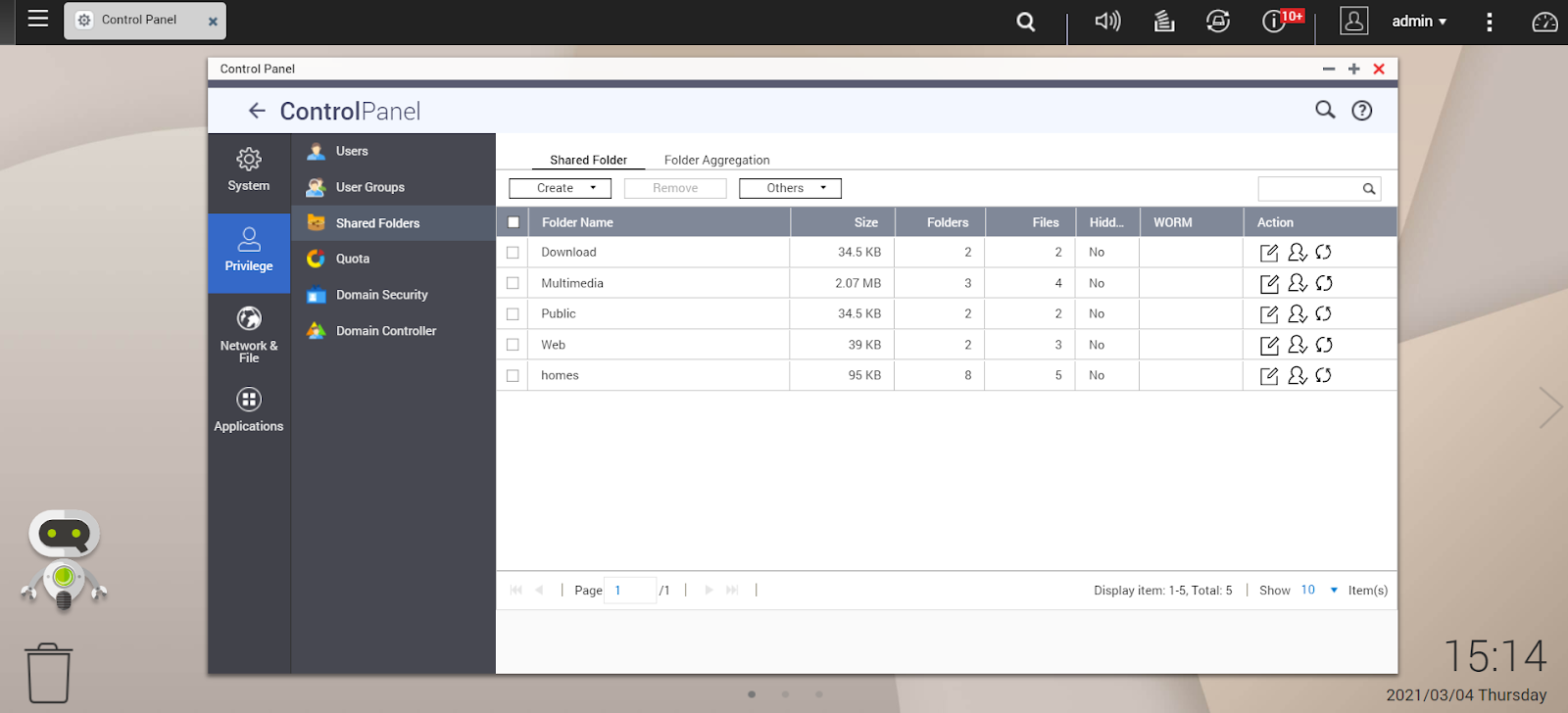
- All restored shared folders are listed in the Shared Folders table below.
- If the default shared fodler doesn't appear, reboot the NAS and check again.
Restoring the settings of a non-default shared folder
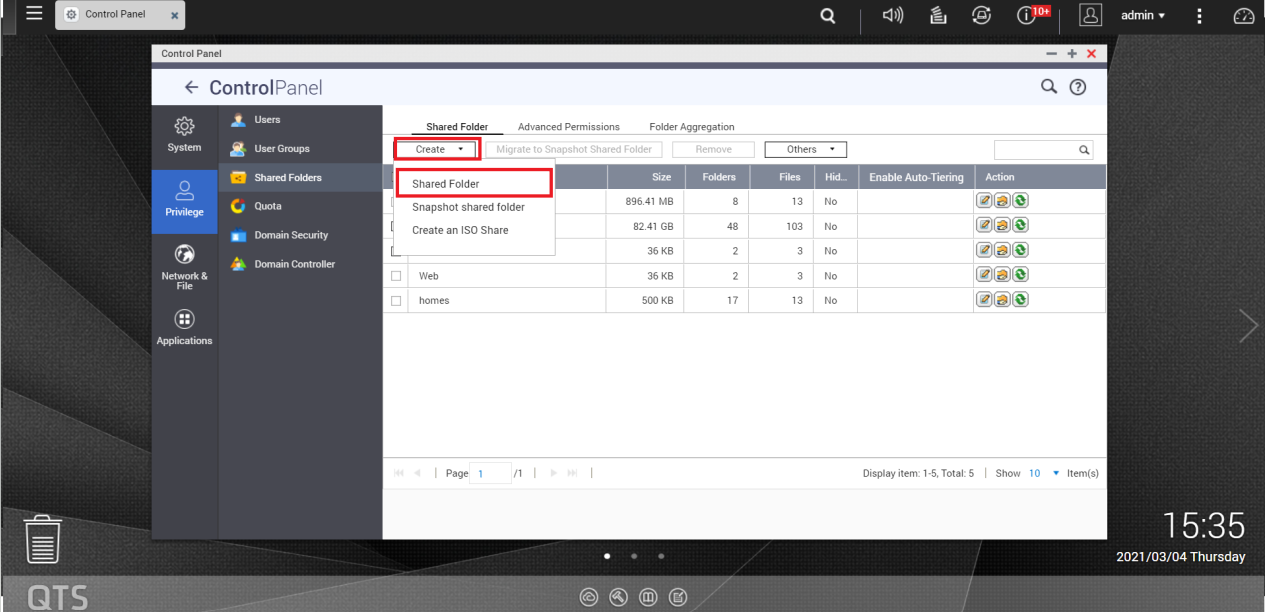
- Go to Control Panel > Privilege >Shared Folders.
- Select Create > Shared Folder.
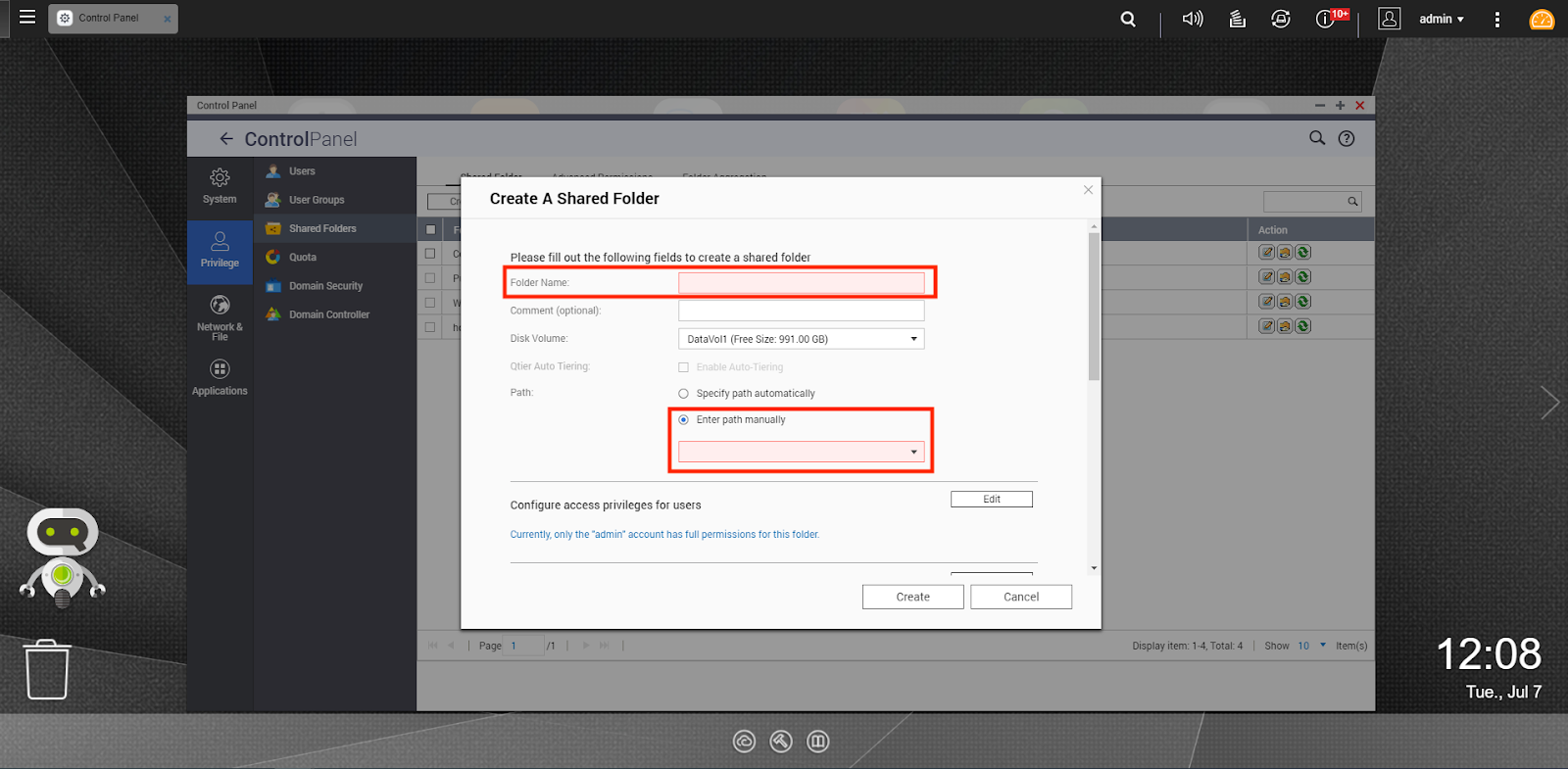
- Enter the Folder Name.
- Select Enter path manually.
- Select the folder path.
- Select Create.
▲QTS
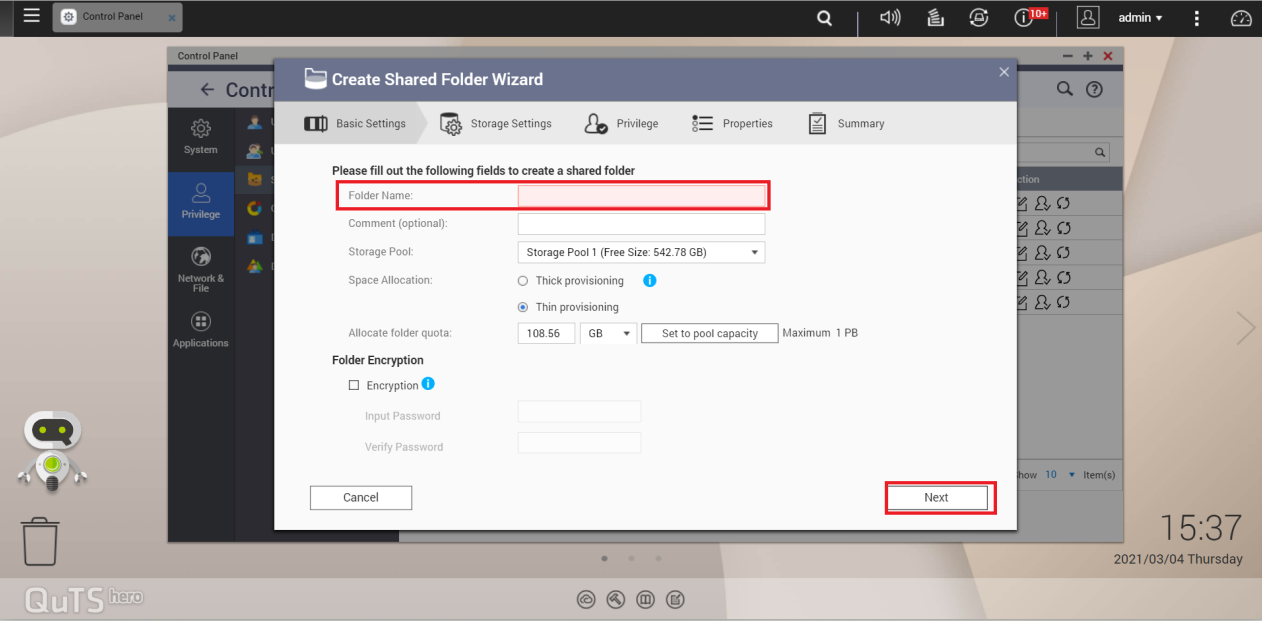
▲QuTS hero
需要进一步协助,欢迎前往官方社区发帖,与其他用户及 QNAP 专家交流。 前往 QNAP 官方社区


