Applicable Products
Scenaro
If a person album cover is still showing the generic default avatar, or if you want to use a specific photo as the person thumbnail, you can manually set the cover in QuMagie.
Prerequisites
- Face recognition has already been completed in QuMagie, and the target person album contains at least one usable face photo.
- The account you are using has permission to manage that album.
Steps to Set a Person Album Cover
- Open QuMagie.
- Go to the Album page and select the person album you want to configure.
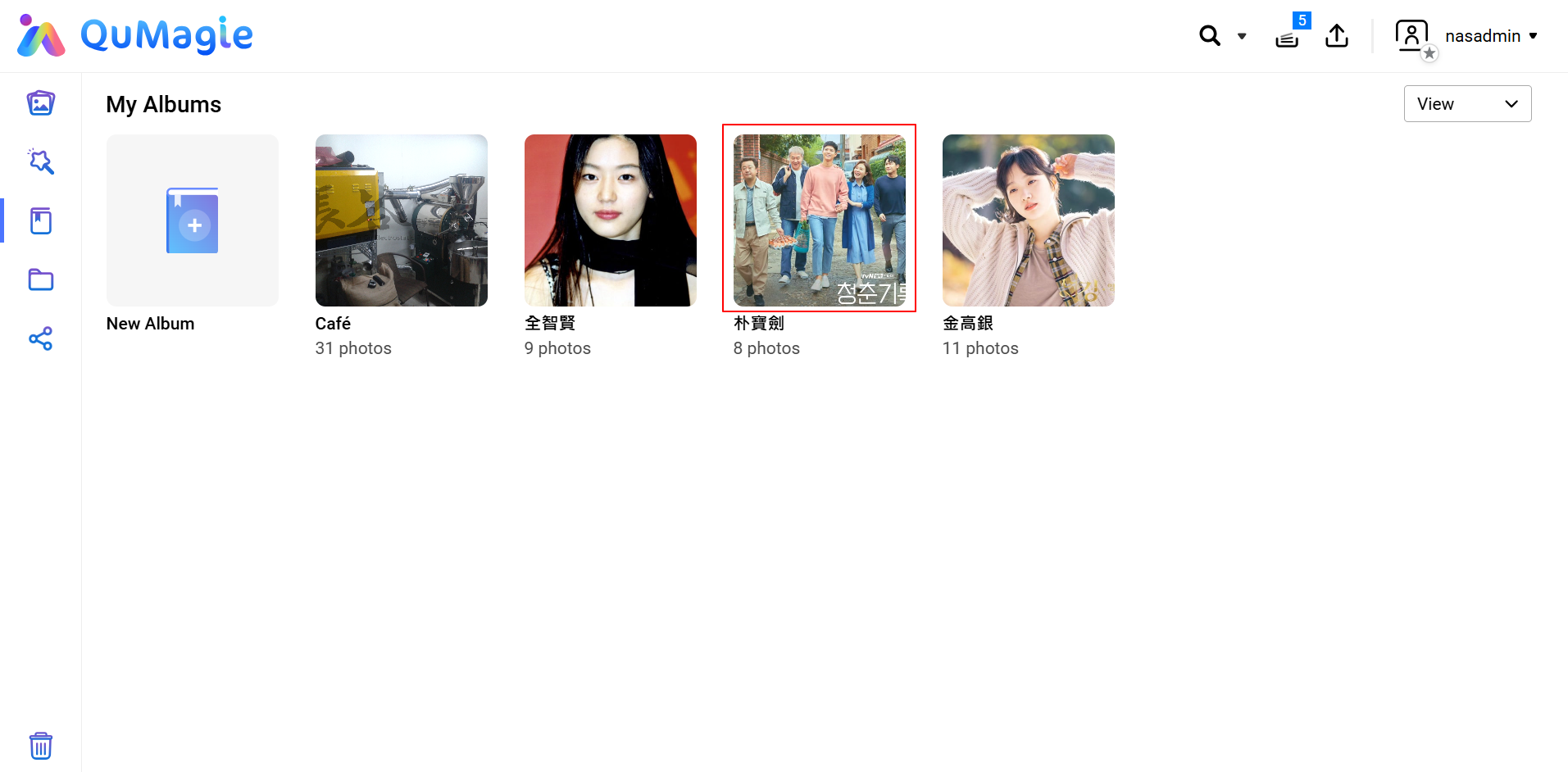
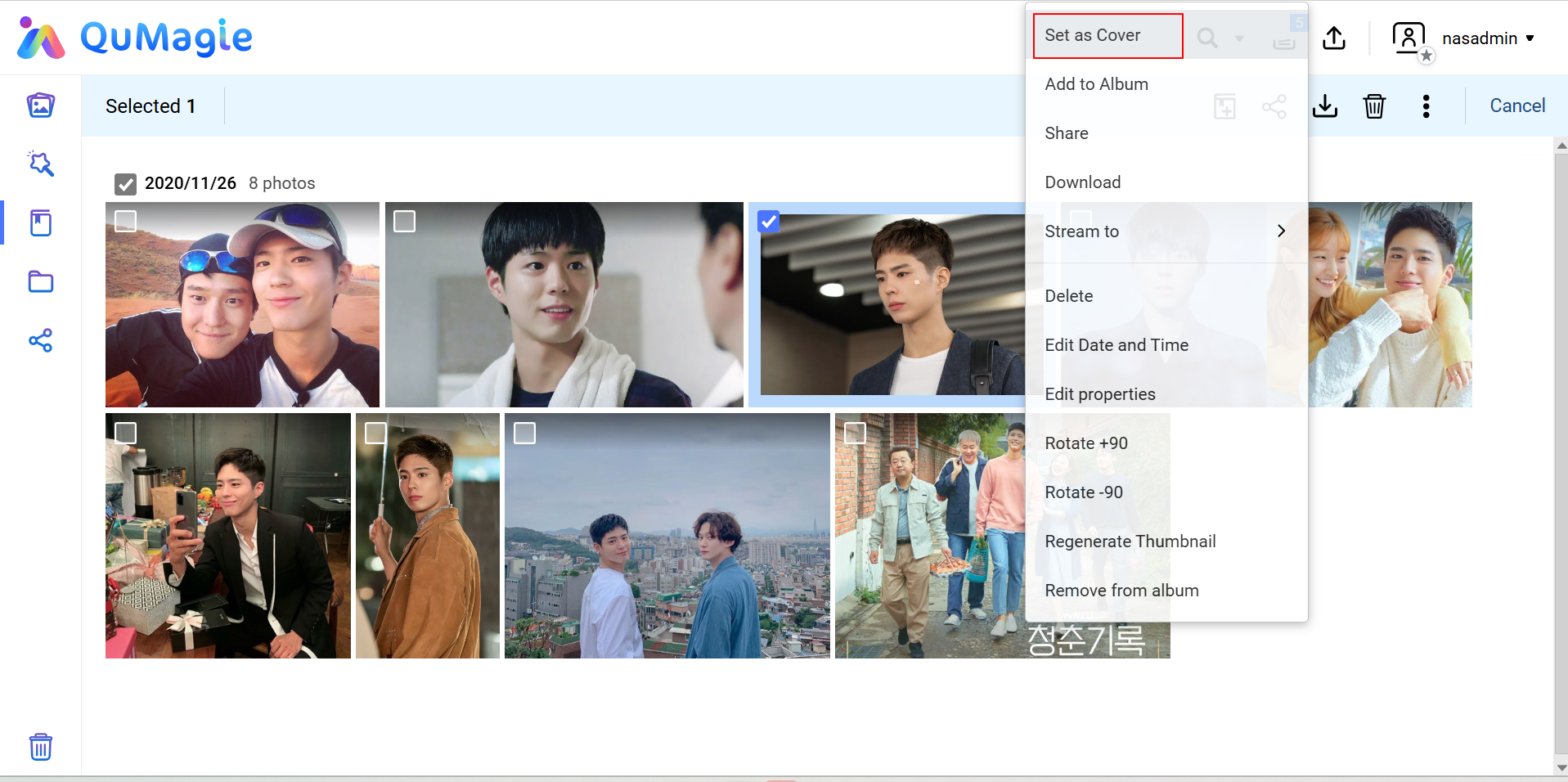
- Enter the person album and choose a clear, front-facing photo with good recognition quality.
- Right-click on the photo and select Set as cover in the action menu.
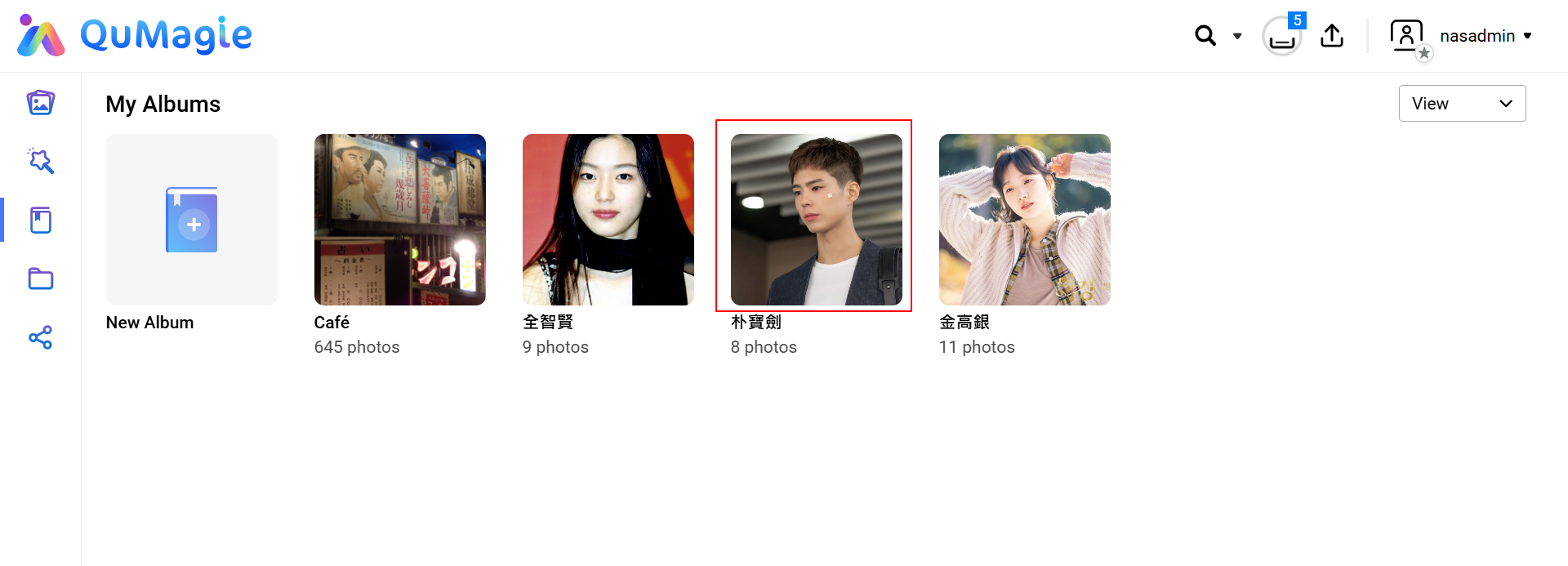
- Return to the person list or refresh the page to confirm that the thumbnail has been updated.
Validation
- Check the person list to confirm that the thumbnail has changed to the selected photo.
- Log out of QuMagie and sign in again if needed, to rule out browser cache delay.
Note
- The cover update may not appear immediately, especially when the media library is large.
- After merging person albums, QuMagie does not always automatically choose the best photo as the cover, so manual selection is recommended.
Tip
Use a well-lit, front-facing, unobstructed photo as the cover to improve display quality and consistency.
Troubleshooting
Issue: The cover was set, but the generic avatar is still shown.
Resolution:
- Refresh the browser or sign in to QuMagie again and check the result.
- In Multimedia Console, regenerate thumbnails.
- Wait for the media indexing job to finish, then check again.
适用产品
场景
如果人物相册封面仍显示通用默认头像,或者您想使用特定照片作为人物缩略图,您可以在 QuMagie 中手动设置封面。
先决条件
- QuMagie 中的人脸识别已完成,并且目标人物相册中至少包含一张可用的人脸照片。
- 您使用的账户具有管理该相册的权限。
设置人物相册封面的步骤
- 打开QuMagie。
- 进入相册页面,选择您要配置的人物相册。
- 进入人物相册,选择一张清晰、正面且识别质量好的照片。
- 右键点击照片,在操作菜单中选择设为封面。
- 返回人物列表或刷新页面以确认缩略图已更新。
验证
- 检查人物列表以确认缩略图已更改为所选照片。
- 如果需要,退出 QuMagie 并重新登录,以排除浏览器缓存延迟。
注意
- 封面更新可能不会立即出现,尤其是在媒体库较大时。
- 合并人物相册后,QuMagie 并不总是自动选择较佳照片作为封面,因此建议手动选择。
提示
使用光线良好、正面且无遮挡的照片作为封面,以提高显示质量和一致性。
故障排除
问题:封面已设置,但仍显示通用头像。
解决方案:
- 刷新浏览器或重新登录 QuMagie 并检查结果。
- 在Multimedia Console中,重新生成缩略图。
- 等待媒体索引任务完成后,再次检查。


