


If the uploaded file is deleted by mistake, how can I upload it again?
最后修订日期:
2024-03-14
Applicable Products
Qfile Pro
Solution
When the uploaded file is deleted on the NAS by mistake, the file won't be uploaded again, even the file is still in your mobile device.
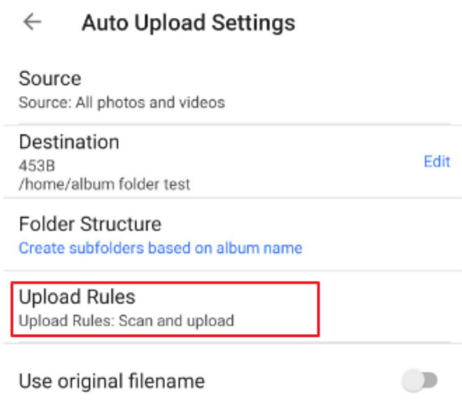
In order to upload it again, you can delete the original Auto Upload Settings in your Qfile Pro and then configure the Auto Upload Settings again and select Scan and Upload option as the Upload Rules of Qfile. Save the settings and then the files are not in the upload destination folder will be uploaded again.
需要进一步协助,欢迎前往官方社区发帖,与其他用户及 QNAP 专家交流。 前往 QNAP 官方社区


