


What to do When You Receive “Failed to upload disk analysis data” Message?
最后修订日期:
2022-03-30
Applied Models:
-
All models
Applied Firmware:
-
All Firmware versions
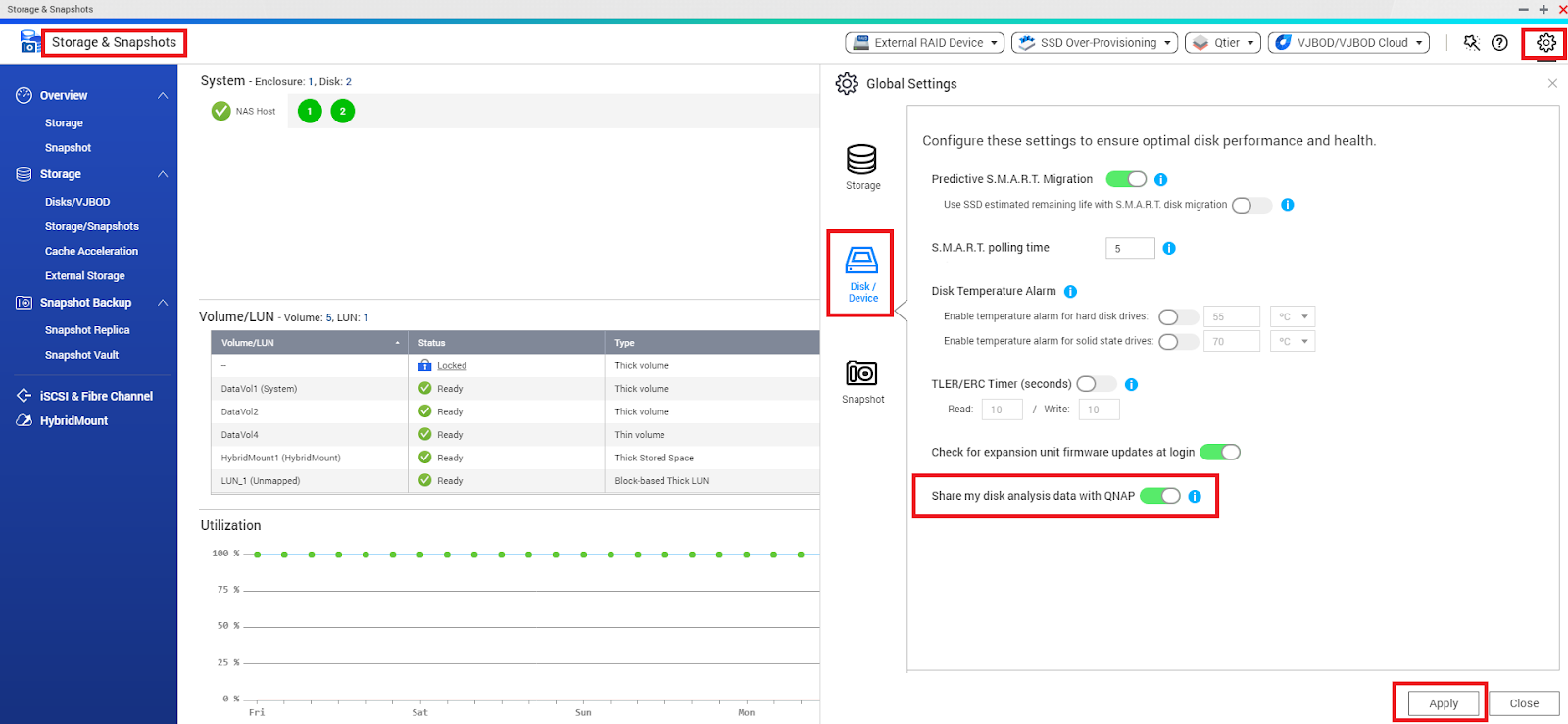
This issue will not affect the data on the drive and can be disabled if the message persists. This can be done from the NAS Storage & Snapshots > go to Global Settings located on the top right of the window > Disk / Device > disable “Share my disk analysis data with QNAP” and click “Apply”.
需要进一步协助,欢迎前往官方社区发帖,与其他用户及 QNAP 专家交流。 前往 QNAP 官方社区


