


Where can I find downloaded files in Qfile Pro?
最后修订日期:
2024-03-07
Applicable Products
Qfile Pro 4.0.0 and later
Downloaded files
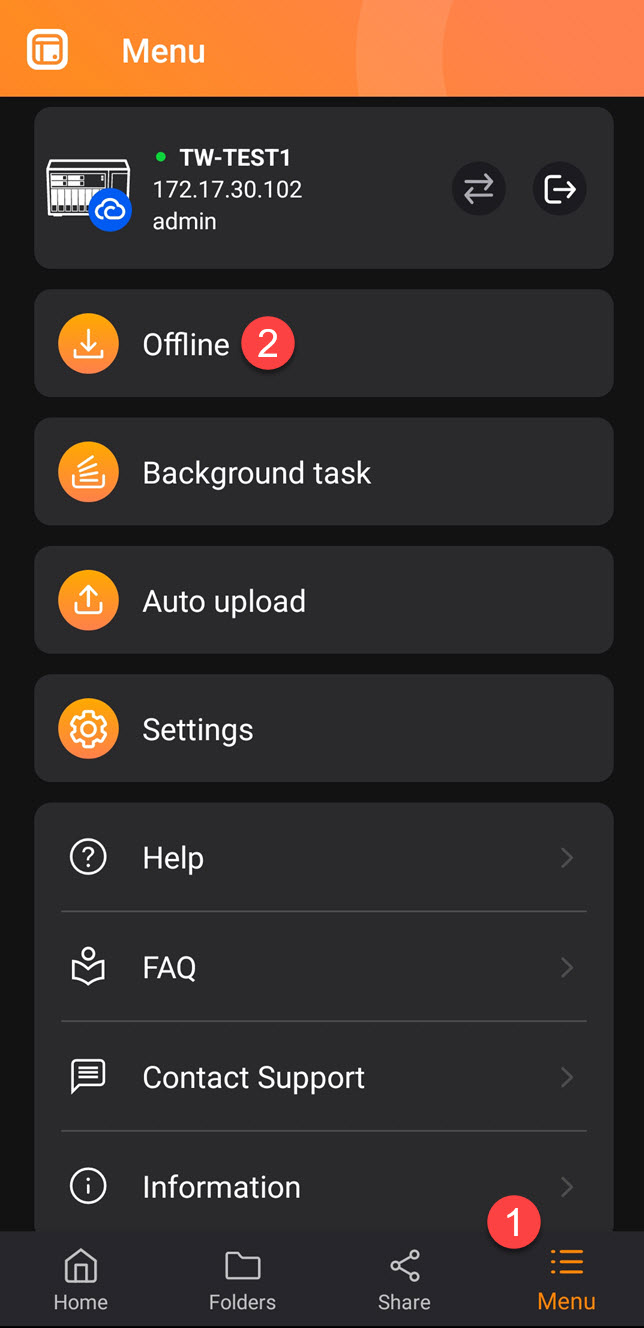
You can download files from your QNAP device to your mobile device using Qfile Pro. To access your downloaded files, go to:
- Menu > Offline > Download Folder (Qfile Pro 4.0.0 and earlier)
- Menu > Offline Files > Download Folder (Qfile Pro 4.1.0 and later
Qfile Pro Menu (Android)
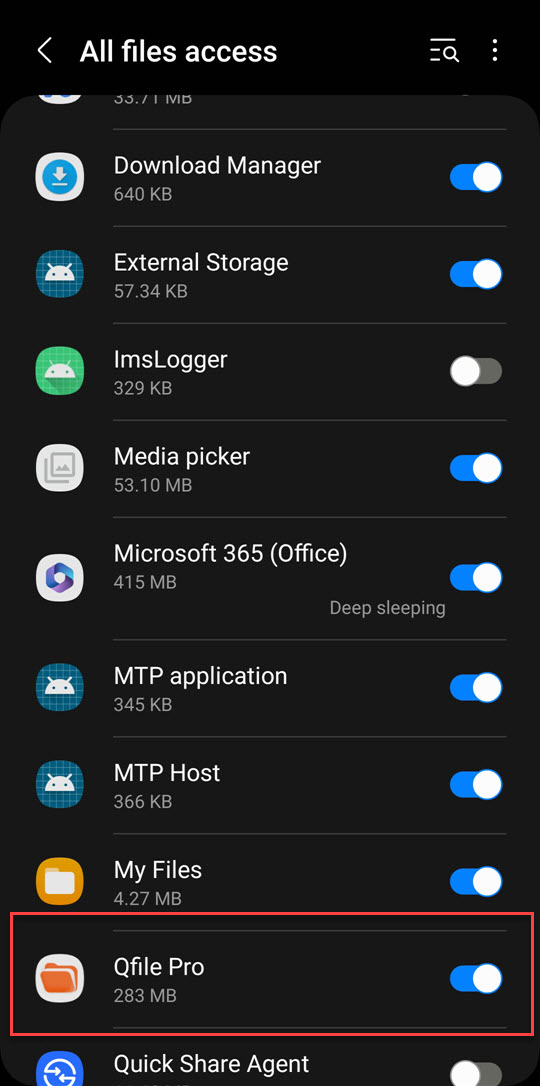
Qfile Pro requires "All file access" permissions to access downloaded files:
File permissions settings (Android)
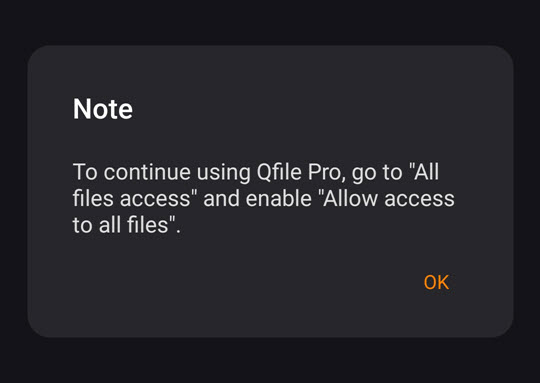
If you have not yet given Qfile Pro "All file access" permissions, then a confirmation window appears when you first access the downloads folder:
File permissions notification (Android)
需要进一步协助,欢迎前往官方社区发帖,与其他用户及 QNAP 专家交流。 前往 QNAP 官方社区


