


Why have my perpetual licenses become Invalid on my NAS recently?
最后修订日期:
2022-06-24
Applicable Products:
- All subscription license products of Software Store
When the license status on License Center becomes Invalid status, it may be the following.
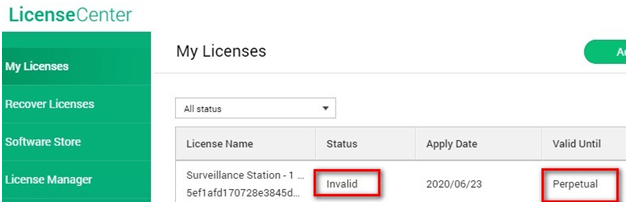
- You may use a different NAS device so the NAS hardware information is different. Once the License Center app detects a different hardware information by comparing the license record is different will revoke the license automatically. E.g. HDD migration.
- Using the same NAS device but hardware information is changed. E.g. SN and MAC address. If you have ever manually modified the hardware information, the License Center compares the license record with the original hardware information then revoked it automatically if they do not match.
- After the QTS upgrade, the NAS serial number or MAC address is changed or gone. Please contact QNAP via service protal to help you solve the hardware issue first, and then you should be able to recover your license via the “Recover Licenses” function of License Center.
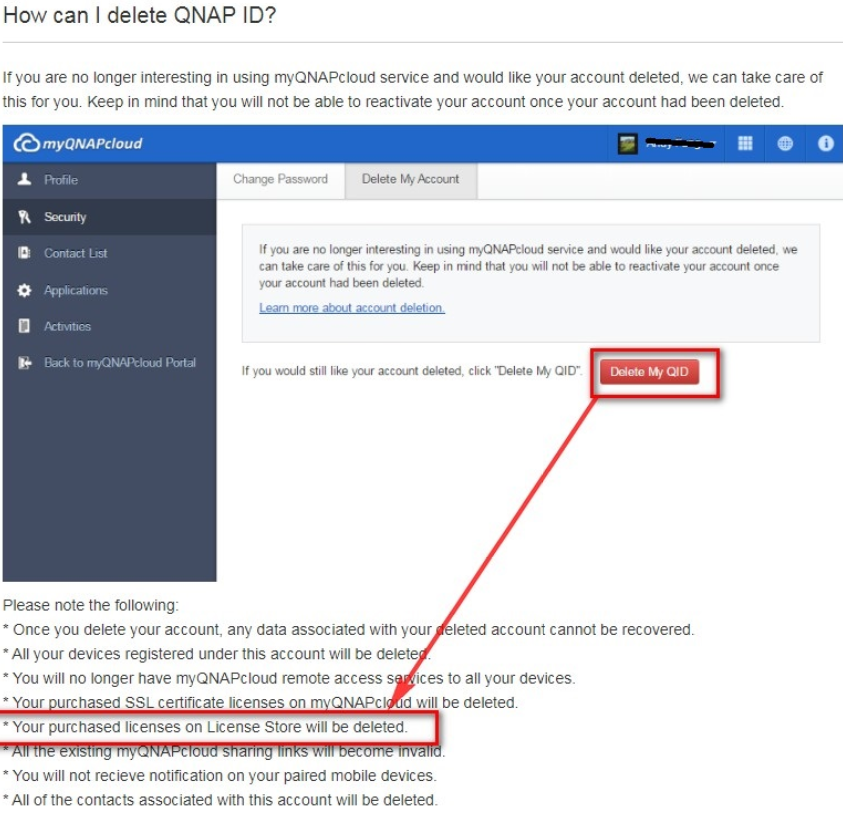
- QNAP ID account has been deleted by the user himself. Your purchased licenses on Software/License Store have been deleted permanently. Click here for more details.
需要进一步协助,欢迎前往官方社区发帖,与其他用户及 QNAP 专家交流。 前往 QNAP 官方社区


