


How to delete time machine backup image to free up space
最后修订日期:
2022-06-24
Applied models:
Applied Firmware:
-
HBS applied models
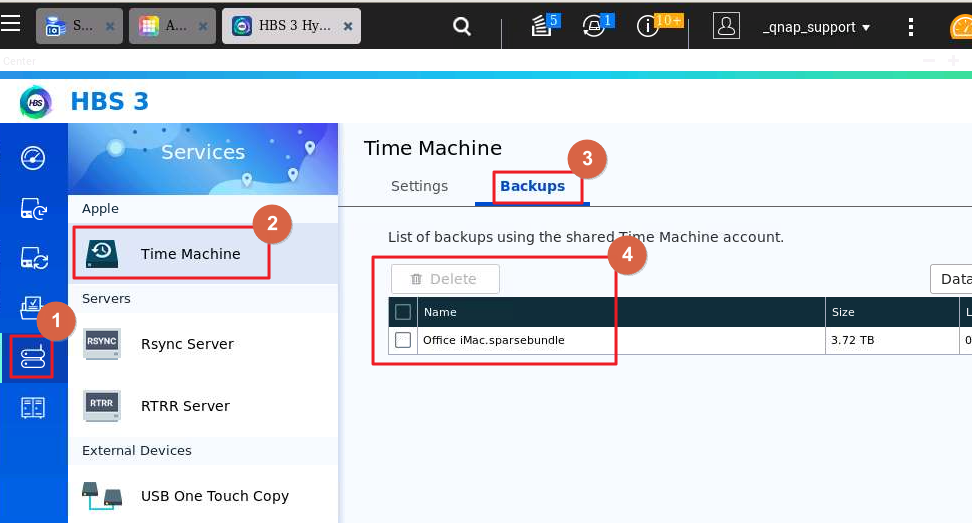
To delete time machine images on the NAS, launch HBS > Services > Time Machine > Backups > select the image and click "Delete".
需要进一步协助,欢迎前往官方社区发帖,与其他用户及 QNAP 专家交流。 前往 QNAP 官方社区


