


No fields to put in the Pre-shared key and VPN port
最后修订日期:
2022-10-04
Scenario:
In the tutorial, it shows how QVPN is manually configured on iOS and the Pre-shared key and VPN port fields for QBelt are shown. https://www.qnap.com/en-us/how-to/tutorial/article/how-to-set-up-and-use-qvpn However, while setting up a QVPN connection profile, both fields are missing.
Solution:
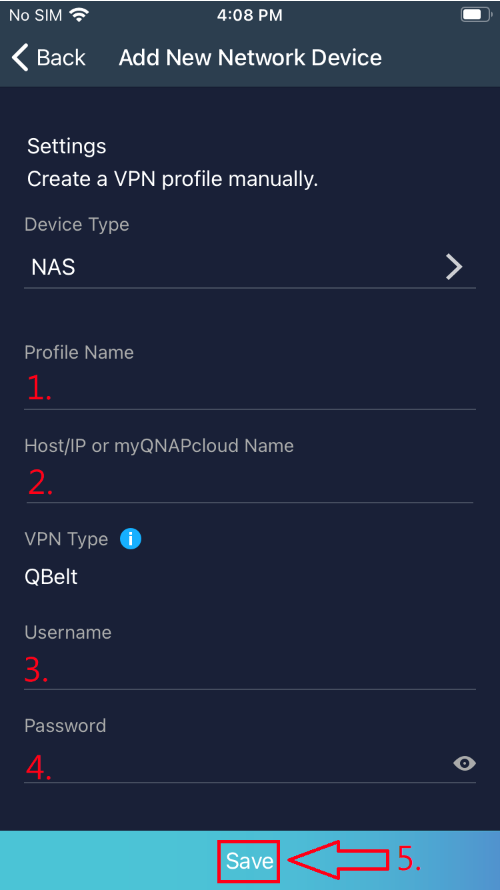
Please tap on Save button at the bottom to connect first and wait for it to finish loading.
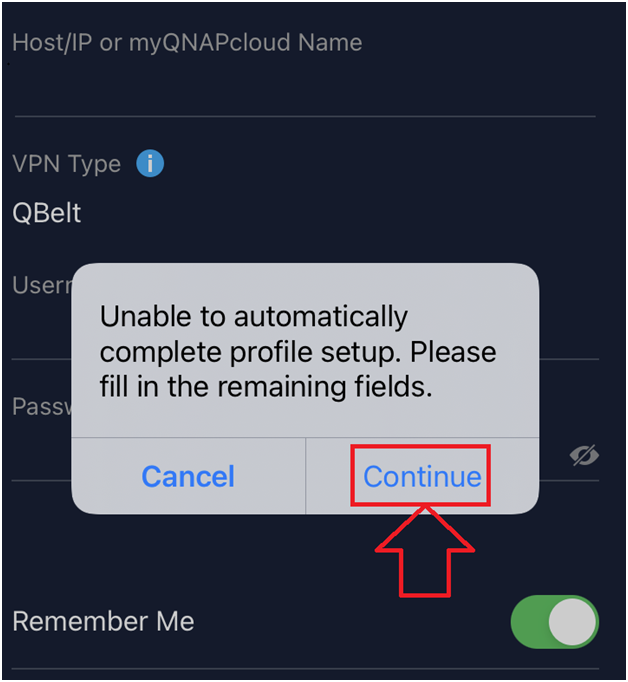
Then tap on Continue button.
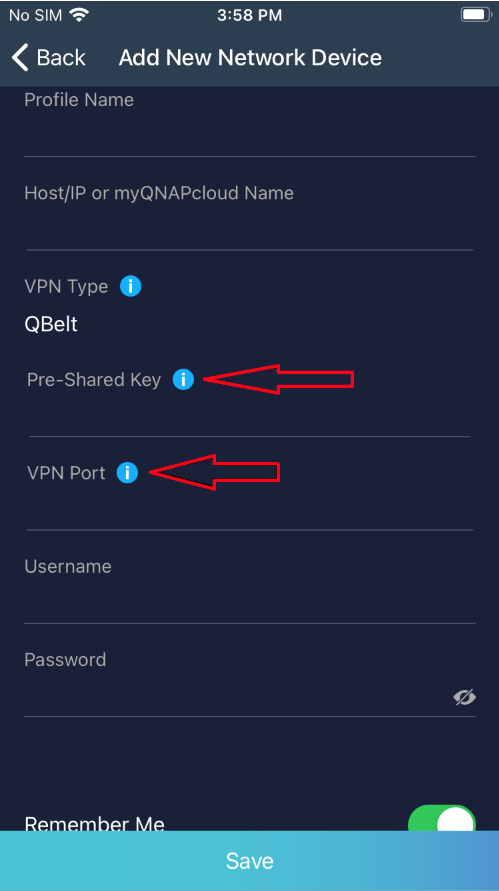
And then, you’ll see a window popping up asking for Pre-shared key and VPN port afterward.
需要进一步协助,欢迎前往官方社区发帖,与其他用户及 QNAP 专家交流。 前往 QNAP 官方社区


