


How to change photo effects during a slideshow in Photo Station?
最后修订日期:
2020-09-04
Currently (as of QTS 4.3.3.0299, 2017/09/01), there is no option to remove all effects from a slideshow, but you may change the default animation to Slide Right for a more subtle viewing experience. To change it, please follow the steps below:
-
Launch Photo Station
-
Locate the Slideshow Settings button in the top right corner

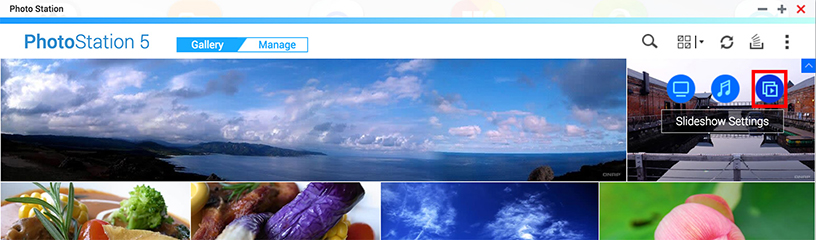
-
Once the slideshow starts, you will see “Effects” in the top left corner
-
Click this and select your desired effect.

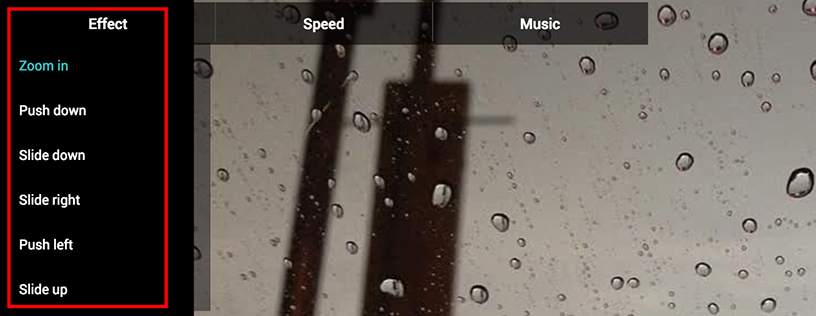
需要进一步协助,欢迎前往官方社区发帖,与其他用户及 QNAP 专家交流。 前往 QNAP 官方社区


