


How to install QNAP applications (.qpkg files) manually?
最后修订日期:
2019-02-27
-
First, we are going to have to download the application we would like to install.
-
Visit the QNAP App Center, select the model and QTS version of your NAS and download some apps. You may find applications on other third-party websites as well.
-
Unzip the file you have downloaded and have the .qpkg file ready
-
Log in to your NAS via web browser and launch App Center
-
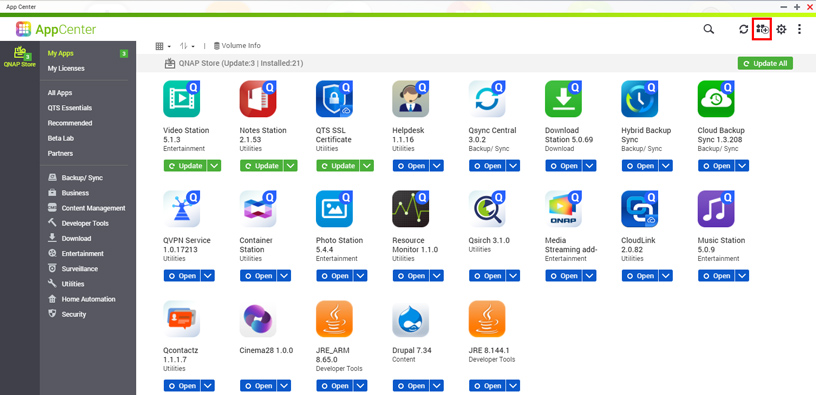
Click on this icon below
-
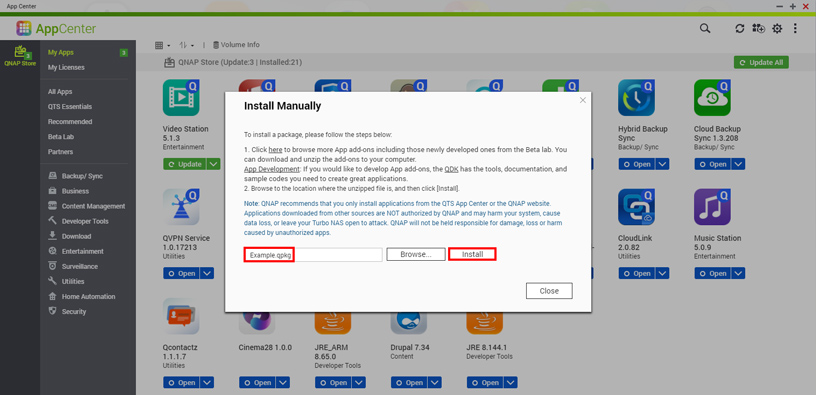
Click “Browse…” and select the .qpkg file on your computer
-
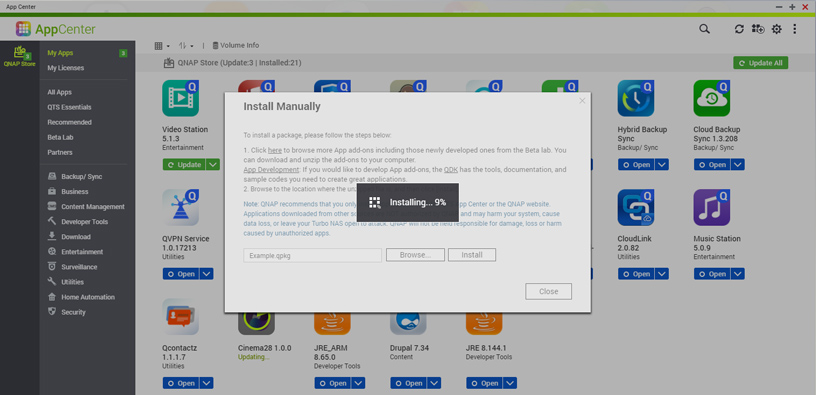
Hit “Install” and wait for the progress bar to finish.
-
Your application is now installed and a shortcut will be created on the QTS desktop.
还有疑问?
在 QNAP 官方社区提问,获得 QNAP 官方与热心用户的实用建议。


