


Manually Upgrade/Downgrade firmware by QTS web interface
最后修订日期:
2022-03-30
Procedures
Note: Before start,please read How to manually upgrade / downgrade firmware to find NAS model and download the firmware for your NAS.
1. Find Control Panel > System > Firmware Update.
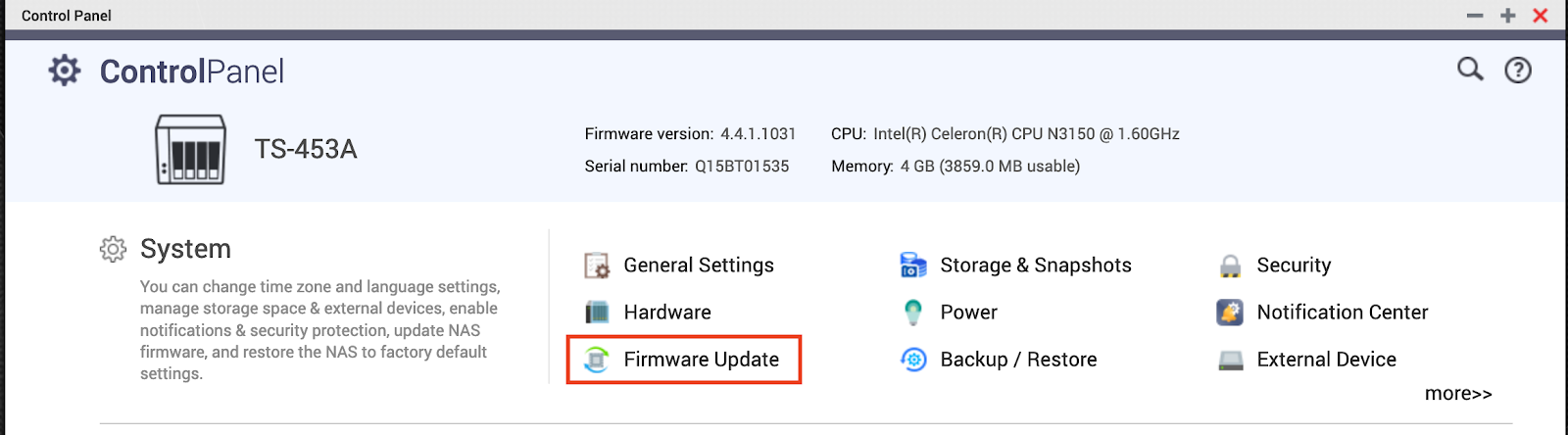
2. Click Firmware Update and Browse the img file on your PC/Mac , then Update System
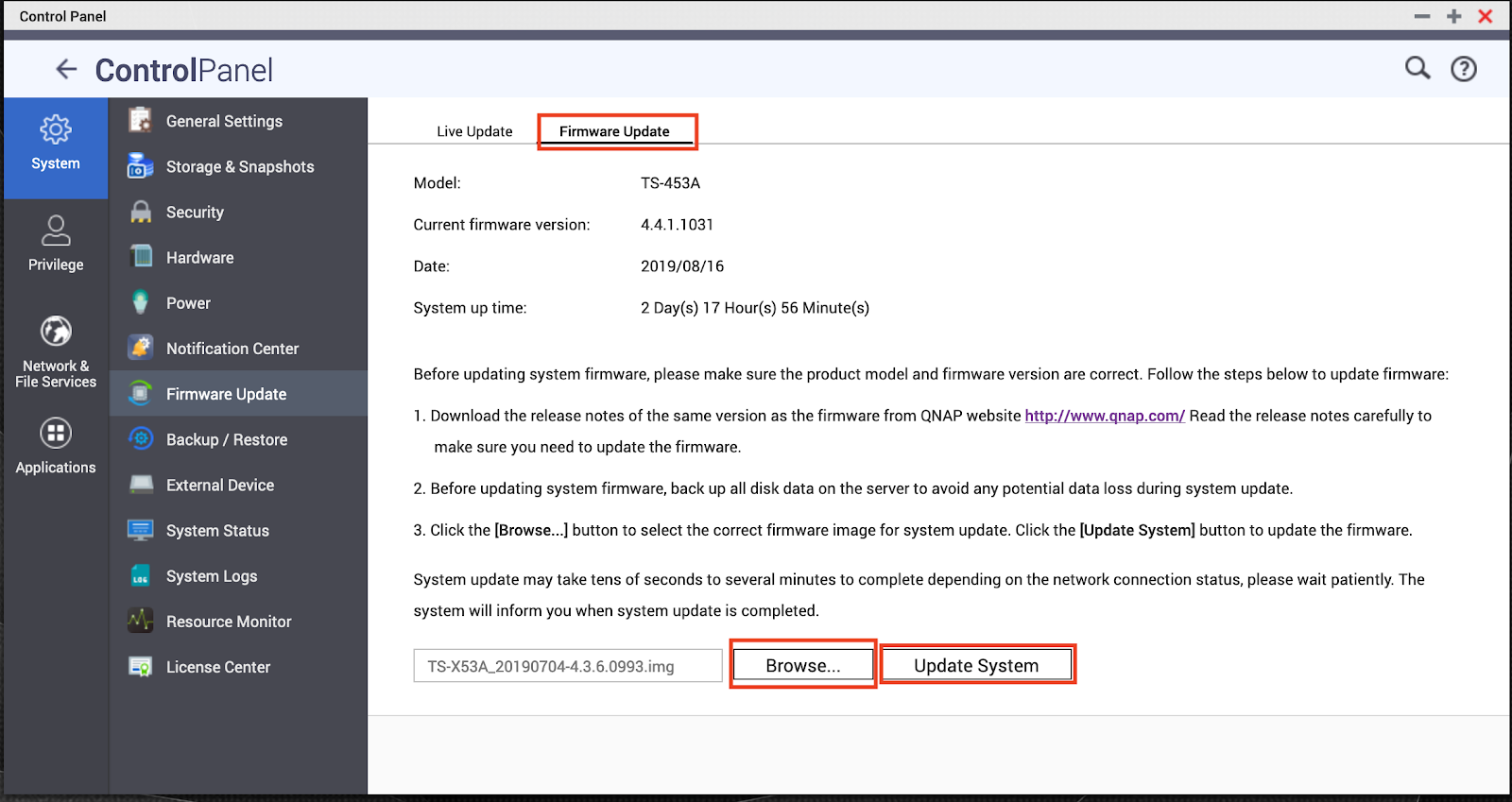
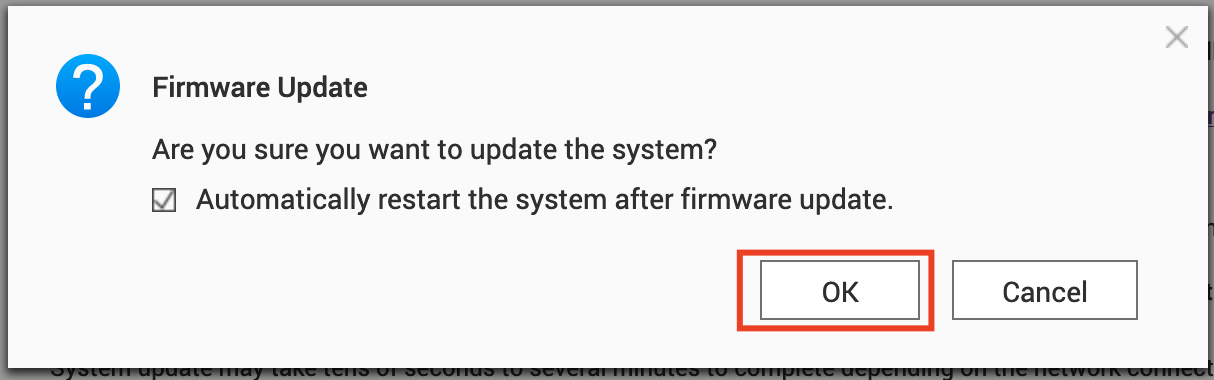
3.Click OK if you want to upgrade/downgrade the firmware version.
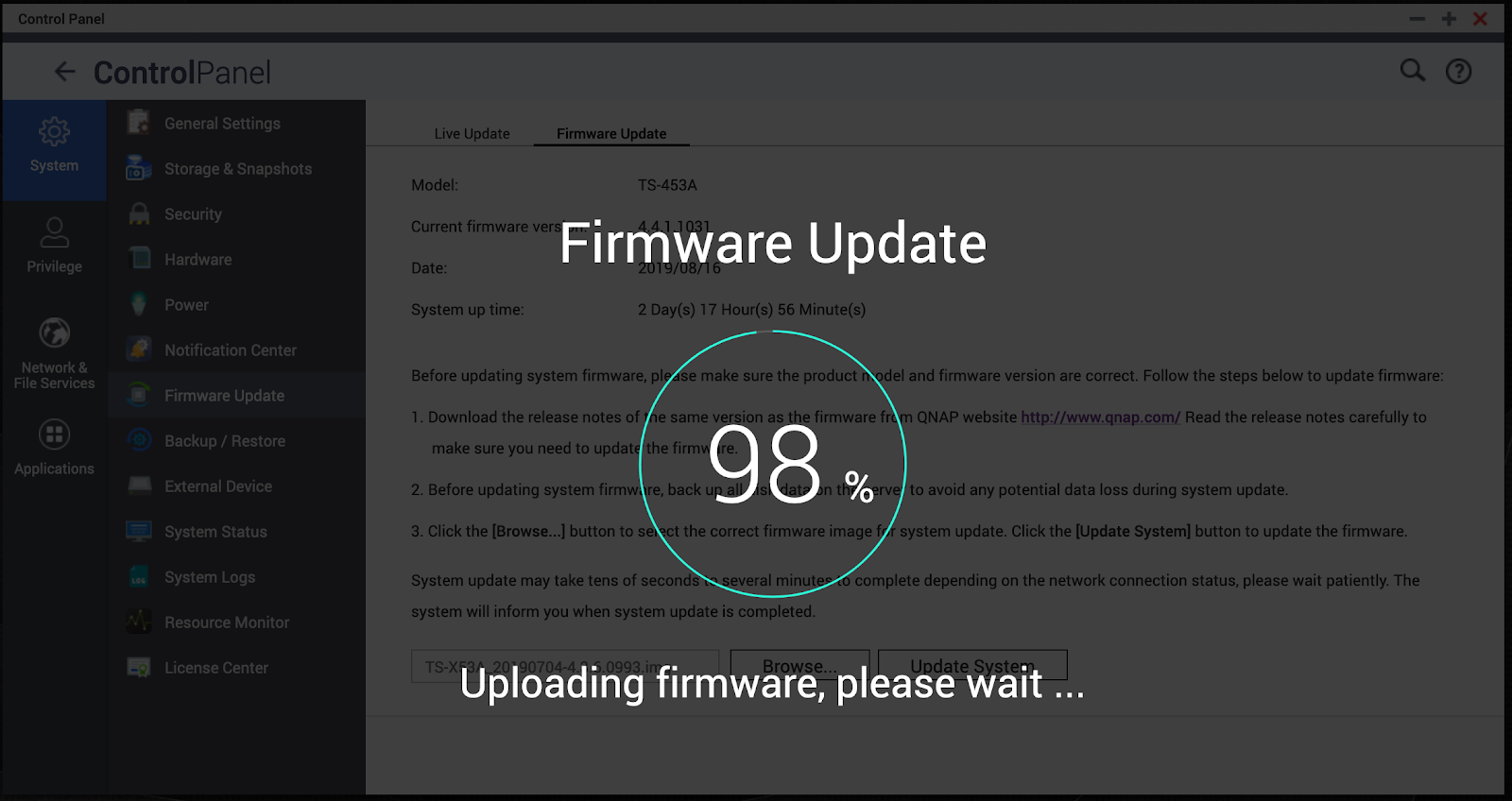
4.Fimware uploading will start after clicking OK.
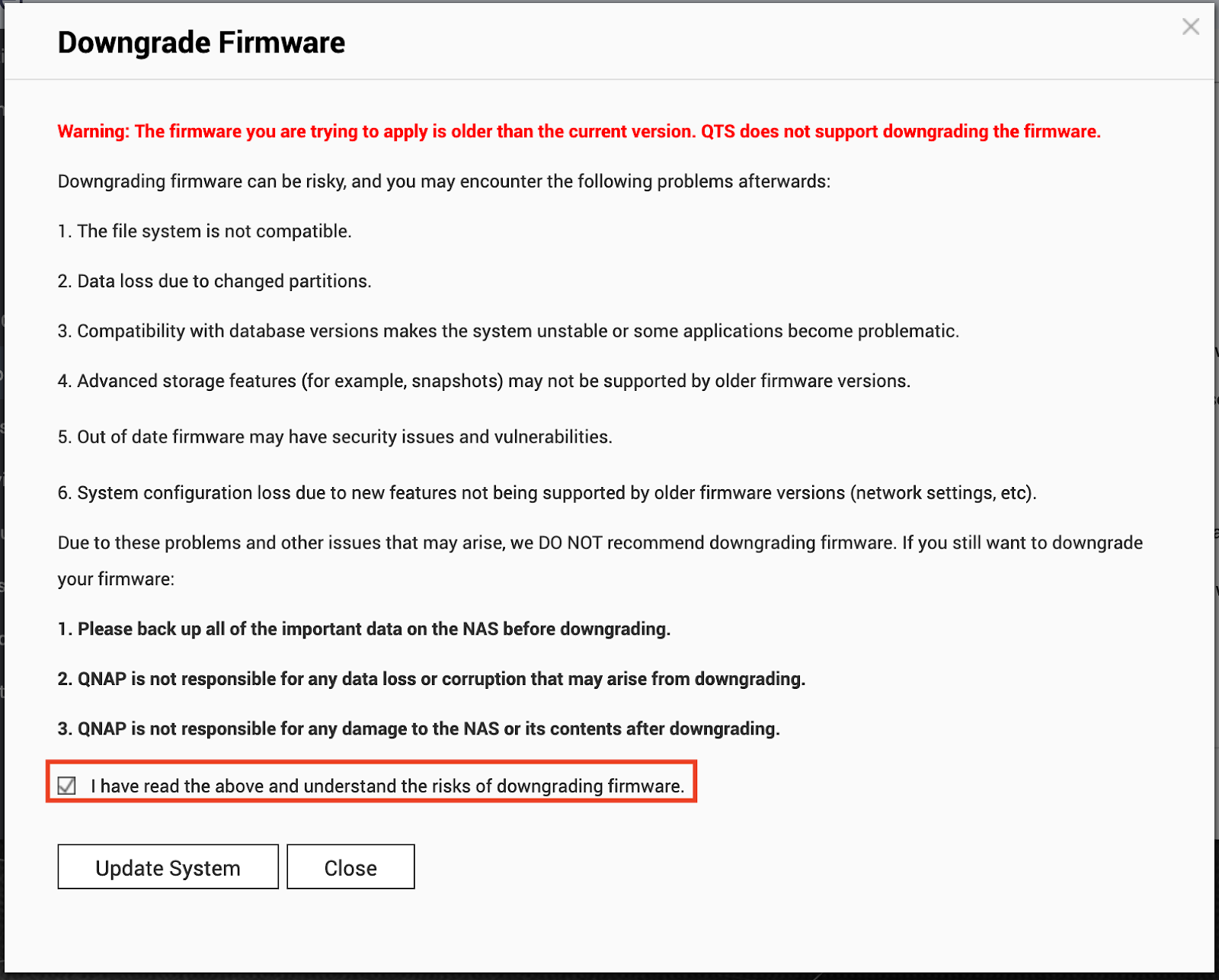
5.If the uploaded firmware version is older than the current firmware version, following prompt will pop.Please read them and check I have read the above and understand the risks of downgrading firmware if you want to proceed, click Update System.
6. Wait for firmware upgrading process finished.
Related links
需要进一步协助,欢迎前往官方社区发帖,与其他用户及 QNAP 专家交流。 前往 QNAP 官方社区


