


How to Hide the @Recently-Snapshot Folder?
Applied models:
All NAS Series
Applied Firmware:
4.4.1 or above
“I have enabled Snapshots and now I see a new @Recently-Snapshot folder when accessing the root shared folder. What can I do if I do not want to see it?”
The @Recently-Snapshot directory enables users to view shared folders snapshots when accessing the NAS via different protocols such as SMB, AFP or FTP.
You can choose to hide this folder in Storage & Snapshots Global Settings: open Storage & Snapshots > Global Settings > Snapshot > Snapshot Directory, and disable “Make snapshot directory (@Recently-Snapshot) visible in shared folder root”.
The snapshots will still be available but this folder will not be visible.
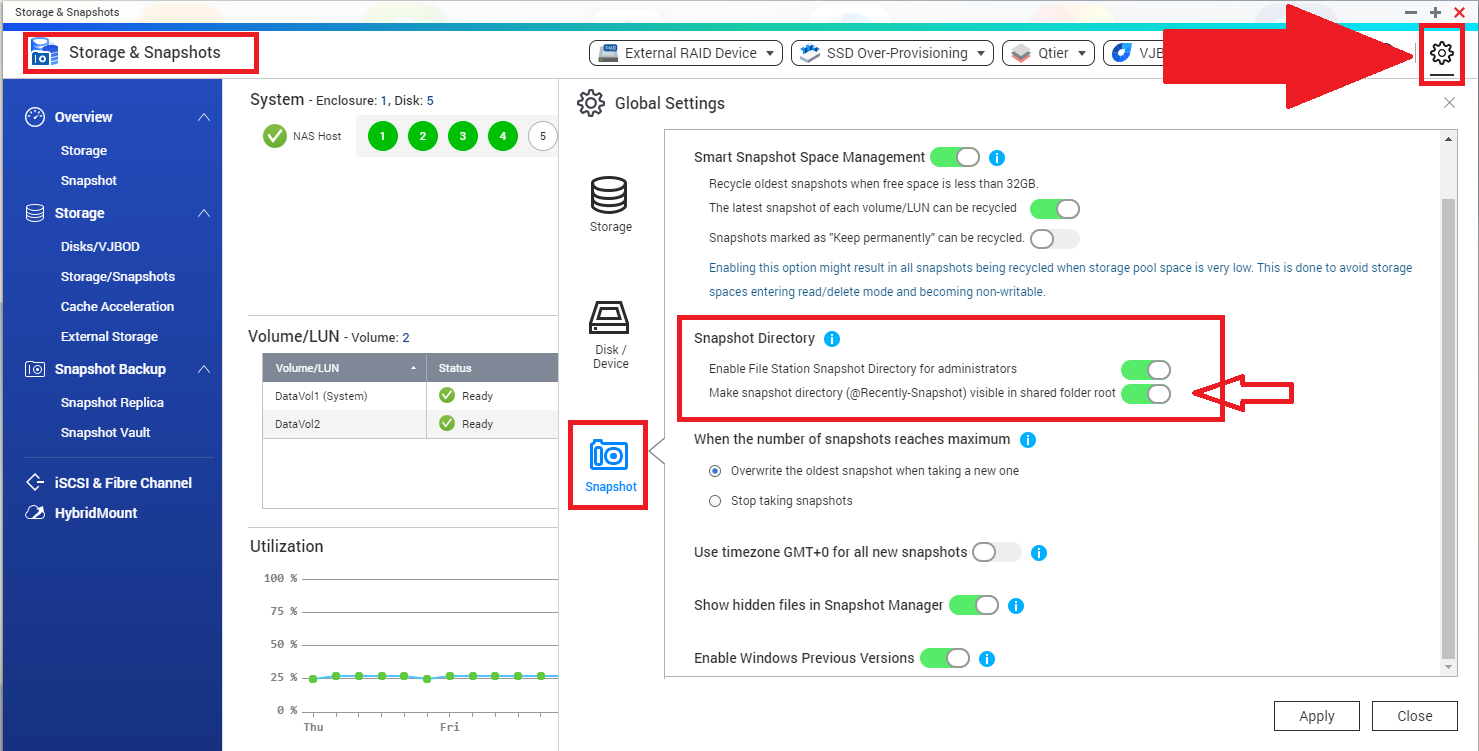
In newer versions, this feature is referred to as 'Snapshot folder in each shared folder'.


