


[iOSMobile APPs] Why do all the APP need to find and connect to devices on my local network
Applied models:
All NAS Series
iOS devices
Applied firmware:
All NAS firmware
Scenarios:
After upgrading to iOS 14, the message says it would like to find and connect to devices on your local network when I open any of QNAP’s mobile APPs, why is it needed?
Solution:
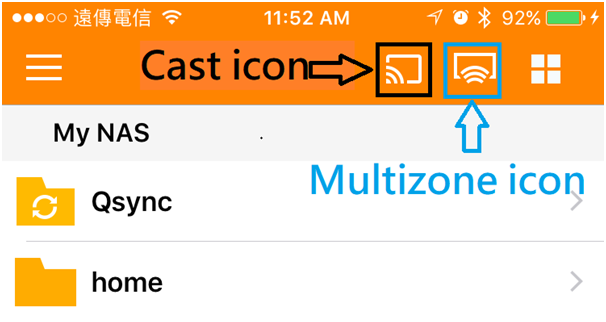
By allowing our APPs to find and connect to devices on your local network, our APPs can then automatically find your NAS, Chromecast devices (for some APPs) in the local network and access the NAS. If the it’s not allowed, our APPs will not be able to access your NAS in LAN nor find Chromecast device in the local network (i.e. Cast icon; please refer to picture below for more detail)
需要进一步协助,欢迎前往官方社区发帖,与其他用户及 QNAP 专家交流。 前往 QNAP 官方社区


