


How to Expand Capacity by Adding a Drive?
最后修订日期:
2022-03-30
Applicable Products:
- QTS 4.3.6 and later version.
- Storage & Snapshots
It is possible to expand the capacity of a Static Volume or a Storage Pool by adding one or several drives to a RAID Group, or by creating a new RAID Group inside a Storage Pool.
Notes:
- All existing data on the new drives will be deleted (data on existing drives will not be deleted)
- Adding disks to a RAID 1 group changes the RAID type of the group to RAID 5
- To expand a RAID 50 or RAID 60 group, every sub-group must be expanded with the same number of disks
- If the storage pool contains a RAID 1, RAID 5, RAID 6 or RAID 10 group, when creating a new RAID Group, it must also have one of the mentioned RAID types.
How to expand a Storage Pool by adding a drive to a RAID Group:
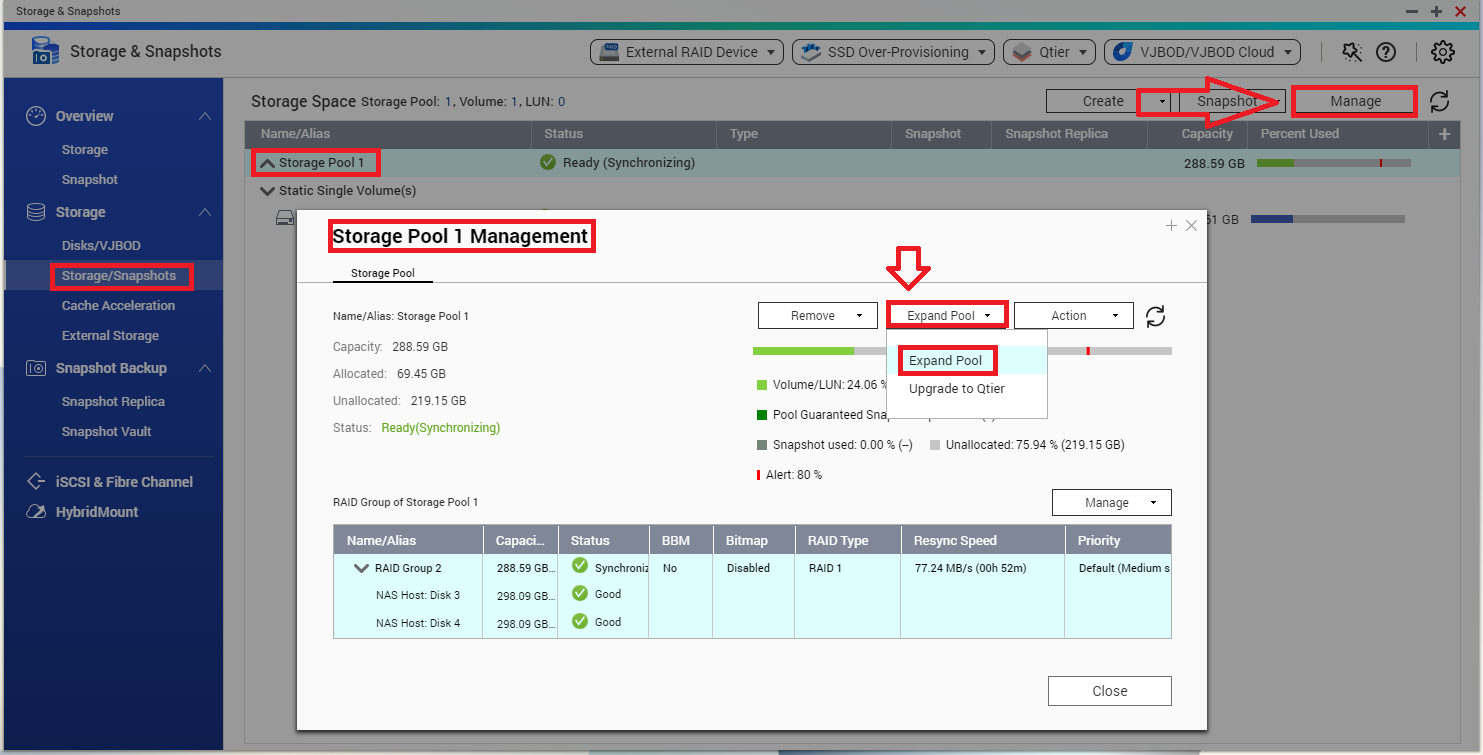
- Go to Storage & Snapshots > Storage > Storage/Snapshots
- Select the pool and click on "Manage"
- Click on "Expand Pool" > "Expand Pool"
- Select "Add new disk(s) to an existing RAID group"
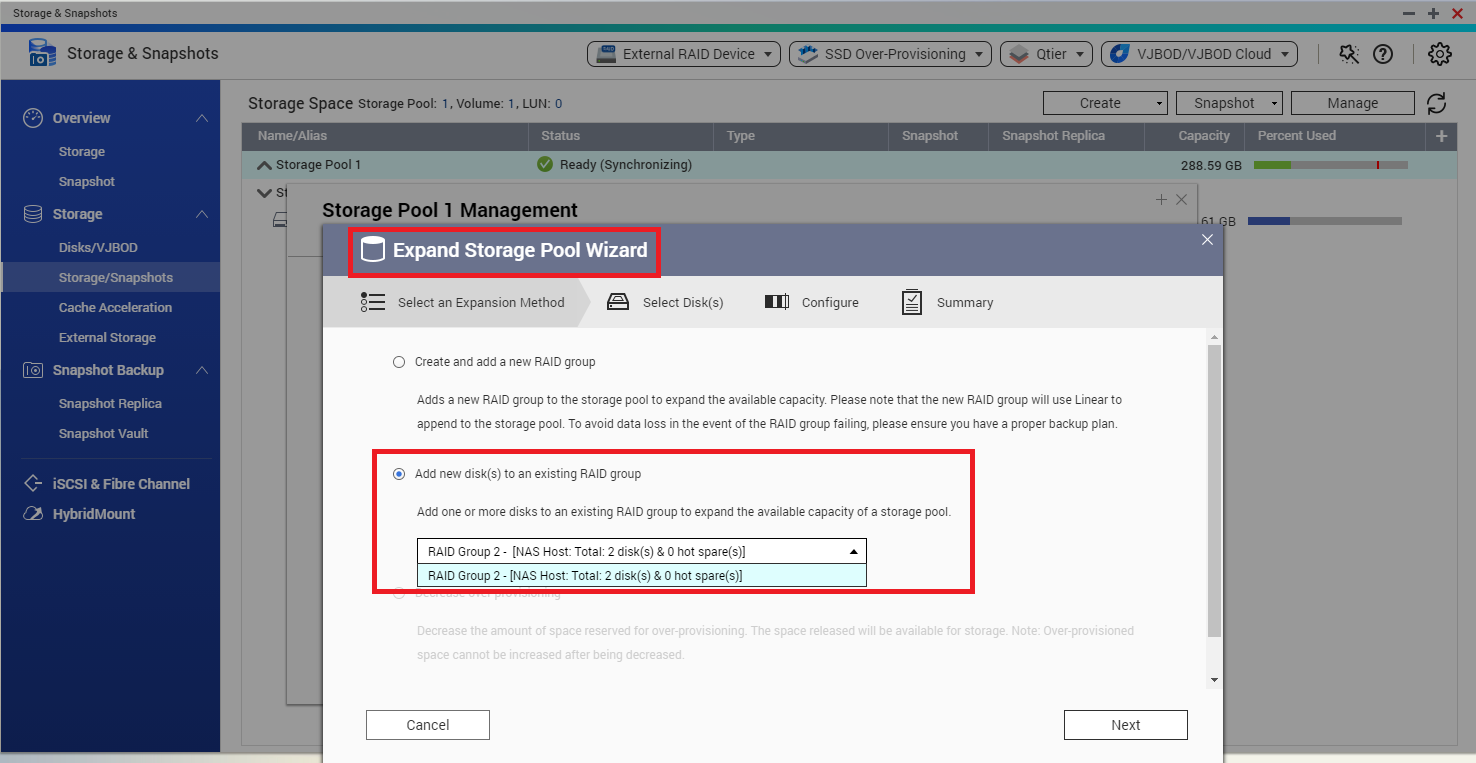
- Select the RAID Group to expand. The group must be of type RAID 1, RAID 5, RAID 6, RAID 50, RAID 60
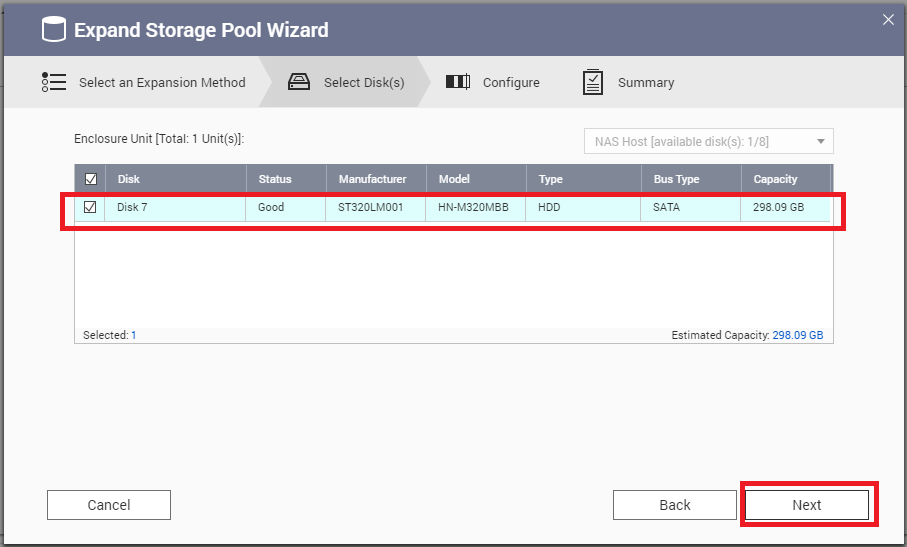
- Select the disk and click on “Next”
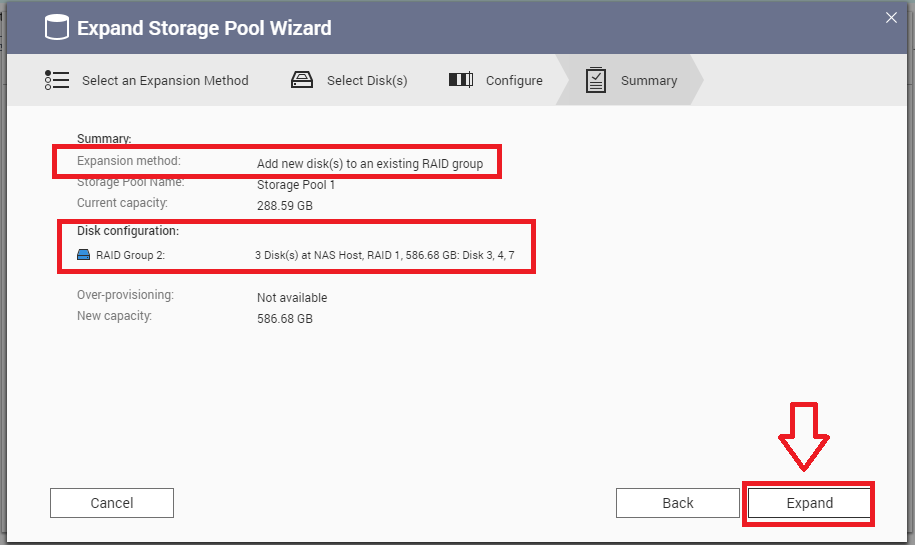
- Confirm the settings and click on “Expand”.
How to expand a Storage Pool by creating a new RAID Group:
- Go to Storage & Snapshots > Storage > Storage/Snapshots
- Select the pool and click on "Manage"
- Click on "Expand Pool" > "Expand Pool"
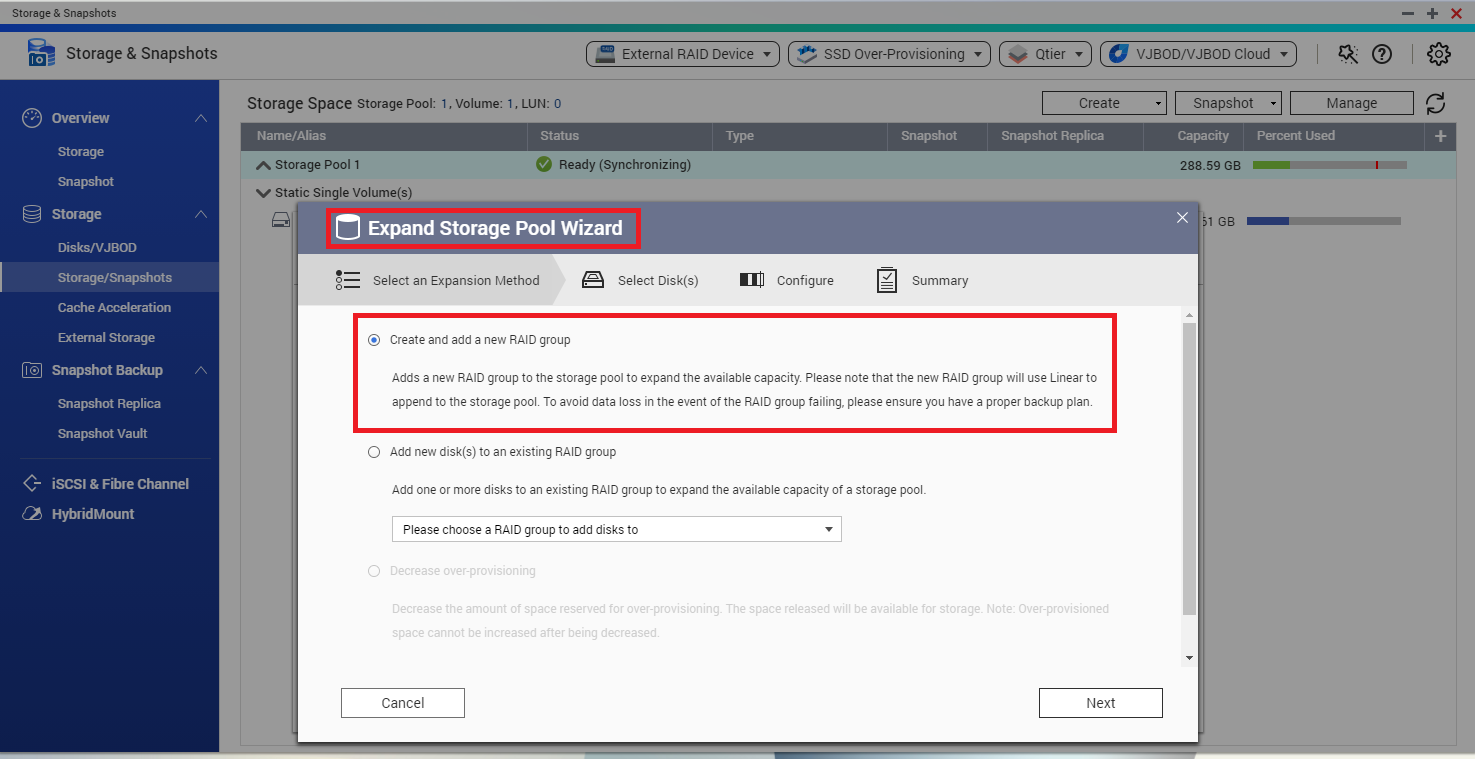
- Select "Create an add a new RAID group"
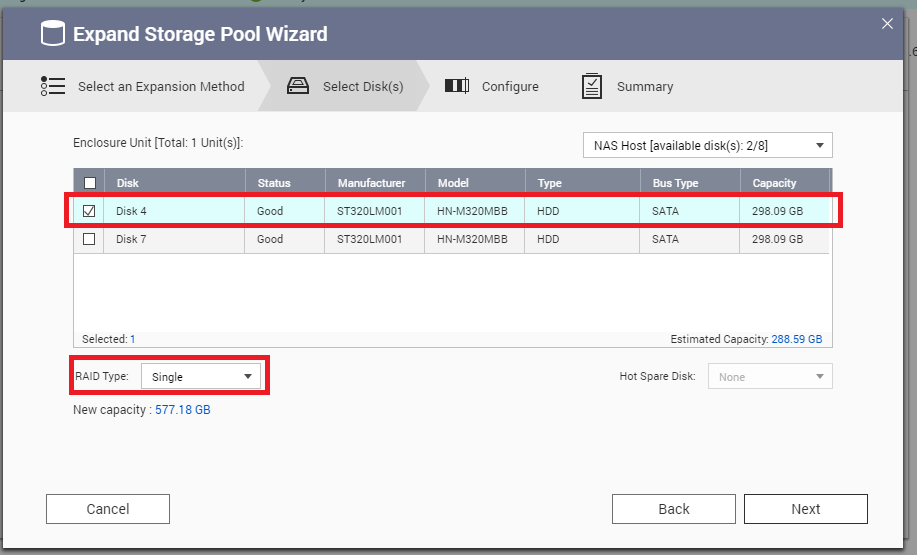
- Select the disks and RAID type and click on “Next”
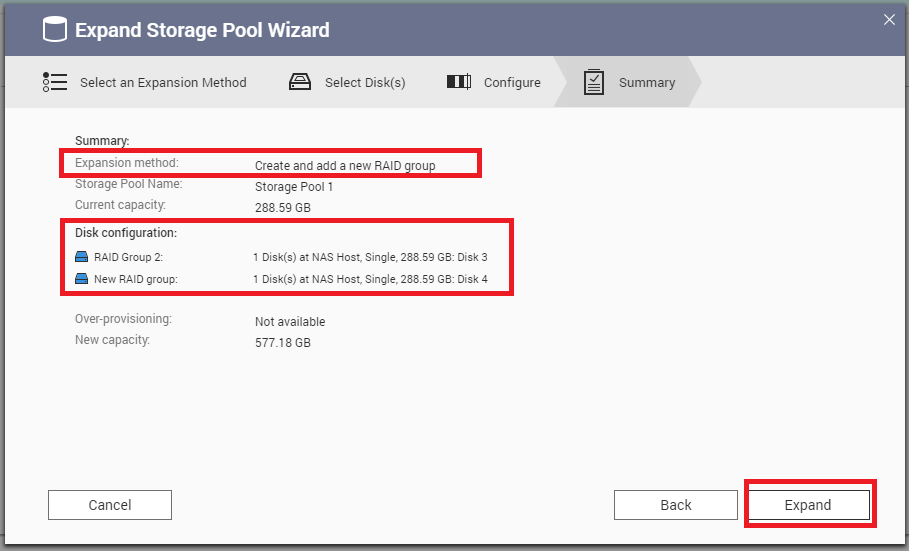
- Confirm the settings and click on “Expand”.
How to expand a Static Volume:
- Go to Storage & Snapshots > Storage > Storage/Snapshots
- Select the volume and click on "Manage"
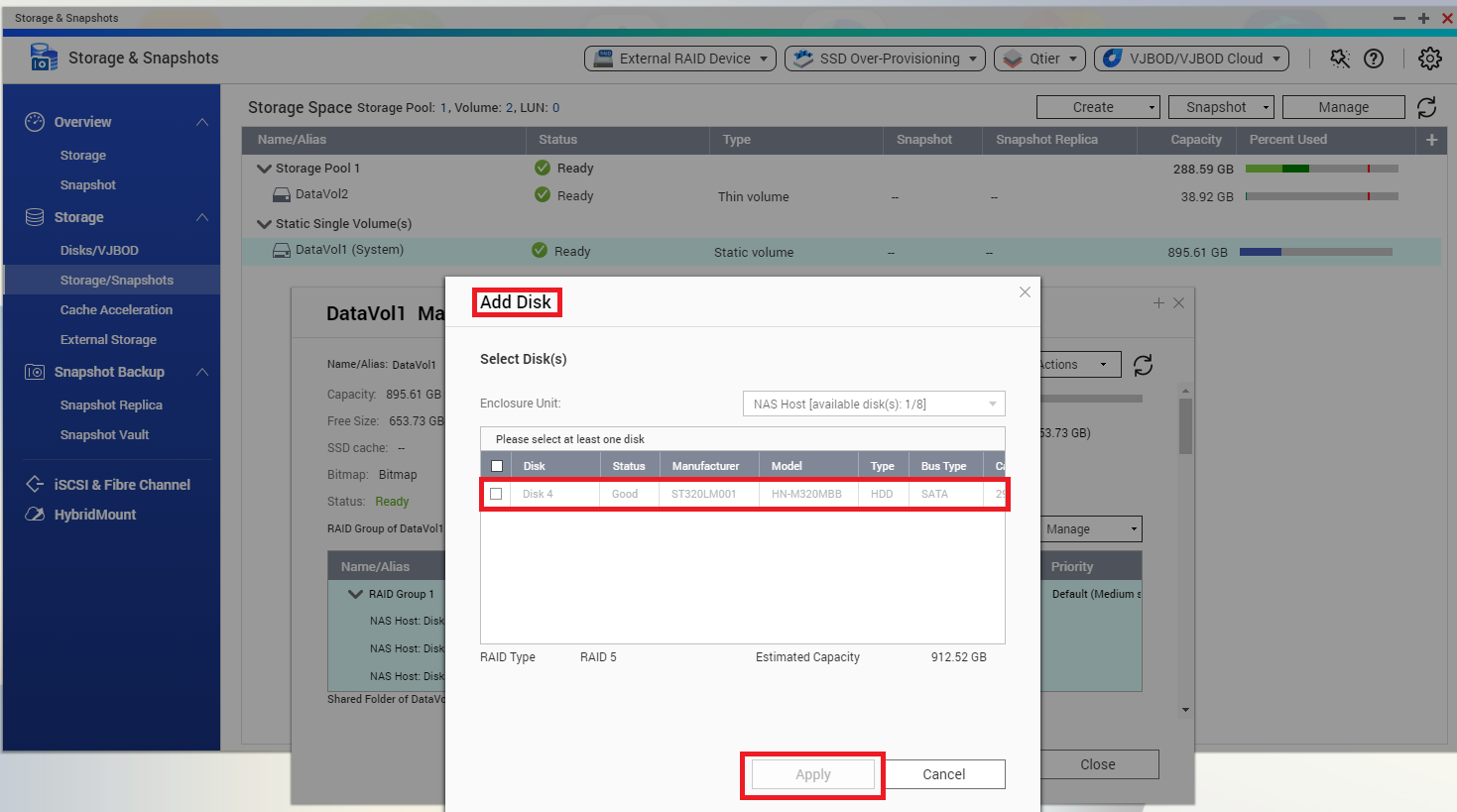
- Click on "Manage" > “Add Disk”
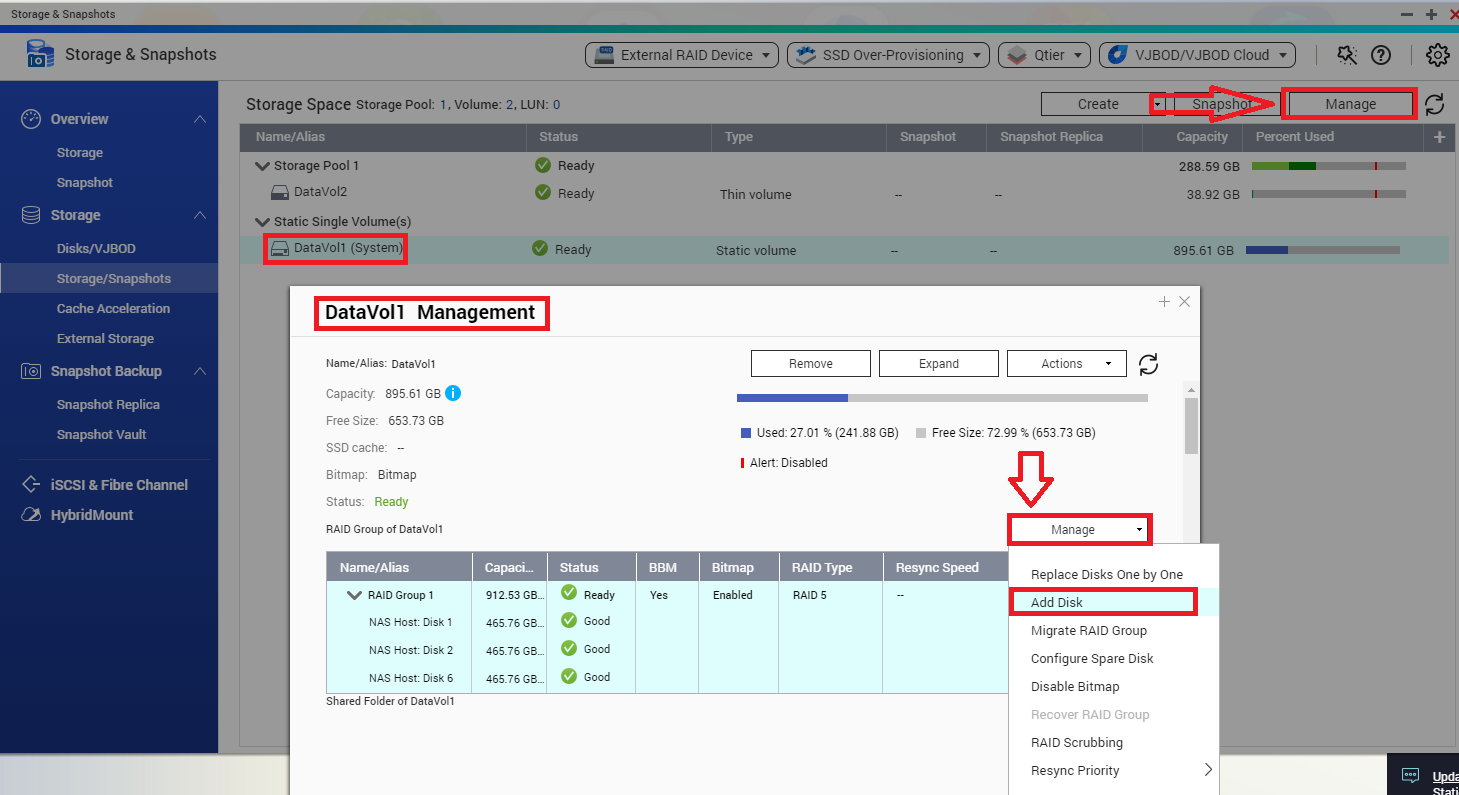
- Select the new hard drive member and click on “Apply”.
需要进一步协助,欢迎前往官方社区发帖,与其他用户及 QNAP 专家交流。 前往 QNAP 官方社区


