


SSD Estimated Life Remaining Warning
Applied models:
-
All NAS Series
Applied Firmware:
-
4.4.1 or above
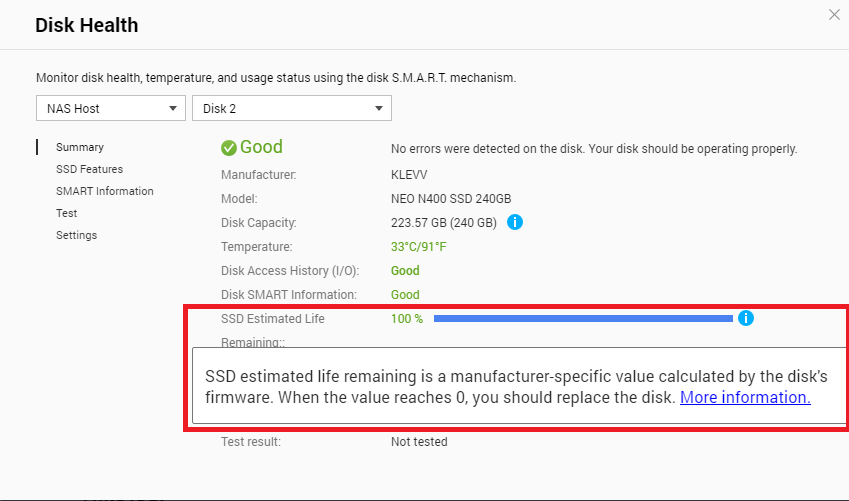
All SSD drives have a fixed amount of TBW (terabyte written) which it is able to write under warranty. This TBW value is specified by the SSD manufacturers. The SSD Estimated life remaining is calculated from this value by the SSD’s firmware and when it reaches the manufacturer-defined threshold, the system will issue a warning notification, and when it reaches 0, it is recommended to replace the disk to avoid any potential data loss.
This value can be found in Storage & Snapshots > Disks/VJBOD > select the SSD drive and click “Disk Health”. Do note, the SSD estimated life remaining does not affect the disk’s health status or trigger S.M.A.R.T. migrations. For more information on the TBW values of the SSD drives, you could contact the SSD manufacturer directly for more details.
需要进一步协助,欢迎前往官方社区发帖,与其他用户及 QNAP 专家交流。 前往 QNAP 官方社区


