


How to replicate the permission on a HBS3 Sync Job
Applied models:
Applied Firmware:
-
All Firmware Versions
Unfortunately HBS is only able to Replicate the ACL but not shared folder permission. That means if you are synchronizing files inside of a shared folder in the destination folder (remote NAS), your files will inherit the shared folder permission from the root folder in the destination NAS.
If you did not enable advanced folder permission, you will need only to set up again the main folder permission the same as you have in the origin NAS.
If you are using advanced folder permission to control the access to the subfolder, you will need to set them manually in the destination NAS.
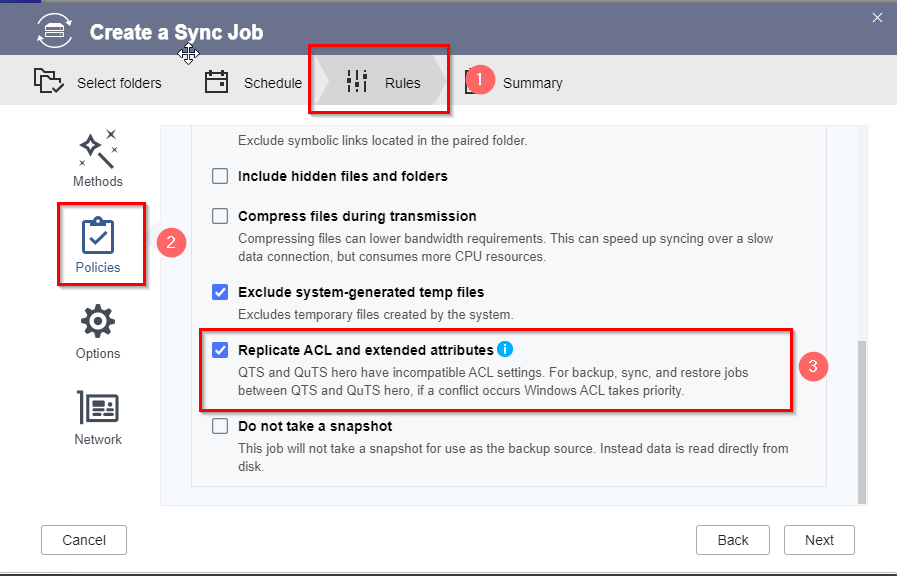
To replicate the ACL you just will need to keep enable the option in the sync job settings
需要进一步协助,欢迎前往官方社区发帖,与其他用户及 QNAP 专家交流。 前往 QNAP 官方社区


