


Why filenames with special characters doesn’t sync in QSync?
最后修订日期:
2022-08-23
Applicable Products
All NAS series
Root Cause
When files with special characters do not successfully sync via Qsync, you can check the default filter settings of special characters for filenames.
Solution
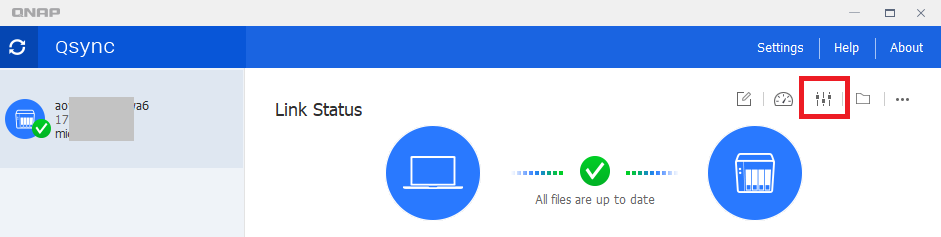
You can add or remove filters in Qsync in Settings:
Go to Qsync client > NAS Settings icon > Policy tab > Filter Setting

需要进一步协助,欢迎前往官方社区发帖,与其他用户及 QNAP 专家交流。 前往 QNAP 官方社区


