Applicable products
Overview
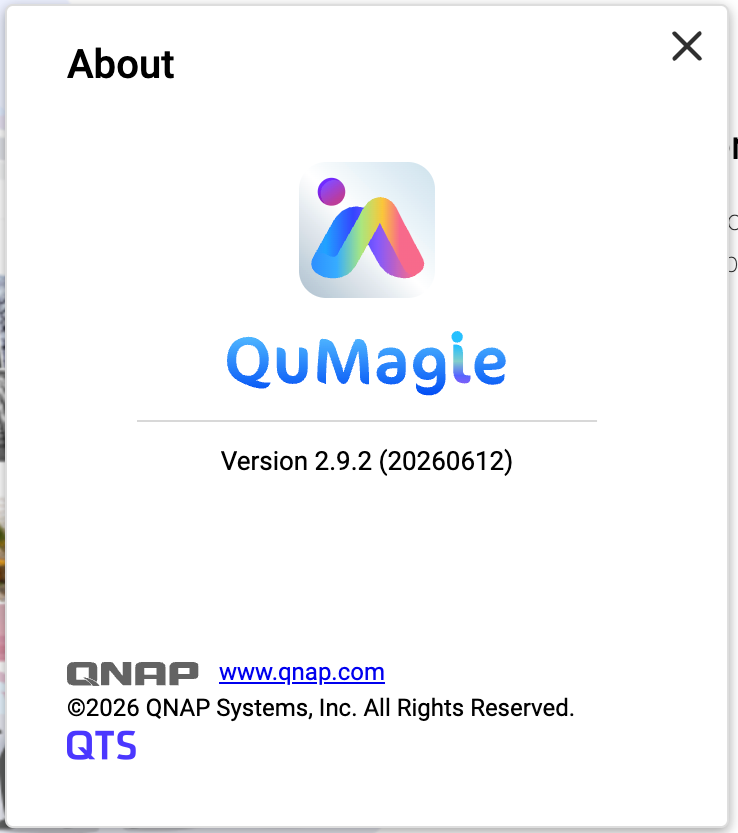
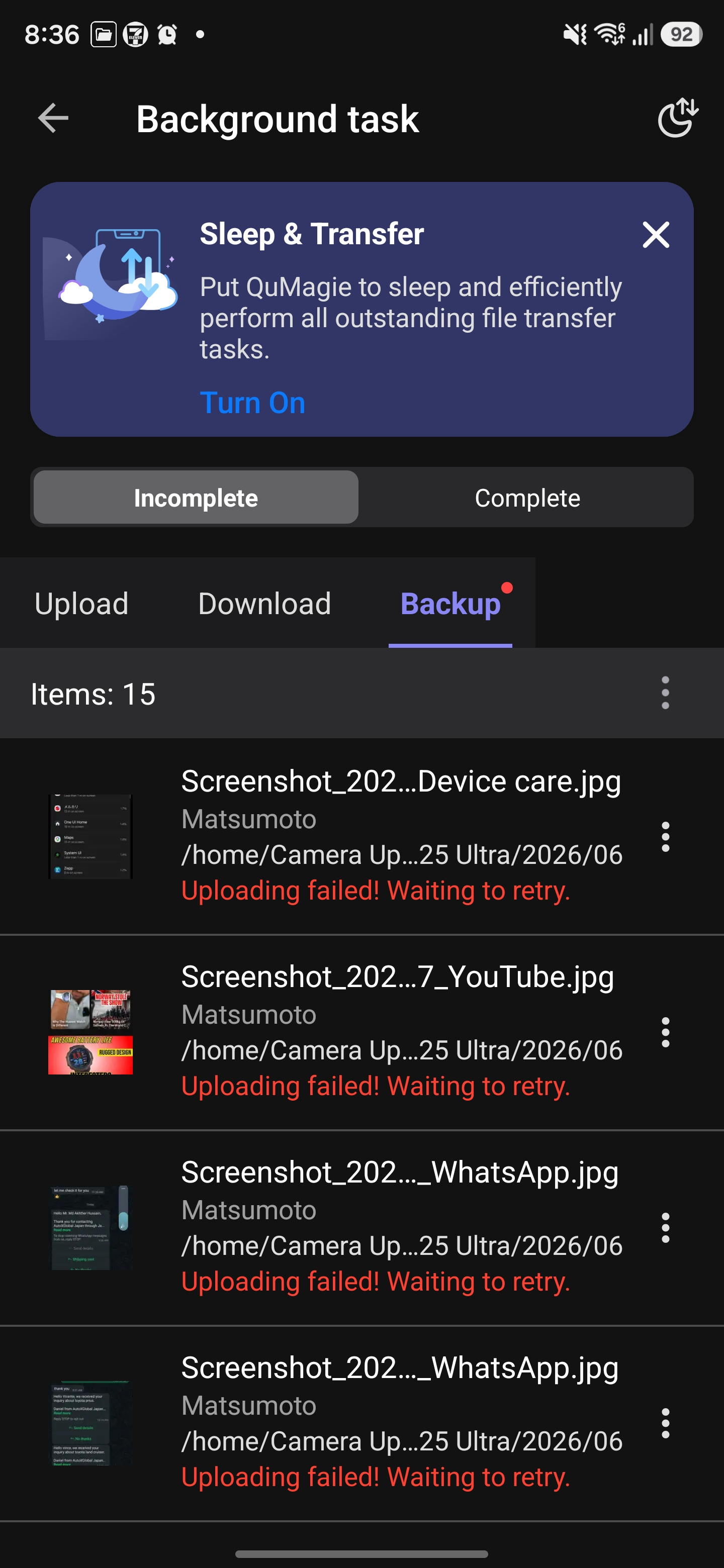
After you have installed QuMagie 2.9.2 (20260612) on your NAS, you may encounter upload failures when using the QuMagie mobile app (Android / iOS).
QuMagie 2.9.2 (20260612) does not include a required security fix. This may cause errors when the mobile app uploads files, resulting in upload failures.
This issue affects the following QuMagie versions:
| Component | Affected Version |
|---|
| QuMagie (NAS) | 2.9.2 (20260612) |
| QuMagie (Android) | 2.9.0 and earlier |
| QuMagie (iOS) | 2.6.0 and earlier |
If you are using QuMagie 2.9.2 (20260612) and if you see upload failure messages, then your QuMagie is affected by this issue.
Solution
To fix this issue, follow these three steps:
Step 1: Update QuMagie (NAS Application) to 2.9.3
- Log in to the NAS as an administrator.
- Go to App Center.
- Enter QuMagie in the search bar.
- Ensure that the available version is 2.9.3 (or later), and then click Update.
- Wait for the installation to complete and confirm that the version is now 2.9.3 (or later).
Step 2: Update QuMagie (Mobile App)
| Platform | Recommended version |
|---|
| Android | 2.9.1 or later |
| iOS | 2.6.1 or later |
- On your mobile device, go to Google Play Store or Apple App Store.
- Search for QuMagie.
- Tap Update and confirm that the app has been updated to the recommended version or later.
Step 3: Re-upload previously failed files
Previously failed upload tasks cannot be resumed automatically. You need to manually re-upload these files after completing the updates.
- Open the QuMagie mobile app.
- Select the files that previously failed to upload.
- Upload the files again.
Tip
- In most cases, after you have updated QuMagie both on your NAS and on your mobile device, you should be able to upload files normally. No additional configuration is required.
- If upload tasks still fail, see the Troubleshooting section below.
Troubleshooting
If you still cannot upload files even after trying the solution above, we recommend following these steps:
- On the NAS, go to App Center, locate QuMagie, and verify that QuMagie has been updated to 2.9.3 or later.
- On your mobile device, verify the QuMagie App version:
- Android: 2.9.1 or later
- iOS: 2.6.1 or later
- Completely close the QuMagie mobile app (remove it from the background), restart the app, and then try uploading files again.
- If this issue still persists, contact QNAP Technical Support for further assistance.
适用产品
概述
在您的 NAS 上安装 QuMagie 2.9.2 (20260612) 后,您可能会在使用 QuMagie 移动应用程序(Android / iOS)时遇到上传失败的问题。
QuMagie 2.9.2 (20260612) 不包含所需的安全修复。这可能导致移动应用程序上传文件时出现错误,从而导致上传失败。
此问题影响以下 QuMagie 版本:
| 组件 | 受影响的版本 |
|---|
| QuMagie (NAS) | 2.9.2 (20260612) |
| QuMagie (Android) | 2.9.0 及更早版本 |
| QuMagie (iOS) | 2.6.0 及更早版本 |
如果您使用的是 QuMagie 2.9.2 (20260612) 并看到上传失败消息,那么您的 QuMagie 受此问题影响。
解决方案
要解决此问题,请按照以下三个步骤操作:
步骤 1:将 QuMagie(NAS 应用程序)更新至 2.9.3
- 以管理员身份登录 NAS。
- 转到App Center。
- 在搜索栏中输入QuMagie。
- 确保可用版本为2.9.3(或更高),然后点击更新。
- 等待安装完成并确认版本现在为2.9.3(或更高)。
步骤 2:更新 QuMagie(移动应用)
| 平台 | 推荐版本 |
|---|
| Android | 2.9.1或更高版本 |
| iOS | 2.6.1或更高版本 |
- 在您的移动设备上,前往Google Play 商店或Apple 应用商店。
- 搜索QuMagie。
- 点击更新并确认应用已更新至推荐版本或更高版本。
步骤 3:重新上传之前失败的文件
之前失败的上传任务无法自动恢复。您需要在完成更新后手动重新上传这些文件。
- 打开 QuMagie 移动应用。
- 选择之前上传失败的文件。
- 再次上传文件。
提示
- 在大多数情况下,在您的 NAS 和移动设备上更新 QuMagie 后,您应该能够正常上传文件。无需额外配置。
- 如果上传任务仍然失败,请参阅下面的故障排除部分。
故障排除
如果在尝试上述解决方案后仍无法上传文件,我们建议按照以下步骤操作:
- 在 NAS 上,前往 App Center,找到 QuMagie,并确认 QuMagie 已更新至2.9.3 或更高版本。
- 在您的移动设备上,验证 QuMagie 应用版本:
- Android:2.9.1 或更高版本
- iOS:2.6.1 或更高版本
- 关闭 QuMagie 移动应用(从后台移除),重新启动应用,然后再次尝试上传文件。
- 如果问题仍然存在,请联系 QNAP 技术支持以获得进一步帮助。


