Applicable Products
QTS
Overview
Push service delivers messages from a server to your device and is one of the notification delivery methods provided in Notification Center. You can receive push notifications via a web browser on your computer or via Qmanager on your mobile device.
Note
You cannot save push notifications. We recommend using push service for notifications that are not important or urgent.
System Requirements
- Mobile app: Qmanager iOS 1.8.0 or later, or Qmanager Android 2.1.0 or later
- Web browser: Chrome 42 or later, or Firefox 50 or later
Procedure
First, enable push service in Notification Center. Then choose a pairing method below.
- Log in to QTS.
- Go to Control Panel > System > Notification Center.
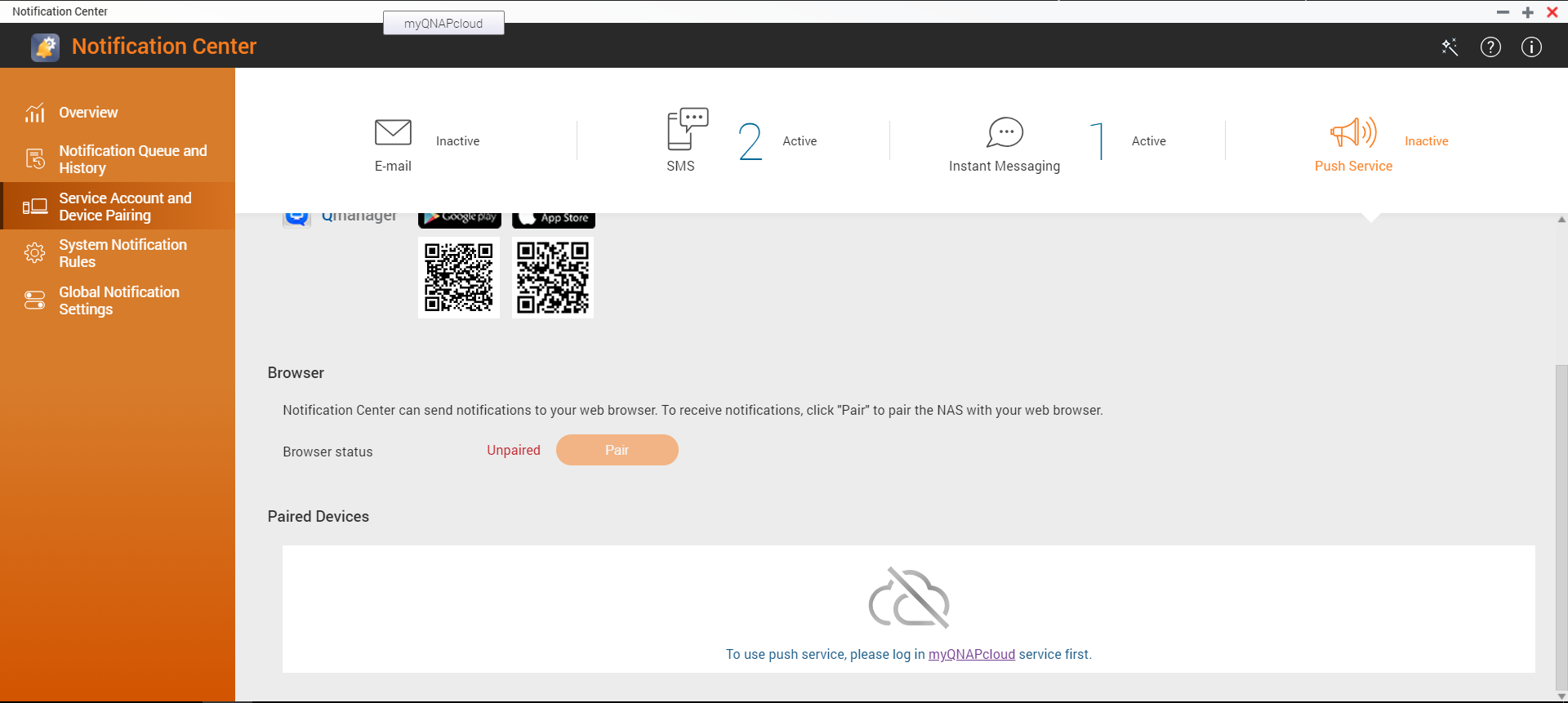
- Click Service Account and Device Pairing.
- Select the Push Service tab.
- Sign in to myQNAPcloud service with your QNAP account (QNAP ID).
Note
Push service uses myQNAPcloud as the server. You must sign in to the service before starting pairing.
Pair via Qmanager
- Install Qmanager on your mobile device.
- Log in to QTS using Qmanager.
- Pair the NAS with your mobile device using one of the following methods:
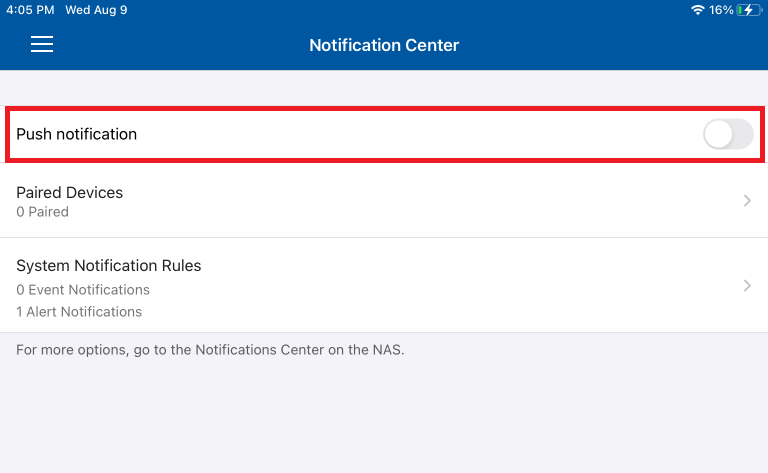
- Enable Push Notification in Notification Center on Qmanager.
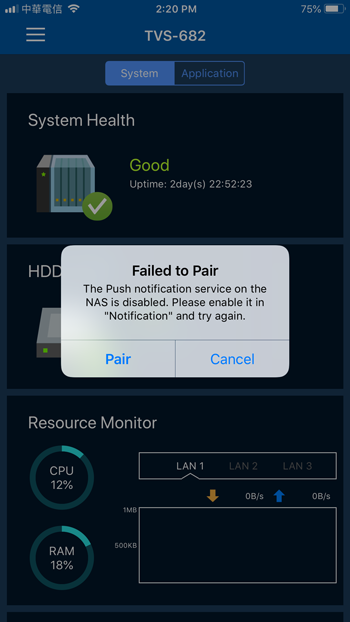
- Click Pair when a dialog box appears asking whether to pair the NAS.
Note
When you log in to QTS using Qmanager, Qmanager displays a dialog box asking whether to pair the NAS with your mobile device.
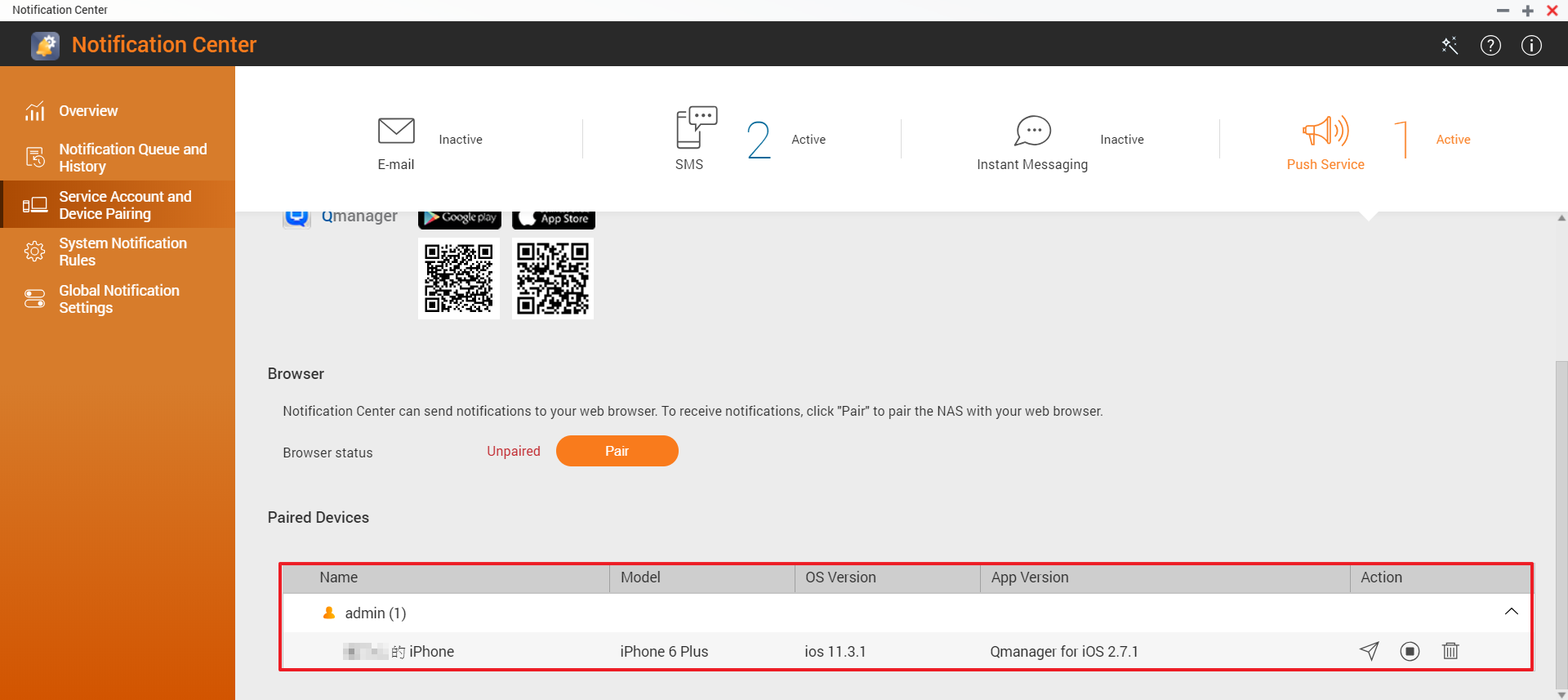
- In Notification Center, verify that the NAS has been paired with your mobile device via Qmanager.
The setup is now complete. You can click the  icon to send a test message.
Pair via web browser
- In Notification Center, click Pair.
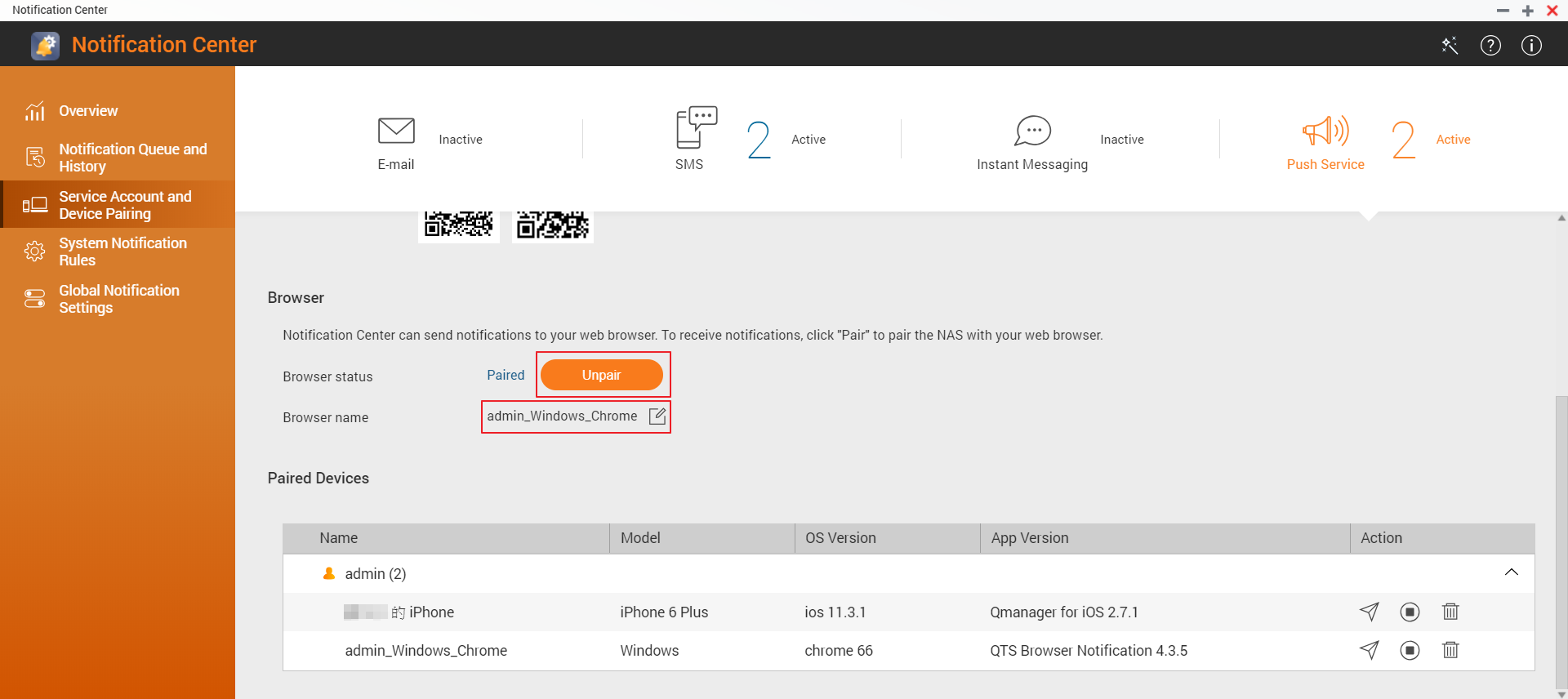
- (Optional) Edit the browser name.
The setup is now complete. You can click the icon to send a test message.
适用产品
QTS
概述
推送服务将消息从服务器传送到您的设备,是通知中心提供的通知传递方法之一。您可以通过计算机上的网页浏览器或移动设备上的 Qmanager 接收推送通知。
注意
您无法保存推送通知。我们建议将推送服务用于不重要或不紧急的通知。
系统要求
- 移动应用:Qmanager iOS 1.8.0 或更高版本,或 Qmanager Android 2.1.0 或更高版本
- 网页浏览器:Chrome 42 或更高版本,或 Firefox 50 或更高版本
步骤
首先,在通知中心中启用推送服务。然后选择以下配对方法之一。
- 登录 QTS。
- 转到控制台 > 系统 > 通知中心。
- 点击服务帐户和设备配对。
- 选择推送服务选项卡。
- 使用您的 QNAP 帐户(QNAP ID)登录 myQNAPcloud 服务。
注意
推送服务使用 myQNAPcloud 作为服务器。您必须在开始配对前登录该服务。
通过 Qmanager 配对
- 在您的移动设备上安装 Qmanager。
- 使用 Qmanager 登录 QTS。
- 使用以下方法之一将 NAS 与您的移动设备配对:
- 在 Qmanager 的通知中心中启用推送通知。
- 当出现对话框询问是否配对 NAS 时,点击配对。
注意
当您使用 Qmanager 登录 QTS 时,Qmanager 会显示一个对话框,询问是否将 NAS 与您的移动设备配对。
- 在通知中心中,验证 NAS 是否已通过 Qmanager 与您的移动设备配对。
设置现已完成。您可以点击 图标发送测试消息。
通过网页浏览器配对
- 在通知中心中,点击配对。
- (可选)编辑浏览器名称。
设置现已完成。您可以点击 图标发送测试消息。


