


Why the the logo of files missing after update File Station?
最后修订日期:
2025-07-02
Applicable Products
File Station
Details
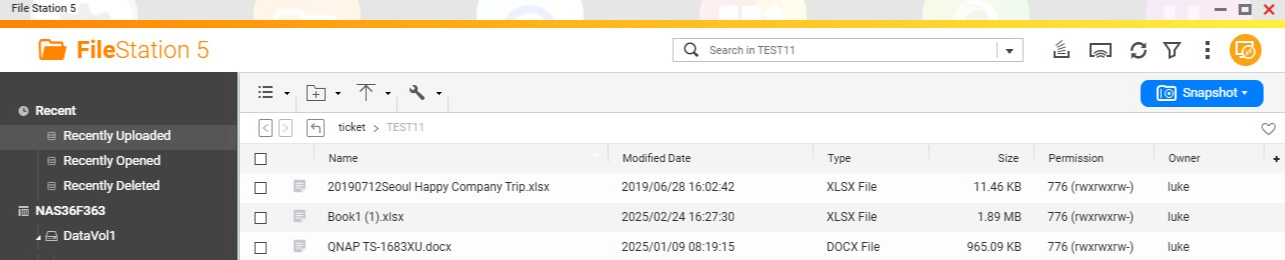
File Station enabled "Display thumbnails for documents" by default and it needs Qsirch.
If you don't need Qsirch and want it to show as document type logo like word, excel or pdf, please check the steps below:
- Open File Station.
- Click the "More Settings" with three dots at the top right.
- Select "Settings".
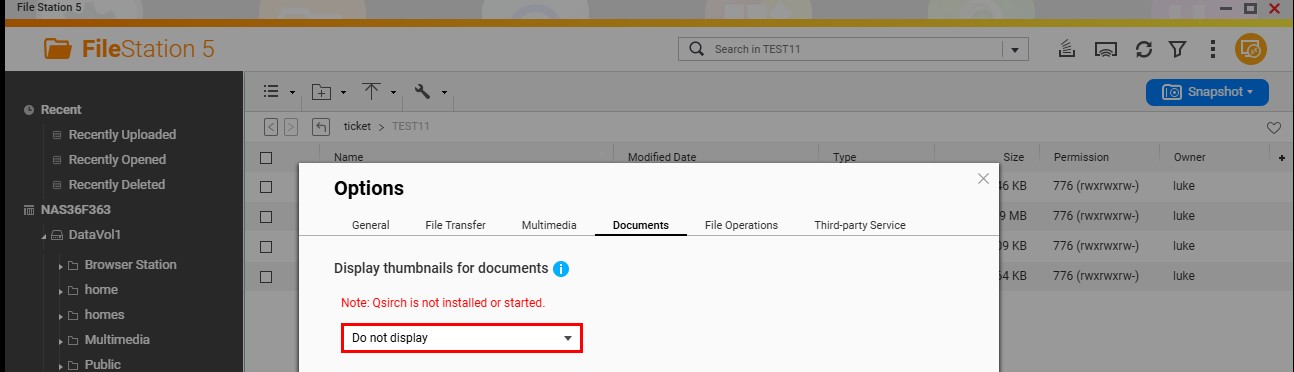
- In the "Options" window, go to the "Documents" tab.
- Under "Display thumbnails for documents", select "Do not display".
- Click "Apply", then click "Close".
Further Reading
需要进一步协助,欢迎前往官方社区发帖,与其他用户及 QNAP 专家交流。 前往 QNAP 官方社区


